Table of Contents
- What is Paper Prototyping?
- The Benefits of Paper Prototyping
- When to Use Paper Prototyping
- Essential Materials and Tools
- The Paper Prototyping Process: A Step-by-Step Guide
- Conducting Effective Paper Prototype Testing
- Advanced Techniques and Considerations
- Common Pitfalls and How to Avoid Them
- Paper Prototyping in a Modern Design Workflow
What is Paper Prototyping?
Paper prototyping is a delightfully analog, yet incredibly powerful, technique that forms the bedrock of many innovative design journeys. At its core, it’s the process of hand-drawing user interfaces, workflows, and interactions on paper to quickly create a tangible, albeit rudimentary, representation of an idea. Think of it as sketching out your concept before committing to code or complex software. This method is an indispensable tool in the nascent stages of design and development, serving as a crucial first step in validating concepts and uncovering potential usability issues with minimal investment.
This approach shines when you’re exploring the very beginnings of a product or feature. It allows teams to rapidly iterate through different design possibilities, making it a key component of many Low-Fidelity Prototyping Methods. Unlike more sophisticated methods, paper prototypes offer unparalleled speed and ease of modification. You can grab a pen and a piece of paper and immediately start bringing an idea to life, fostering a free-flowing environment where creativity can flourish without the constraints of technology. This aligns perfectly with the principles of Agile for Rapid Prototyping, enabling quick feedback loops and iterative development.
It’s essential to understand how paper prototyping differentiates itself from other prototyping methods. While Digital Prototyping Tools can create highly realistic and interactive representations, they often require more time and technical expertise to set up. Digital prototypes and wireframes, while valuable, tend to be more polished and can sometimes lead designers to over-invest in a particular direction before thorough testing. Paper prototypes, by their very nature, remain in a state of flux, encouraging stakeholders to focus on the fundamental user experience and functionality rather than aesthetic details. This is in stark contrast to High-Fidelity Prototyping, which aims to mimic the final product’s look and feel. Similarly, Functional Prototyping seeks to replicate system behavior, a goal far beyond the scope of paper. Even advanced techniques like 3D Printing for Prototyping or 3D Printing Prototyping: Speed, Cost, & Design Freedom offer a different kind of tangible outcome, often focused on physical products rather than digital interfaces.
- Paper prototypes are sketches on paper, focusing on core functionality and user flow.
- They are ideal for early-stage idea exploration and validation.
- They are distinct from digital prototypes, wireframes, and high-fidelity prototypes in their simplicity and speed.
- Paper prototyping is a form of rapid prototyping, often utilizing simple Rapid Prototyping Materials.
- Consider this method for Paper Prototyping for Apps to quickly visualize user journeys.
The simplicity of paper prototyping is its greatest strength. It democratizes the design process, allowing anyone with a pen and paper to contribute meaningfully. It forces teams to strip away non-essential elements and focus on the essential user journey. As research by IDEO has highlighted, this iterative, low-fidelity approach is crucial for effective innovation, enabling swift identification of what works and what doesn’t. This methodology is a foundational element within the broader spectrum of Rapid Prototyping Techniques.
The Benefits of Paper Prototyping
In the bustling world of innovation, where the next big idea can strike at any moment, efficiency and clarity are paramount. This is precisely where paper prototyping shines, offering a surprisingly powerful and accessible entry point into the iterative design process.
One of its most significant advantages is its sheer cost-effectiveness and accessibility. Forget expensive software licenses or specialized hardware. All you need is paper, pens, scissors, and a dash of imagination. This democratizes prototyping, allowing individuals and small teams, regardless of budget, to bring their concepts to life. This aligns perfectly with the principles of Low-Fidelity Prototyping Methods, where the focus is on concept validation rather than polished execution.
The speed at which you can move with paper prototypes is exhilarating. This rapid pace facilitates incredibly short speed and iteration cycles. You can sketch out an idea, get immediate feedback, make adjustments, and have a new version ready for review within minutes or hours, not days or weeks. This agility is a cornerstone of Rapid Prototyping Techniques, allowing for swift learning and adaptation.
Paper prototyping is a potent catalyst for encouraging collaboration and early user feedback. Because the prototypes are so unpolished, they invite constructive criticism rather than defensive posturing. Team members feel empowered to contribute, and the low barrier to entry makes it easy to involve potential users early in the design process, ensuring that the product being developed truly resonates with its intended audience. This early validation is crucial and often missed when teams jump straight into Digital Prototyping Tools.
Crucially, paper prototyping forces a laser-like focus on user flow and functionality over aesthetics. Without the temptation to obsess over pixel-perfect visuals or intricate animations, designers and stakeholders are compelled to think critically about how a user will navigate through the product, what actions they will take, and how the core features will work. This is a vital step before investing time and resources into High-Fidelity Prototyping or even Functional Prototyping.
Perhaps one of the most profound benefits is reducing attachment to initial ideas, fostering flexibility. When your idea is embodied in a few sheets of paper, it’s far easier to let go of elements that aren’t working and embrace new directions. This "throwaway" nature of paper prototypes encourages a mindset of experimentation and learning, a critical attribute for fostering true innovation. This flexible approach is often mirrored in the principles of Agile for Rapid Prototyping.
Case Study: Disrupting the Lunch Rush
A small team developing a new food ordering app was struggling to define the core user journey. They spent two days creating detailed wireframes on a digital tool, only to realize they had overcomplicated the ordering process. They then switched to paper prototyping. Within an hour, they had sketched out multiple flow variations. By presenting these simple paper interfaces to potential users in a local cafe, they quickly identified a critical bottleneck in their original design. This allowed them to pivot and simplify the checkout flow dramatically, making the app far more intuitive and addressing a key pain point that would have been costly to fix later in development. This demonstrated the power of paper prototyping for applications, as discussed in Paper Prototyping for Apps.
While paper is king for early ideation, it’s important to remember it’s just one facet of the prototyping landscape. As concepts mature, other methods like 3D Printing Prototyping: Speed, Cost, & Design Freedom or even exploring 3D Printing for Prototyping can offer different advantages for tangible product development. However, for getting ideas out of heads and onto the table quickly and affordably, nothing beats a good old-fashioned paper prototype. The ability to quickly explore diverse solutions aligns with research from institutions like the MIT Media Lab, which has long championed rapid, low-cost experimentation in design.
When to Use Paper Prototyping
Paper prototyping is your secret weapon for unlocking creative potential, especially in those crucial early stages of innovation. When the whiteboard is overflowing with ideas and the digital canvas feels too restrictive, this humble methodology shines.
At its heart, paper prototyping excels in the early ideation and brainstorming phases. It’s the perfect medium for swiftly sketching out a multitude of concepts without the commitment of learning complex software or wrestling with intricate digital interfaces. This allows teams to rapidly iterate, throwing ideas around and physically representing them on paper. This is where you truly embrace Low-Fidelity Prototyping Methods.
When the goal is to explore multiple design concepts quickly, paper is your fastest friend. Forget about pixels and code; with just pen and paper, you can bring several distinct visions to life in minutes. This is a cornerstone of effective Rapid Prototyping Techniques. The sheer speed at which you can manifest different possibilities allows for a broader exploration of the design space, preventing you from getting locked into a single path too soon. This process is also inherently tied to the principles of Agile for Rapid Prototyping, emphasizing quick iterations and adaptability.
Paper prototypes are invaluable for testing user flows and navigation. Imagine mapping out how a user will move through your app or website, step by step, using simple drawings. This allows for a clear understanding of the user journey and can reveal potential bottlenecks or confusing pathways before any significant development investment. This is particularly relevant for Paper Prototyping for Apps, where intuitive navigation is paramount.
Crucially, paper prototyping is an excellent tool for gathering feedback from stakeholders and potential users. Presenting a tangible, albeit rudimentary, representation of your idea allows for more concrete discussions. Users can point to specific elements, suggest changes, and articulate their needs more effectively than with abstract descriptions. This early, qualitative feedback is gold, informing refinements before you even consider moving to more advanced stages. As Nielsen Norman Group has noted, the simplicity of paper prototypes encourages honest and direct feedback.
Ultimately, paper prototyping is about validating core functionality before investing in digital tools. It’s a way to prove the fundamental concept and user experience without the cost and time associated with High-Fidelity Prototyping or Functional Prototyping. Before diving into the intricacies of Digital Prototyping Tools, ensure the core idea makes sense. It’s a pragmatic approach that saves resources and steers innovation in the right direction. While physical objects might seem far removed from digital products, the principles of early testing and iteration learned through paper prototyping are transferable to other prototyping methods, including even advanced techniques like 3D Printing Prototyping: Speed, Cost, & Design Freedom or 3D Printing for Prototyping.
Essential Materials and Tools
The beauty of paper prototyping lies in its accessibility and simplicity. You don’t need a Silicon Valley budget or a team of engineers to bring your ideas to life. The core ingredients are readily available, and the process itself is a fantastic entry point into the world of Low-Fidelity Prototyping Methods. Let’s break down what you’ll need to get started.
First and foremost, paper. While any old sheet will do in a pinch, having a variety can elevate your prototypes.
- Plain paper: The workhorse of paper prototyping, perfect for sketching general layouts and user flows.
- Graph paper: Excellent for maintaining consistent spacing, aligning elements, and visualizing grids.
- Dotted paper: A more subtle guide than graph paper, offering a balance between structure and freedom.
Next, your writing and drawing instruments. The goal here is clarity, not artistic perfection.
- Pens: For crisp, permanent lines. Black ink is a classic for a reason, but feel free to use different colors to represent different interactive states or elements.
- Pencils: Ideal for early-stage sketching and iteration, allowing for easy erasing and revisions.
- Markers: Great for adding bolder elements, highlighting key areas, or simulating different UI components with varied thicknesses.
To assemble and refine your creations, you’ll need some basic cutting tools:
- Scissors: Versatile for cutting paper to size, creating windows, or shaping elements.
- Craft knives (e.g., X-Acto knife): For more precise cuts, especially when creating intricate details or cutting out small components. Always use a cutting mat for safety and to protect your surfaces.
Adhesives are crucial for bringing your pieces together:
- Tape: Scotch tape or masking tape can be used to attach elements, create tabs, or even simulate hinges for interactive components.
- Glue sticks: A cleaner option for affixing larger pieces of paper, offering a good hold without excessive mess.
To truly embrace the spirit of iteration, consider these optional but highly recommended additions:
- Sticky notes: Fantastic for quickly jotting down labels, user actions, or alternative ideas. They can be easily moved, replaced, or layered.
- Index cards: Offer a sturdier base for individual screens or components, mimicking the size and feel of a physical device screen.
- Stencils: Pre-made stencils for common UI elements (buttons, input fields, navigation bars) can significantly speed up the process and ensure consistency, especially when you’re focusing on Paper Prototyping for Apps.
This collection of materials forms the bedrock of your paper prototyping toolkit, enabling you to engage in Rapid Prototyping Techniques without the steep learning curve often associated with Digital Prototyping Tools. Think of these Rapid Prototyping Materials as your gateway to rapid ideation.
- Paper (various types: plain, graph, dotted)
- Pens, pencils, and markers
- Scissors and craft knives
- Tape and glue sticks
- Optional: Sticky notes, index cards, stencils
While paper prototyping excels at the early stages of ideation and user flow mapping, it’s important to recognize its limitations when compared to Functional Prototyping or more advanced methods like 3D Printing Prototyping: Speed, Cost, & Design Freedom. However, for quick exploration and feedback, the agility it provides aligns perfectly with Agile for Rapid Prototyping. It’s a foundational step before potentially moving towards High-Fidelity Prototyping or exploring the possibilities of 3D Printing for Prototyping.
The Paper Prototyping Process: A Step-by-Step Guide
The beauty of paper prototyping lies in its sheer accessibility and speed. It’s a foundational technique within the broader spectrum of Low-Fidelity Prototyping Methods, allowing for swift iteration before investing significant resources. Here’s how to master this indispensable skill:
The Paper Prototyping Process: A Step-by-Step Guide
At its core, paper prototyping is about translating abstract ideas into tangible, interactive models. It’s less about artistic perfection and more about clear communication and rapid learning. This process is fundamental for anyone exploring Rapid Prototyping Techniques.
-
Define the Problem and User Goals: Before you pick up a pen, clearly articulate the problem you’re trying to solve and for whom. What are the core needs and desires of your target users? This foundational step ensures your prototype is focused and relevant. Think about the "jobs to be done" from a user’s perspective.
-
Sketch Out User Flows and Key Screens: Visualize the user’s journey through your product or service. Map out the sequence of actions they’ll take to achieve their goals. Then, sketch the primary screens that facilitate these interactions. Don’t get bogged down in detail; focus on the overall structure and navigation. This is where the magic of early ideation happens, much like initial concepts for Paper Prototyping for Apps.
-
Create Individual UI Elements and Screens: Now, translate those sketches into individual paper components. Each screen, button, input field, or menu should ideally be on its own piece of paper or card. This modular approach is key to the flexibility of paper prototyping. Use simple shapes and labels. Consider the variety of Rapid Prototyping Materials you might need, from simple printer paper to cardstock for sturdier elements.
-
Assemble the Prototype, Connecting Screens as per the User Flow: This is where your paper components come to life. Arrange the screens in the order of your user flow, and use sticky notes, tape, or just your hand to simulate transitions between screens. Think of it as a physical, interactive storyboard.
Pro-Tip: Use different colored papers or sticky notes to represent different types of information or interactive elements. This adds a layer of visual clarity without compromising the low-fidelity nature.
-
Prepare for Testing: Define Scenarios and Key Tasks: Before you invite users to interact with your prototype, define specific scenarios and tasks they will attempt to complete. These should directly relate to the problem you’re trying to solve and the user goals you’ve identified. For example, "Imagine you need to purchase an item."
-
Conduct the Prototyping Session (Acting as the ‘Computer’): This is the most dynamic phase. Have a user interact with your paper prototype. You, or a designated facilitator, will physically manipulate the paper screens, acting as the "computer." When the user "taps" a button, you swap out the current screen for the next one in the user flow. This simulates interactivity and allows for immediate observation. For more complex interactions, consider how this early stage informs later Functional Prototyping.
-
Record Observations and Feedback: Pay close attention to where users hesitate, get confused, or express frustration. Note their verbal feedback and any non-verbal cues. Document these observations rigorously. This feedback is gold, far more valuable than insights gleaned from premature High-Fidelity Prototyping or complex Digital Prototyping Tools. The insights gained here are crucial for iterative design, a core principle of Agile for Rapid Prototyping.
Paper prototyping, while simple, is a powerful catalyst for innovation. It fosters collaboration and allows teams to quickly validate ideas, making it a cornerstone of a robust innovation strategy, often paving the way for more advanced prototyping methods like 3D Printing for Prototyping.
Conducting Effective Paper Prototype Testing
You’ve poured your heart and soul into crafting those paper sketches. Now comes the crucial phase: seeing how real people interact with your nascent ideas. This isn’t just about showing off your drawings; it’s about gathering invaluable, unbiased feedback to refine your concept. Effective paper prototype testing is a cornerstone of iterative design and a powerful way to validate your assumptions before investing heavily in more complex iterations.
Recruiting Representative Users
The foundation of successful testing lies in recruiting representative users. Who are the people who will actually use your product or service? Their demographics, technical proficiency, and domain knowledge are critical. Aim for diversity within your target user group to uncover a broader range of potential issues. If your innovation is for a niche market, don’t settle for general users; seek out individuals who truly embody your ideal customer profile. This ensures the feedback you receive is relevant and actionable.
Setting Up the Testing Environment
Create an environment that minimizes distractions and encourages natural behavior. This doesn’t mean you need a high-tech lab; a quiet conference room or even a comfortable corner of your office can suffice. Ensure good lighting and minimize background noise. Lay out the paper prototypes neatly and have your testing materials ready. The goal is to make the participant feel at ease, as if they’re simply trying out a new tool. For digital interfaces, this becomes especially important, and understanding the nuances of Paper Prototyping for Apps can guide your setup.
Facilitating the Session: Role-Playing the Interface
Your role as a facilitator is to guide the user through their journey without influencing their actions. Think of yourself as the "computer" or the "system" responding to their commands. When a user indicates they want to click a button or fill in a field, you physically make that change on the paper prototype. This role-playing aspect is central to the Low-Fidelity Prototyping Methods approach. It allows you to observe their intentions and actions directly, bridging the gap between their mental model and your design.
Observing User Behavior and Listening to Feedback
This is where the gold is unearthed. Pay close attention to everything the user does: where they hesitate, what they click on (or try to click on), their facial expressions, and any verbalizations they make. Don’t just listen to what they say; observe their actions. Often, their behavior will tell a more honest story than their spoken words. Encourage them to "think aloud" throughout the process, articulating their thought process, expectations, and frustrations. This provides invaluable insight into their cognitive load and understanding.
Case Study: Streamlining E-commerce Checkout
In a recent project aiming to simplify an online store’s checkout process, our paper prototype testing revealed significant user confusion around shipping options. Participants, when presented with the paper mock-ups, consistently struggled to find and select their preferred delivery method, often overlooking the relevant sections. By observing their hesitations and listening to their verbalizations, we identified that the visual hierarchy of the options was unclear. This direct feedback, gathered through paper prototyping, allowed us to rework the layout and labeling, drastically improving clarity in subsequent iterations, and avoiding costly development time on a flawed design.
Asking Probing Questions Without Leading
Your questions should be open-ended and neutral, designed to elicit detailed responses without suggesting an answer. Instead of asking, "Was that button easy to find?" try, "Tell me about your experience finding the shipping options." If a user gets stuck, avoid guiding them. Instead, ask, "What were you expecting to happen when you tapped there?" or "What are you looking for at this moment?" This approach aligns with principles of user research championed by organizations like the Nielsen Norman Group, which consistently emphasize the importance of unbiased observation and questioning in usability testing.
Documenting Findings Systematically
Thorough documentation is paramount for translating raw observations into actionable insights. Keep detailed notes during the session, capturing not only what happened but also your interpretations. Use a consistent format for each participant, noting their actions, verbal feedback, and any pain points encountered. Categorize the issues identified (e.g., navigation, clarity, functionality) and prioritize them based on severity and frequency. This systematic approach ensures that you can easily review, analyze, and share your findings with your team, driving informed decisions for further development. Remember, the insights gained from paper prototypes can guide subsequent, more advanced forms of prototyping, including High-Fidelity Prototyping and even Functional Prototyping. The speed and cost-effectiveness of paper prototyping make it an ideal starting point within broader Rapid Prototyping Techniques.
Advanced Techniques and Considerations
Once you’ve mastered the basics of sketching out your ideas, it’s time to push the boundaries of what paper prototyping can achieve. We’re moving beyond static sketches into the realm of dynamic, informative representations that can truly uncover usability issues and spark deeper insights.
Adding Interactivity and Dynamic Elements
Even with paper, we can simulate interactivity. Think beyond simple button clicks. Introduce elements like:
- Pop-ups and Modals: Use separate, smaller pieces of paper that can be layered over the main screen to represent alerts, confirmation messages, or additional detail panes.
- Transitions and Animations: Hand-drawn arrows and subtle movements of paper elements can indicate how screens flow into one another. For instance, a slight slide to the side can mimic a swipe transition. You can even use small sticky notes to represent loading indicators or progress bars.
- Conditional Logic: Mark specific areas of your paper prototype with symbols or notes to indicate that certain actions trigger different outcomes. This is crucial for understanding complex user flows, especially when Paper Prototyping for Apps.
Using Color and Visual Hierarchy Effectively
Color, even in its simplest form, can dramatically improve the clarity and effectiveness of your paper prototypes.
- Highlighting Key Actions: Use a distinct color (e.g., red for "delete," green for "save") to draw attention to primary calls to action.
- Differentiating Information: Employ different colors to categorize information, such as a light blue for system messages and a slightly darker shade for user-generated content.
- Visual Hierarchy: Varying the size and boldness of text, using whitespace strategically, and employing visual cues like borders or shading can guide the user’s eye through the interface, much like you would in High-Fidelity Prototyping.
Incorporating Different Levels of Fidelity
The power of paper prototyping lies in its adaptability. You can and should leverage different fidelity levels throughout the innovation process.
- Low-Fidelity Foundation: Start with rough sketches to quickly explore broad concepts and user flows. This aligns perfectly with Low-Fidelity Prototyping Methods.
- Mid-Fidelity Refinement: As ideas solidify, introduce more detail, specific UI elements, and simulated interactivity. This is where you might start defining specific screen layouts and content placement.
- Near-High Fidelity Simulation: For critical interactions, you can create more detailed paper prototypes that closely mimic the final look and feel. This can be a surprisingly effective step before committing to full digital development. Remember, the goal of Rapid Prototyping Techniques is to iterate quickly, and paper is your fastest ally here.
- Understand the purpose of your prototype at each stage.
- Match the fidelity of your paper prototype to the stage of your project.
- Use a consistent visual language across different fidelity levels.
- Be prepared to iterate on your paper prototypes as new insights emerge.
Integrating Paper Prototypes with Digital Tools
The beauty of paper prototyping isn’t its isolation, but its ability to inform and be informed by digital tools.
- Scanning and Digitizing: Once you have a compelling paper prototype, scan or photograph it to create digital assets. These can then be imported into Digital Prototyping Tools for further refinement, animation, or collaborative sharing.
- Inspiration for Digital Design: Paper sketches serve as invaluable blueprints for creating more polished digital mockups and interactive prototypes. The tactile nature of paper often encourages a more user-centric design approach.
- Prototyping Tools that Mimic Paper: Some digital tools offer features that allow you to replicate the feel of paper, such as hand-drawn interfaces or rough sketching capabilities.
Handling Complex Interactions and Edge Cases
This is where paper prototyping truly shines for uncovering hidden problems.
- "What If" Scenarios: Don’t shy away from exploring less common user paths. Use your paper prototype to walk through scenarios like error states, empty fields, or unexpected user input.
- Collaborative Flow Mapping: Assemble your team around the paper prototype and collectively map out complex interactions. This collaborative approach, often aligned with Agile for Rapid Prototyping, can quickly reveal logical gaps or usability hurdles.
- Simulating Physicality (with a twist): For products with physical components, consider how paper can represent these. While not as advanced as dedicated 3D Printing Prototyping: Speed, Cost, & Design Freedom, you can use folded paper or even simple craft materials to represent form and basic spatial relationships when prototyping physical products. This can be a precursor to exploring 3D Printing for Prototyping.
By incorporating these advanced techniques, you transform your paper prototypes from simple sketches into powerful tools for innovation, paving the way for more robust and user-centered designs, whether you’re heading towards Functional Prototyping or immediate development. Remember, the most effective Rapid Prototyping Materials are often the ones you have readily available, but how you use them is what truly matters.
Common Pitfalls and How to Avoid Them
Paper prototyping is a powerful tool in the innovation toolkit, but like any technique, it’s not immune to missteps. Navigating these common pitfalls can mean the difference between a truly insightful iteration and a wasted afternoon.
One of the most frequent errors is over-detailing or focusing too much on aesthetics early on. Remember, the goal of paper prototypes is to test concepts and user flows, not to create a polished final design. Spending hours perfecting font choices or intricate shading on a sketch detracts from the core purpose. Instead, embrace the roughness. Think of it as a stepping stone towards High-Fidelity Prototyping or Functional Prototyping, not the destination itself. Your focus should be on what the user does, not how pretty the pixels look.
Another critical error is leading participants during testing. This is perhaps the most insidious trap, as it often happens unintentionally. Phrases like, "Wouldn’t it be easier if you clicked here?" or "Most people find this button intuitive" subtly guide the user’s actions and skew your results. The interviewer’s role is to observe and ask clarifying questions, not to coach. Let the user explore and discover organically. This unbiased observation is a cornerstone of effective Low-Fidelity Prototyping Methods.
Furthermore, not involving the right users can render your entire prototyping effort moot. Testing with colleagues or individuals who are overly familiar with the project will not yield genuine user feedback. Seek out individuals who represent your target audience. Their unvarnished reactions and genuine struggles are invaluable. Remember, the insights gleaned from these sessions are meant to inform future Rapid Prototyping Techniques, not to confirm existing assumptions.
Failing to document feedback effectively is also a common oversight. Scribbling notes on the back of a napkin might seem efficient in the moment, but it’s a recipe for lost insights. Develop a clear system for capturing observations, quotes, and pain points. This could involve designated note-takers, audio recordings (with permission), or even video capture of the testing session. Detailed documentation ensures that the learnings from your Paper Prototyping for Apps sessions can be easily referenced and acted upon.
Finally, and perhaps most crucially, treating paper prototypes as the final product is a fundamental misunderstanding of their purpose. Paper prototypes are meant to be iterated upon, discarded, and improved. They are a fast, low-cost way to validate ideas before investing significant resources into more complex or digital forms of prototyping. Acknowledge their ephemeral nature and be prepared to move on to more refined versions, whether that involves using Digital Prototyping Tools, exploring 3D Printing Prototyping: Speed, Cost, & Design Freedom, or employing other Rapid Prototyping Materials. The beauty of paper prototyping lies in its speed and low cost, allowing for quick pivots based on learnings. Think of it as a crucial first step in an agile development cycle, where continuous feedback and iteration are key, much like the principles outlined in Agile for Rapid Prototyping.
Paper Prototyping in a Modern Design Workflow
In the whirlwind of rapid iteration and ever-evolving digital tools, it’s tempting to dismiss paper prototyping as a relic of a bygone era. However, for those of us who have navigated the trenches of product development, we know that its enduring power lies precisely in its simplicity. Paper prototyping isn’t just a quaint technique; it’s a vital bridge, seamlessly connecting the nebulous realm of raw ideas to the more structured world of digital prototyping.
While the allure of sophisticated Digital Prototyping Tools like Figma, Sketch, and Adobe XD is undeniable, they often demand a significant investment of time and effort before any real conceptual validation can occur. This is where paper prototyping shines. It offers an unparalleled speed in exploring user flows, testing core functionalities, and uncovering usability issues with minimal commitment. It’s a cornerstone of Low-Fidelity Prototyping Methods that allows teams to iterate on fundamental concepts before committing precious resources to pixel-perfect mockups or complex Functional Prototyping.
The beauty of paper prototyping lies in its accessibility and the directness of its feedback loop. Armed with nothing more than paper, pens, and scissors, designers can quickly sketch out screens, buttons, and navigation. These rudimentary sketches can then be manipulated and tested with users, revealing fundamental design flaws or innovative solutions that might be overlooked in a more polished digital environment. This agile approach aligns perfectly with principles of Agile for Rapid Prototyping, allowing for quick pivots based on user insights. Think of it as the essential first step in a comprehensive Rapid Prototyping Techniques strategy, paving the way for more sophisticated High-Fidelity Prototyping later on.
Case Study: Iterating on a Mobile Banking App Onboarding
A fintech startup was struggling with low conversion rates during their mobile banking app’s onboarding process. Instead of immediately diving into digital mockups, the product team opted for paper prototyping. They sketched out various onboarding flows, focusing on clarity of instructions, data input fields, and the overall user journey. By having potential users interact with these paper screens and providing verbal feedback, the team quickly identified a crucial point of confusion: users were hesitant to share sensitive personal information upfront. This insight led them to redesign the initial steps, opting for a phased approach that built trust before requesting full details. This early, low-cost intervention, directly informed by paper prototypes, ultimately contributed to a significant improvement in their onboarding conversion metrics, demonstrating how even simple Paper Prototyping for Apps can have a profound impact.
Beyond pure digital interfaces, the principles of paper prototyping can even inform more tangible creations. While 3D Printing Prototyping: Speed, Cost, & Design Freedom offers incredible possibilities for physical products, sketching and paper mockups remain invaluable for early conceptualization. Imagine sketching out the form factor of a new device, then using simple cutouts and folded paper to simulate its ergonomics before even considering the materials needed for 3D Printing for Prototyping. The lessons learned from the tactile nature of paper are transferable across all forms of prototyping.
The continued relevance of paper prototyping isn’t about rejecting digital tools, but about strategically leveraging the right method for the right stage of the design process. It’s about recognizing that sometimes, the most innovative solutions emerge from the most straightforward approaches. As illustrated by numerous design thinking frameworks, such as those espoused by the Stanford d.school, early-stage ideation and low-fidelity testing are critical for fostering true innovation. By embracing paper prototyping, teams can accelerate their learning, de-risk their projects, and ultimately build better products, faster. The humble paper sketch remains a powerful tool in the modern designer’s arsenal, a testament to the enduring value of simplicity and direct user engagement.

Table of Contents
- What is Paper Prototyping?
- When to Use Paper Prototyping
- Essential Tools and Materials
- The Paper Prototyping Process: Step-by-Step
- Conducting Paper Prototype Testing
- Iterating Based on Feedback
- Advanced Paper Prototyping Techniques
- Common Pitfalls and How to Avoid Them
- Transitioning from Paper to Digital
What is Paper Prototyping?
Paper prototyping is the wonderfully analog art of sketching out app interfaces on paper. At its core, it’s about translating abstract ideas into tangible, albeit temporary, representations of how an app might look and function. Think of it as the most accessible form of Low-Fidelity Prototyping Methods, where the medium is as simple as pen and paper. This approach is fundamentally about getting ideas out of your head and onto a surface where they can be seen, touched, and, crucially, iterated upon.
In the grand tapestry of app development, paper prototyping occupies a vital early stage. It serves as the bedrock for more complex stages, allowing teams to quickly explore different user flows, layout options, and core features before investing significant time and resources into digital development. It’s a critical component of the broader concept of Rapid Prototyping: Fast, Smart Product Development, providing an immediate avenue for testing initial hypotheses about user interaction and product viability.
The benefits of this deceptively simple method are profound. Firstly, speed is paramount. You can sketch out dozens of screens in the time it takes to build a single digital wireframe. This rapid iteration is a cornerstone of effective Agile for Rapid Prototyping. Secondly, it’s incredibly cost-effective. The primary investment is in stationery, a fraction of the cost of sophisticated software or developer hours. This makes it an ideal starting point for startups and independent creators. Thirdly, and perhaps most importantly, paper prototyping excels at fostering collaboration. When everyone can pick up a pen and contribute to the design, barriers break down, and diverse perspectives are welcomed. This collaborative spirit is essential for innovation, allowing teams to collectively problem-solve and refine concepts.
It’s important to distinguish paper prototyping from other prototyping methods. While wireframing often involves digital tools to create black-and-white structural layouts, paper prototypes are even more basic and fluid. Mockups, which can be High-Fidelity Prototyping, aim to mimic the final look and feel of an app, including visual design and branding. Functional Prototyping, on the other hand, focuses on interactive elements and actual code, creating a working, albeit limited, version of the app. Paper prototyping sits at the very beginning of this spectrum, a foundational step that informs all subsequent stages, whether those eventually utilize Digital Prototyping Tools or even more advanced techniques like 3D Printing for Prototyping when physical product design is involved (think alongside 3D Printing Prototyping: Speed, Cost, & Design Freedom). Understanding these distinctions helps teams select the right Rapid Prototyping Techniques for their specific needs at each phase of development, and when considering the variety of Rapid Prototyping Materials available.
When to Use Paper Prototyping
Paper prototyping, a foundational technique in the realm of Low-Fidelity Prototyping Methods, is not a relic of the past; it’s a powerful catalyst for innovation, especially in the early stages of app development. Its true brilliance lies in its accessibility and speed, allowing ideas to take tangible form before significant resources are committed.
One of the most opportune moments to embrace paper prototyping is during the early stages of ideation and concept validation. When a nascent app idea is still a spark, sketching it out on paper allows for rapid iteration and exploration of multiple concepts simultaneously. This "back-of-the-napkin" approach encourages wild ideas and reduces the psychological barrier to making changes. It’s the perfect starting point for exploring the fundamental value proposition of your app without getting bogged down in pixels and code.
Furthermore, paper prototypes excel at exploring user flows and information architecture. Mapping out how users will navigate through your app, from initial login to completing a core task, becomes remarkably clear when drawn. You can physically move screens around, test different branching paths, and identify potential dead ends or confusing sequences. This visual representation helps solidify the structure of your app and ensures a logical and intuitive user journey. This is a crucial step before diving into more complex Digital Prototyping Tools.
The ability to quickly create and modify paper prototypes makes them ideal for gathering initial feedback from stakeholders and potential users. Imagine presenting a handful of sketches to your team or a focus group. They can point, draw on the pages, and verbally describe their experience, offering invaluable insights without the pressure or perceived finality of a polished digital product. This unfiltered feedback is gold, guiding your design decisions and preventing costly mistakes down the line. According to Nielsen Norman Group, this method can significantly reduce design iteration time.
Finally, paper prototyping is indispensable for testing core functionality before investing in digital tools. Before you even think about investing in software or hiring developers, you can simulate the essential interactions of your app. This helps you confirm that the core mechanics are sound and that the user experience, at its most fundamental level, is engaging. This stage is a vital precursor to more advanced forms of Rapid Prototyping: Fast, Smart Product Development, where you might move to wireframing or even Functional Prototyping.
Consider the following breakdown of when paper prototyping shines:
| Scenario | Benefit of Paper Prototyping |
|---|---|
| Brainstorming New App Ideas | Quickly visualize and compare multiple concepts. Low barrier to entry encourages free thinking. |
| Defining Core User Journeys | Visually map out navigation and interaction sequences. Easily identify logical flaws. |
| Initial Stakeholder Reviews | Generate immediate, actionable feedback without technical jargon. |
| User Testing of Core Interactions | Validate fundamental usability and task completion before digital investment. |
| Exploring Information Architecture | Understand how content is organized and accessed. |
While paper prototyping is a fantastic starting point, remember that it’s often the first step in a broader Rapid Prototyping Techniques journey. As your app evolves, you’ll naturally transition to other methods, potentially incorporating 3D Printing Prototyping: Speed, Cost, & Design Freedom for physical components or leveraging High-Fidelity Prototyping for more detailed user interface representation. However, the foundational understanding and rapid validation gained from paper prototyping remain an unparalleled advantage. It’s the cornerstone of an Agile for Rapid Prototyping approach, ensuring your app development is iterative, user-centric, and built on solid conceptual ground. Don’t underestimate the power of pen and paper – it’s where groundbreaking ideas begin to take shape.
Essential Tools and Materials
The beauty of paper prototyping for apps lies in its accessibility and simplicity. You don’t need a sophisticated design studio or expensive software to get started. In fact, the most fundamental aspect of low-fidelity prototyping methods is that they can be done with everyday office supplies. This makes it an excellent entry point for anyone looking to explore rapid prototyping techniques without a significant investment.
At its core, you’ll need paper. While plain white paper is perfectly adequate, don’t underestimate the power of variety.
- Plain paper: Ideal for quick sketches and brainstorming.
- Graph paper: Fantastic for mapping out screen layouts, aligning elements, and maintaining consistent spacing. It helps visualize grids and precise arrangements.
- Dotted paper (e.g., dot grid): Offers a subtle guide, less obtrusive than graph paper, and is excellent for maintaining a clean aesthetic while still providing visual structure.
Next, arm yourself with pens, pencils, and markers.
- Pencils: Essential for initial drafts and iterative changes. You can erase and redraw easily, fostering a fluid design process.
- Pens (various colors): Use different colors to represent different interactive elements, user states, or even to highlight specific features. A fine-tip black pen is great for core UI elements, while colored pens can denote buttons, links, or dynamic content.
- Markers: Thicker markers can be useful for larger elements like headers or distinct sections, adding visual hierarchy.
For assembly and modification, scissors, glue, and tape are your best friends.
- Scissors: For cutting out elements, creating different shapes, or trimming designs.
- Glue sticks or double-sided tape: To attach elements, create layered effects, or secure components on your paper screens.
Beyond the absolute essentials, a few optional items can significantly enhance your paper prototyping workflow and bring it closer to the spirit of rapid prototyping: fast, smart product development.
- Sticky notes: Invaluable for representing dynamic content, pop-up menus, or user feedback. They are easily repositioned, allowing for quick exploration of different content flows.
- Stencils: Pre-made shapes for common UI elements like buttons, input fields, or icons can save time and ensure consistency across screens.
- Templates: Pre-designed layouts for specific app types (e.g., e-commerce, social media) can provide a starting point and accelerate the process.
Remember, the goal of paper prototyping is to iterate quickly. These simple tools are the foundation of functional prototyping, allowing you to test ideas before committing to more complex and expensive digital prototyping tools or diving into high-fidelity prototyping. This approach aligns perfectly with Agile for Rapid Prototyping, emphasizing flexibility and continuous feedback.
FAQ: How do I represent different states of an app screen?
You can use sticky notes to overlay different versions of a screen, or simply draw variations directly on the paper. For instance, a button can be shown in its default state, hovered state, and pressed state by drawing them side-by-side or using annotations. This is a core part of effectively communicating interactivity in **low-fidelity prototyping methods**.
FAQ: When should I consider moving beyond paper prototypes?
Once your core user flows and interface elements are validated and stable through paper prototyping, it’s a good time to consider transitioning to more interactive methods. This might involve moving to wireframing tools to create clickable prototypes that simulate user journeys more closely, or even exploring **functional prototyping** if you need to test specific technical aspects. While paper is excellent for early ideation and is a key component of **rapid prototyping materials**, digital tools offer greater fidelity and interactivity for later stages of testing. Think of it as a progression through various **Rapid Prototyping Techniques**.
The Paper Prototyping Process: Step-by-Step
The beauty of paper prototyping lies in its unfettered ability to translate abstract ideas into tangible forms, allowing for swift iteration and crucial early feedback. It’s a cornerstone of Low-Fidelity Prototyping Methods and a vital first step in the overall Rapid Prototyping: Fast, Smart Product Development journey. Here’s how to navigate this illuminating process:
The Paper Prototyping Process: Step-by-Step
1. Define the App’s Core Purpose and Key Features: Before a single line is drawn, crystallize what your app does and why. What problem does it solve? Who is it for? What are the absolute essential functions that make it valuable? Think of this as building the skeleton of your idea. Without a clear purpose, your prototype risks becoming a collection of random screens. This foundational step is crucial, just as understanding the core problem is paramount in design thinking methodologies.
2. Sketching Individual Screens and Elements: Grab your preferred writing implement – pencil, pen, marker, or even crayons – and let your ideas flow onto paper. Sketch each distinct screen your user will interact with. Don’t strive for artistic perfection; focus on clarity and layout. Think about where buttons will go, where text will appear, and what images or icons will be present. Consider the hierarchy of information. Each sketch represents a potential user experience, and the speed at which you can produce these is a key advantage of this technique, aligning perfectly with Rapid Prototyping Techniques.
3. Creating Interactive Components (Buttons, Links, Forms): Now, bring those static screens to life. Draw buttons that clearly indicate they are clickable. For forms, sketch input fields and labels. If a user taps a button, what happens next? This is where the interactive magic begins. You can use simple annotations or draw different states for elements (e.g., a button before and after being pressed). This stage bridges the gap between static visuals and a semblance of Functional Prototyping.
4. Assembling the Paper Prototype (Connecting Screens, Indicating Navigation): This is where your collection of sketches transforms into a cohesive experience. Use tape, staples, or even just a methodical arrangement to connect your individual screens. Imagine a user journey: if they tap "Next" on Screen A, they should go to Screen B. Draw arrows, use sticky notes with annotations, or simply verbally explain the transitions. This physical connection simulates the navigation flow of your app. The affordability and accessibility of Rapid Prototyping Materials at this stage are unparalleled.
- Paper Prototype Assembly Checklist:
- Are all key screens represented?
- Is the navigation flow logical and intuitive?
- Are interactive elements clearly identified?
- Are there annotations for complex interactions or feedback?
- Is the prototype easily accessible for testing?
5. Preparing for User Testing (Scenario Creation): The ultimate goal of a paper prototype is to gather feedback. Before putting it in front of users, create simple, realistic scenarios. For example: "Imagine you want to find a local coffee shop and order a latte. Please show me how you would do that using this prototype." These scenarios guide the user and help you observe how they interact with your design, revealing potential usability issues. This mirrors the iterative approach often found in Agile for Rapid Prototyping. While paper prototyping is a low-fidelity method, it lays the groundwork for understanding user needs before investing in more complex High-Fidelity Prototyping or even exploring technologies like 3D Printing Prototyping: Speed, Cost, & Design Freedom. Remember, the insights gained here can prevent costly rework later, a principle echoed in studies on effective product development cycles.
Conducting Paper Prototype Testing
You’ve painstakingly sketched out your app’s core flows and screens. Now comes the critical phase: putting that paper prototype into the hands of real users. This isn’t just about showing off your drawings; it’s about uncovering profound insights into usability, user experience, and the fundamental logic of your application. Think of this as the most accessible form of Low-Fidelity Prototyping Methods, a crucial step before investing heavily in more advanced prototyping or development.
Recruiting Your Target Users
The success of your testing hinges on speaking with the right people. Don’t settle for friends and family unless they genuinely represent your target demographic. Aim to recruit individuals who will actually use your app in the real world. For instance, if you’re designing a fitness app, seek out gym-goers, runners, or individuals interested in health and wellness. Consider where these users congregate – online forums, community groups, or even through targeted social media outreach. Offer a small incentive, like a gift card or a discount on your future product, to acknowledge their valuable time. Remember, the goal is to gain objective feedback from those whose needs you are trying to meet.
Setting Up the Testing Environment
Your testing environment doesn’t need to be elaborate, but it should be conducive to focused observation. A quiet meeting room, a corner of a co-working space, or even a comfortable corner of a coffee shop can work. Ensure you have adequate lighting and a comfortable seating arrangement for both you and the participant. Clear the space of distractions. You’ll need a flat surface for the user to interact with the prototype and a place for yourself to discreetly record observations. A simple laptop for taking notes, or even a notebook and pen, will suffice. If you plan to record the session for later review, ensure you have the participant’s explicit consent and that your recording equipment is unobtrusive.
Facilitating the Testing Session: The "Wizard of Oz"
This is where your acting skills come into play! During a paper prototype test, you will act as the "computer." When the user indicates they want to perform an action (e.g., "tap the ‘buy now’ button"), you’ll physically swap out the current screen for the next relevant drawing. Similarly, if the user types in a search query, you’ll verbally provide the results based on your pre-defined logic. This technique, often referred to as the "Wizard of Oz" method, allows you to simulate complex interactions and backend logic without building them, making it a cornerstone of Rapid Prototyping Techniques. Your role is to be neutral and responsive, guiding the user gently but avoiding leading questions. Encourage them to "think aloud," vocalizing their thoughts, expectations, and confusions as they navigate the prototype.
Observing User Interactions and Collecting Feedback
As the user interacts with your paper prototype, your primary role is to observe and listen intently. Note down:
- Where users hesitate: Are they unsure of where to tap next?
- What they try to do that doesn’t work: Are they looking for functionality that isn’t there?
- Their verbal cues: What are they saying, both out loud and perhaps muttered under their breath?
- Their emotional responses: Do they seem frustrated, delighted, confused, or engaged?
Beyond simple note-taking, consider using a checklist of anticipated user journeys or common interaction patterns. This can help ensure you capture consistent data across all participants. After the user has completed their tasks, or the session naturally concludes, conduct a brief interview. Ask open-ended questions that probe their experience: "What was the most confusing part of that process?" "What did you expect to happen when you tapped X?" "If you could change one thing about this flow, what would it be?" This qualitative data is gold. Remember, this iterative process is at the heart of Agile for Rapid Prototyping.
Analyzing Test Results and Identifying Usability Issues
Once you’ve completed your testing sessions, it’s time to synthesize your findings. Group similar observations from different users. Look for recurring patterns of confusion, frustration, or unexpected behavior. Prioritize the issues based on their severity and frequency. A critical roadblock that halts all users is a high-priority issue. A minor annoyance affecting only one user might be a lower priority. This analysis directly informs your next iteration, whether that involves sketching new screens, refining existing ones, or even reconsidering core functionality. Paper prototyping, while seemingly basic, provides a robust foundation for more complex High-Fidelity Prototyping and even Functional Prototyping later down the line, helping you avoid costly mistakes that might arise from relying solely on Digital Prototyping Tools without initial user validation. Your paper prototype is a powerful tool in the arsenal of Rapid Prototyping: Fast, Smart Product Development. Understanding the nuances of user interaction at this early stage is just as vital as exploring advanced techniques like 3D Printing for Prototyping or leveraging 3D Printing Prototyping: Speed, Cost, & Design Freedom for physical products. It’s all part of a continuum of getting your innovative ideas into the hands of users efficiently and effectively. As the Nielsen Norman Group famously states, "Usability testing is the gold standard for evaluating user experience." 1
Iterating Based on Feedback
The beauty of paper prototyping lies not just in its speed and affordability, but in its inherent embrace of iteration. It’s not about crafting a perfect, static artifact on the first try; it’s about creating a launchpad for learning and improvement. This iterative cycle is where true innovation takes flight, transforming initial concepts into refined, user-centric experiences.
Translating Feedback into Actionable Design Changes
Once you’ve gathered valuable feedback from user testing, the crucial next step is translating those observations into tangible design adjustments. This isn’t always a direct one-to-one mapping. You’ll need to synthesize comments, identify recurring themes, and prioritize changes that will have the most significant impact on usability and user satisfaction. Think of it like a doctor diagnosing symptoms – you’re not just treating the cough; you’re looking for the underlying cause of the user’s friction. Ask yourself: "What is the root problem behind this feedback?" For instance, if multiple users struggle to find a particular feature, it might not be about a minor label tweak, but a fundamental information architecture issue. This critical thinking is at the heart of effective Low-Fidelity Prototyping Methods.
Modifying and Updating Paper Prototypes
This is where the magic of paper prototyping truly shines. Unlike meticulously crafted digital mockups, modifying a paper prototype is remarkably quick and cost-effective. Need to add a new screen? Grab another piece of paper. Want to rearrange elements on an existing screen? Erase, redraw, or simply tape over the problematic section. This agility is a cornerstone of Rapid Prototyping: Fast, Smart Product Development. You might employ various Rapid Prototyping Techniques and utilize readily available Rapid Prototyping Materials to make these swift modifications. This could involve simply redrawing elements, cutting and pasting new sections, or even using sticky notes to represent dynamic content.
Re-testing with Revised Designs
The cycle doesn’t end with modifications; it continues with re-testing. Bring your updated paper prototype back to users, ideally the same ones you tested with previously, so they can easily spot the changes. Observe how they interact with the revised design. Did the changes address the previous pain points? Did they introduce new issues? This continuous feedback loop is essential for honing your design. Think of this as a mini-version of Agile for Rapid Prototyping, where small, incremental improvements are made and tested frequently.
Here’s a simple breakdown of the iterative process:
| Stage | Action | Outcome |
|---|---|---|
| 1. Initial Design | Create the first paper prototype. | Establishes core concept and user flow. |
| 2. User Testing | Observe users interacting with the prototype. | Identifies usability issues and areas for improvement. |
| 3. Feedback Analysis | Synthesize user comments and observations. | Prioritizes design changes. |
| 4. Prototype Revision | Modify the paper prototype based on feedback. | Addresses identified issues and refines the design. |
| 5. Re-testing | Test the revised prototype with users. | Validates changes and uncovers new insights. |
| 6. Repeat | Continue iterating until desired usability is achieved. | Leads to a well-optimized design. |
Knowing When to Move to Digital Tools
While paper prototyping is fantastic for early-stage ideation and rapid iteration, there comes a point where it’s more efficient to transition to digital tools. This typically happens when:
- Complexity Increases: As your app’s features and interactions become more intricate, paper can become cumbersome to manage.
- Visual Fidelity is Crucial: If brand aesthetics, specific visual elements, or detailed micro-interactions are critical for testing, digital tools offer greater precision.
- Performance and Responsiveness Need Testing: Paper can only simulate so much. For testing actual loading times, animations, and interactive elements, digital prototypes are essential.
- Stakeholder Demonstrations Require Polish: While rough paper prototypes are great for internal teams, presenting to external stakeholders often demands a more polished feel.
Moving to Digital Prototyping Tools allows for the creation of High-Fidelity Prototyping and even Functional Prototyping. This transition signifies a shift from exploring core concepts to refining the final user experience and preparing for development. It’s a natural progression in the innovation journey, where the foundations laid with paper are solidified into a tangible digital reality, much like how 3D Printing for Prototyping moves from conceptual models to near-production-ready parts, offering remarkable 3D Printing Prototyping: Speed, Cost, & Design Freedom.
Advanced Paper Prototyping Techniques
When we move beyond the basic wireframe sketches, paper prototyping can unlock a surprising depth of detail and interactivity. This section dives into advanced techniques to elevate your paper prototypes, pushing them closer to simulating the actual user experience and uncovering nuanced feedback. Embracing these methods can be a crucial step in Rapid Prototyping: Fast, Smart Product Development, ensuring your ideas are rigorously tested before investing in more complex High-Fidelity Prototyping.
One powerful, yet often overlooked, technique involves leveraging different paper weights. Think of it as creating a tactile hierarchy for your interface. Thicker cardstock can be used for static screens or core elements that remain constant, providing a stable foundation. Lighter weight paper, perhaps even colored, can then represent dynamic states, modal windows, or temporary overlays. Swapping out these lighter sheets against the heavier base simulates screen changes and visual feedback. This approach significantly enhances the perceived realism compared to simply redrawing, making your Low-Fidelity Prototyping Methods feel more substantial.
Simulating animations or transitions with paper might sound like a paradox, but it’s entirely achievable with a bit of cleverness. For fades or dissolves, you can create multiple paper overlays where elements are progressively revealed or obscured. For sliding transitions, imagine a layered effect where one piece of paper slides out from behind another, revealing the next screen. Consider creating a sequence of slightly varied drawings on separate strips of paper that can be flipped through quickly, akin to a flipbook. This tactile demonstration of motion can reveal usability issues related to pacing and visual flow, providing insights that static representations miss. These techniques are integral to understanding Rapid Prototyping Techniques.
Interactive elements are where paper prototyping truly shines in its ability to mimic complex functionality without code. Tabs are a classic example; cut slits into a primary screen and create smaller, layered panels that slide out from beneath. These can represent dropdown menus, sidebars, or even entire sub-sections of your app. Similarly, flaps can be integrated to reveal hidden information, confirmation messages, or alternative pathways. Imagine a button that, when "pressed" (lifted), reveals a confirmation dialog underneath. These tangible interactions force users to engage with the prototype in a way that encourages them to think through the user journey, a cornerstone of effective Functional Prototyping.
- Mastering Interactive Elements: Experiment with pop-up windows by cutting a window shape in the base layer and attaching a second layer with tape at the top, allowing it to “open.”
- Simulating Gestures: For touch-based gestures like swiping, create multiple paper screens and have the user physically slide them across a base layer representing the device frame.
- Visual Feedback Loops: Use different colored paper or subtle shading to indicate interactive areas and provide immediate visual cues for user actions.
Finally, don’t be afraid to bridge the gap between analog and digital. Combining paper prototypes with digital elements can offer the best of both worlds, particularly when testing specific, complex interactions. For instance, you might have a paper prototype for the overall app flow, but when it comes to a particularly intricate animation or a dynamic data display, you could integrate a small tablet or smartphone running a pre-programmed digital prototype of just that component. This allows you to use Digital Prototyping Tools for the parts that truly benefit from digital fidelity while retaining the speed and collaborative advantages of paper for the broader structure. This hybrid approach aligns perfectly with the principles of Agile for Rapid Prototyping, enabling iterative testing and rapid adjustments. For further exploration into physical prototyping, consider the possibilities offered by 3D Printing Prototyping: Speed, Cost, & Design Freedom and 3D Printing for Prototyping, though paper remains an unparalleled starting point for ideation and early validation. Understanding how different Rapid Prototyping Materials can be combined is key to unlocking innovation.
Common Pitfalls and How to Avoid Them
Paper prototyping is a remarkably powerful tool for fostering innovation and creativity in app development, but like any potent technique, it’s not without its potential landmines. As a seasoned explorer of the design landscape, I’ve seen many promising ideas falter due to avoidable missteps. Let’s navigate these common pitfalls and ensure your paper prototyping journey is a smooth one.
One of the most frequent traps is over-detailing early sketches. While it’s tempting to render every pixel perfectly on your paper, this can stifle exploration and turn your prototype into a rigid blueprint too soon. The beauty of paper prototyping lies in its low-fidelity nature, allowing for quick, gestural changes. When you spend hours perfecting a single screen, you’re essentially creating a highly detailed drawing rather than a fluid conceptual tool. This defeats the purpose of rapid iteration. Remember, the goal is to explore ideas, not to produce final art. Keep your sketches loose and suggestive.
Equally detrimental is designing too many screens initially. Enthusiasm can lead us to map out the entire app flow from the outset. However, early on, you’re likely to be experimenting with core functionality and user journeys. Focusing on a vast array of screens can be overwhelming and time-consuming, and much of that work might be discarded as your understanding evolves. Instead, concentrate on the critical user paths and the most novel or risky aspects of your app. This aligned approach is a cornerstone of Rapid Prototyping: Fast, Smart Product Development.
A critical oversight is not involving diverse user perspectives. While you might be intimately familiar with your app’s concept, you are not your user. Relying solely on your internal team for feedback limits the scope of your insights. Invite individuals with different backgrounds, technical proficiencies, and user needs to interact with your prototype. Their fresh eyes will uncover usability issues and highlight opportunities you might have missed. This is where the principles of Low-Fidelity Prototyping Methods truly shine, as they welcome candid feedback without the intimidation of polished interfaces.
Perhaps the most common and costly mistake is skipping the iteration and re-testing phase. Paper prototypes are not meant to be a one-and-done exercise. They are springboards for learning. After your initial testing, you must take that feedback, refine your designs, and test again. This iterative cycle is what transforms a basic idea into a robust solution. It’s a core tenet of Agile for Rapid Prototyping, ensuring continuous improvement. Don’t be afraid to make significant changes based on user input; that’s the point!
Finally, and this is crucial, treating paper prototypes as final designs is a fundamental misunderstanding of their purpose. Paper prototypes are conceptual tools, not finished products. They are meant to be rough, easily manipulated, and to elicit feedback. They inform the next stage of design, which might involve moving to Digital Prototyping Tools or even Functional Prototyping. Mistaking a paper sketch for a final design means you’ve missed the opportunity to iterate and optimize before investing significant resources into more complex development. Think of it like sketching out a sculpture before you start carving. The sketch is essential for vision, but it’s not the finished art.
By being mindful of these common pitfalls, you can harness the full power of paper prototyping to accelerate your innovation process, reduce development risks, and ultimately, create more successful and engaging applications. Don’t underestimate the humble sheet of paper; it’s the bedrock of countless brilliant ideas.
Transitioning from Paper to Digital
Your paper prototypes have served you well. They’ve been the unsung heroes of early ideation, allowing for swift, collaborative exploration of user flows and core functionality without the commitment of code. But at some point, the tactile charm of paper gives way to the need for greater fidelity and interactivity. This is the moment to bridge the gap and transition to the digital realm.
When does this transition become necessary? It’s typically when your paper prototypes start to feel limiting. If you’re struggling to accurately represent complex interactions, dynamic content, or nuanced visual design, it’s time to upgrade. The insights gained from your paper iterations are invaluable here. Think of them as blueprints. What worked? What caused confusion? These lessons should directly inform your digital wireframes and mockups, ensuring you’re not reinventing the wheel but rather refining what has already been proven effective. This iterative process is at the heart of Rapid Prototyping: Fast, Smart Product Development.
Leveraging those paper insights means translating your sketches into digital building blocks. If your paper prototypes explored user journeys, your digital wireframes will map out those paths with clickable elements. If you tested specific layout ideas, your digital mockups will flesh out the visual design, incorporating color palettes, typography, and iconography. This ensures a smooth progression from the broad strokes of Low-Fidelity Prototyping Methods to the more detailed representation of High-Fidelity Prototyping.
The landscape of digital prototyping tools is vast and ever-evolving. For creating digital wireframes and mockups, you’ll find excellent options ranging from simple, intuitive interfaces to powerhouses packed with features. Tools like Figma, Sketch, and Adobe XD have become industry standards, offering robust capabilities for UI design, prototyping, and collaboration. For more focused wireframing, Balsamiq offers a delightful, sketch-like aesthetic that directly echoes the spirit of your paper prototypes. If your focus leans more towards interactive prototypes that mimic user experience, tools like InVision or Proto.io can bring your designs to life. Exploring these Digital Prototyping Tools is a crucial step in this transition.
Maintaining consistency between your paper and digital iterations is paramount. It’s not just about replicating your sketches; it’s about preserving the core user experience and interaction patterns you validated. Your digital wireframes should directly reflect the screen layouts and flow you tested on paper. Similarly, the interactive elements you introduce in your digital mockups should align with the user actions you simulated during your paper prototyping sessions. This continuity ensures that the essence of your validated design decisions is carried forward. A common mistake is to treat digital tools as a completely fresh start, discarding valuable learning. Instead, think of it as adding detail and polish. This is where the principles of Agile for Rapid Prototyping can be particularly beneficial, allowing for continuous refinement and adaptation.
- Review your paper prototype feedback systematically.
- Prioritize digital features based on user testing results.
- Select a digital prototyping tool that aligns with your project’s complexity and team’s skillset.
- Start with wireframes, then progress to mockups and interactive prototypes.
- Regularly compare digital iterations against your original paper prototypes to ensure fidelity.
- Conduct new rounds of testing with digital prototypes to uncover new insights.
As you move deeper into digital, you might even explore more advanced prototyping stages. While paper and digital wireframes/mockups are crucial for structure and flow, Functional Prototyping can involve more sophisticated simulations that approach the look and feel of the final product. This journey from paper to a more interactive digital experience is a testament to the iterative nature of innovation, a core principle championed by organizations like the Nielsen Norman Group, who emphasize the importance of user-centered design throughout the development lifecycle. For a deeper dive into various methods, consider exploring our related articles on Rapid Prototyping Techniques.
-
Nielsen Norman Group. (n.d.). Usability Testing. Retrieved from↩
Featured image by Jakub Zerdzicki on Pexels

Table of Contents
- Understanding Digital Prototyping
- The Digital Prototyping Workflow
- Key Features to Look For in Digital Prototyping Tools
- Top Digital Prototyping Tools Overview
- Choosing the Right Tool for Your Project
- Best Practices for Effective Digital Prototyping
- The Future of Digital Prototyping
Understanding Digital Prototyping
In the dynamic landscape of innovation and creativity, digital prototyping stands as a cornerstone technology, empowering individuals and teams to transform abstract ideas into tangible, testable representations. At its core, it’s the process of creating simulated versions of a product, service, or system using digital tools. This isn’t just about making pretty pictures; it’s a critical phase within the innovation process, acting as a bridge between concept and reality. It allows for rigorous exploration, refinement, and validation before committing significant resources to full-scale development.
The benefits of embracing digital prototyping are multifaceted and profoundly impact the speed and efficiency of bringing new ideas to life. Perhaps the most significant advantage is faster iteration. Digital tools allow for rapid modifications, enabling teams to swiftly test variations, pivot based on insights, and continuously improve designs. This speed directly translates to reduced costs, as fewer physical resources are consumed and expensive mistakes are caught early in the design cycle. Furthermore, digital prototypes are powerful catalysts for improved collaboration. Teams, whether co-located or distributed, can share, comment on, and interact with prototypes in real-time, fostering a shared understanding and collective ownership. Crucially, this accessibility facilitates early user feedback. By putting a realistic representation of the product into the hands of potential users, you can gather invaluable insights, identify usability issues, and validate market demand before a single line of code is finalized or a physical part is manufactured. This iterative feedback loop is fundamental to successful product development and is a key element of Rapid Prototyping: Fast, Smart Product Development.
Understanding the spectrum of fidelity in digital prototyping is essential for choosing the right tool for the right stage of development. We generally categorize prototypes into three levels:
- Low-Fidelity Prototypes: These are the simplest, often quick and inexpensive representations. Think of sketches, paper prototypes, or basic flowcharts. They are excellent for exploring core concepts, user flows, and basic information architecture. For a deep dive into this foundational stage, explore Low-Fidelity Prototyping Methods.
- Mid-Fidelity Prototypes: These introduce more detail than low-fi prototypes but still focus on structure and functionality rather than visual aesthetics. They often involve wireframes with interactive elements, allowing users to navigate through screens.
- High-Fidelity Prototypes: These are the most realistic digital representations, closely mimicking the look, feel, and interactivity of the final product. They often include detailed visual design, animations, and complex interactions. Exploring the nuances of High-Fidelity Prototyping is key for the later stages of design validation.
The types of digital prototypes you encounter or create will vary based on your project’s needs and the stage of development:
- Wireframes: These are the skeletal blueprints of an interface, focusing on layout, content placement, and functionality without any visual styling. They are invaluable for initial structural planning.
- Mockups: Moving beyond wireframes, mockups add visual design elements like color, typography, and imagery. They provide a static representation of the user interface’s aesthetic.
- Interactive Prototypes: These take mockups a step further by linking screens and incorporating user interactions, allowing stakeholders and users to click through the intended user flow. This is where the true experience of the product begins to emerge.
- Functional Prototypes: These are the most advanced digital prototypes, demonstrating not just the look and feel but also a significant portion of the actual functionality. They often verge on becoming Minimum Viable Products (MVPs) and are crucial for testing the core mechanics of a system. The principles of Functional Prototyping are vital for validating complex systems.
The adoption of digital prototyping is a significant step in the broader journey of Digital Transformation for Small Business Growth, enabling more agile and responsive product development cycles. For startups, mastering these techniques is paramount. As highlighted in Rapid Prototyping for Startups: Ignite Innovation, Validate Ideas Fast, these tools are essential for quickly testing hypotheses and securing investment.
- Digital prototyping accelerates the ideation to validation pipeline.
- Understanding fidelity levels is crucial for effective tool selection.
- Early user feedback derived from prototypes minimizes costly redesigns.
- Interactivity in prototypes allows for realistic user experience testing.
- Digital prototyping is a key component of agile development methodologies.
The Digital Prototyping Workflow
The journey from a nascent idea to a tangible, testable product is a dynamic and iterative process, and digital prototyping tools are the bedrock of this transformation. Think of it as sculpting with pixels and logic, where each stage refines the vision and brings it closer to reality. Embracing this workflow is not just about creating a pretty picture; it’s about de-risking innovation and ensuring you’re building the right thing.
Phase 1: Ideation & Sketching (Conceptualization)
This is where the magic begins. Raw ideas, inspired by market needs, user pain points, or sheer creative sparks, are captured and explored. Digital sketching tools, whether simple drawing apps or more sophisticated ideation platforms, allow for rapid visual exploration. This phase is about quantity and diversity of thought – no idea is too wild at this point. Think of it as a digital whiteboard session, allowing for freeform exploration. Many Creativity Tools for Problem Solving can be invaluable here, helping to unlock novel concepts.
Phase 2: Wireframing (Structural Layout and Basic Functionality)
Once a promising concept emerges, it’s time to define its skeletal structure. Wireframing focuses on the layout, information architecture, and the fundamental flow of the user experience. These are typically low-fidelity representations, devoid of visual flair, focusing purely on content placement and navigation. Tools in this phase often emphasize speed and efficiency. If you’re working with a startup, understanding the power of these early stages is crucial for Rapid Prototyping for Startups: Ignite Innovation, Validate Ideas Fast. Exploring Low-Fidelity Prototyping Methods will provide a solid foundation.
Phase 3: Mockups (Visual Design and Aesthetics)
With the structure in place, we introduce the visual skin. Mockups translate the wireframes into visually appealing designs, incorporating branding, color palettes, typography, and imagery. This is where the product starts to look and feel like a finished entity. While static, mockups are vital for communicating the intended aesthetic and user interface. This stage often leans towards High-Fidelity Prototyping elements, giving a tangible representation of the final look.
Phase 4: Interactive Prototyping (User Flows and Interactions)
This is where the static mockups spring to life. Interactive prototyping tools allow designers to define user flows, add transitions, animations, and simulate user interactions. Clicking buttons, navigating between screens, and experiencing micro-interactions – these are all part of making the prototype feel real. This is a critical step for understanding the user journey and identifying potential usability issues before a single line of code is written. This stage is intrinsically linked to Functional Prototyping, where the focus shifts to how the product behaves.
Phase 5: Testing & Iteration (Gathering Feedback and Refining)
A prototype is only as good as the feedback it receives. This phase involves putting the interactive prototype in front of potential users, observing their interactions, and gathering their insights. This feedback loop is invaluable for identifying pain points, areas of confusion, and opportunities for improvement. Iteration is key; the insights gained here will inform refinements to the design, leading to a more robust and user-centric product. This continuous improvement cycle is a hallmark of effective Agile Digital Transformation Strategies.
FAQ: How does digital prototyping differ from traditional physical prototyping?
Digital prototyping offers unparalleled speed, cost-effectiveness, and ease of iteration compared to physical prototypes. While physical prototypes are crucial for tactile feedback and material testing, digital tools allow for rapid design exploration, quick A/B testing of different concepts, and seamless sharing among distributed teams. For instance, understanding Rapid Prototyping Techniques in the digital realm can significantly accelerate product development cycles, a concept widely discussed in publications like the Harvard Business Review.
FAQ: Can AI assist in the digital prototyping workflow?
Absolutely. AI is rapidly transforming the landscape of digital prototyping. From generating design variations and suggesting layout improvements to even drafting initial code snippets for interactive elements, AI-powered tools can significantly augment human creativity and efficiency. Tools leveraging AI-Powered Creative Tools for Future Work and AI-Powered Collaboration Tools for Creative Teams are becoming indispensable for staying competitive. Imagine AI suggesting novel user flows or even composing background ambiance for your interactive prototypes, akin to how Generative Music Composition Tools work, but for user experience design.
Phase 6: Handoff to Development
The final, polished prototype serves as the blueprint for the engineering team. A well-documented and interactive prototype ensures that developers have a clear understanding of the intended functionality, user flows, and visual design. This smooth handoff minimizes ambiguity, reduces development time, and ensures the final product aligns with the initial vision. This stage often benefits from tools that can export design specifications, style guides, and even basic code elements, facilitating a seamless transition towards Digital Transformation for Small Business Growth. The speed and fidelity achieved here are often a direct result of embracing Rapid Prototyping: Fast, Smart Product Development.
Key Features to Look For in Digital Prototyping Tools
Selecting the right digital prototyping tool is paramount to transforming your innovative ideas from abstract concepts into tangible, testable experiences. It’s not just about creating mockups; it’s about building bridges between design and development, fostering collaboration, and ultimately, accelerating the journey from conception to creation. As you navigate the ever-expanding landscape of these powerful tools, here are the key features to prioritize.
At the forefront of any successful prototyping workflow is ease of use and an intuitive interface. If your team spends more time learning the tool than using it, you’ve already lost momentum. Look for interfaces that are clean, logically organized, and allow for rapid iteration, especially when exploring different Low-Fidelity Prototyping Methods or diving into more complex High-Fidelity Prototyping. The goal is to make the creative process fluid and enjoyable.
In today’s interconnected world, collaboration features are no longer a luxury but a necessity. Real-time editing, seamless commenting, and easy sharing capabilities mean that your entire team, regardless of their location, can contribute, provide feedback, and iterate on designs simultaneously. This is especially critical when implementing Agile Digital Transformation Strategies or when fostering a culture of innovation within startups, as highlighted in Rapid Prototyping for Startups: Ignite Innovation, Validate Ideas Fast. Tools that offer advanced features like AI-powered collaboration, such as those discussed in AI-Powered Creative Collaboration Tools, can further streamline team synergy.
The ability to imbue your prototypes with interactivity and animation capabilities is crucial for conveying user flow and the overall user experience. Beyond static screens, dynamic elements bring your designs to life, allowing stakeholders to truly understand how an application or website will function and feel. This level of fidelity is essential for Functional Prototyping, where the aim is to test the core functionality of a product.
For maintaining consistency and efficiency across projects, robust component libraries and design systems support are indispensable. These features allow you to create reusable elements, ensuring brand consistency and significantly speeding up the design process. Imagine being able to drag and drop pre-designed buttons, forms, or navigation bars – this is the power of well-supported design systems within your prototyping tool.
In a multi-device world, responsiveness and cross-device compatibility are non-negotiable. Your prototypes need to accurately reflect how the final product will adapt to different screen sizes and operating systems, from mobile phones to large desktop monitors. This ensures a consistent and optimal user experience across all touchpoints.
Seamless integration with other design and development tools is a hallmark of modern digital prototyping software. Look for tools that offer plugins for popular platforms like Figma, Adobe XD, or Sketch, and that can export assets in formats compatible with development environments. This creates a more cohesive workflow, reducing friction between the design and development phases, and contributing to overall Digital Transformation for Small Business Growth.
Finally, consider the primary platforms your prototyping is for – web, mobile, or desktop. While many tools offer cross-platform capabilities, some may excel in specific areas. Understanding your target platforms will help you narrow down the options and ensure the tool you choose is best suited to your needs. The ability to quickly iterate on designs for various platforms is a key aspect of Rapid Prototyping: Fast, Smart Product Development.
Here’s a summary of key features and their benefits:
| Feature | Benefit | Considerations for Innovation |
|---|---|---|
| Ease of Use & Intuitive Interface | Reduces learning curve, speeds up iteration. | Allows for rapid experimentation with new ideas and Creativity Tools for Problem Solving. |
| Collaboration Features | Enhances teamwork, feedback, and iteration. | Facilitates real-time co-creation, essential for teams leveraging AI-Powered Collaboration Tools for Creative Teams. |
| Interactivity & Animation | Communicates user experience effectively. | Brings abstract concepts to life, aids in testing user flows and microinteractions. |
| Component Libraries & Design Systems | Ensures consistency, saves time. | Scales design efforts, promotes efficient creation of complex systems. |
| Responsiveness & Cross-Device Compatibility | Guarantees a consistent user experience. | Crucial for testing user journeys across the diverse ecosystem of devices, supporting Rapid Prototyping Techniques. |
| Integration Capabilities | Streamlines workflow between design and development. | Connects prototyping to broader development pipelines, potentially including 3D Printing for Prototyping if physical outputs are involved. |
| Platform Support (Web, Mobile, Desktop) | Ensures designs meet platform-specific needs. | Allows for targeted prototyping to validate ideas for distinct user bases. |
As you explore these features, remember that the ultimate goal of digital prototyping is to foster Rapid Prototyping, enabling swift validation and iteration. While this discussion focuses on digital tools, the principles of rapid prototyping extend to various forms, including 3D Printing Prototyping: Speed, Cost, & Design Freedom. By selecting the right digital prototyping tools, you empower your team to explore, innovate, and build the future, perhaps even leveraging AI-Powered Creative Tools for Future Work.
Top Digital Prototyping Tools Overview
The landscape of digital prototyping tools is vast and ever-evolving, offering designers and innovators a powerful arsenal to bring their ideas to life before committing to costly physical development. These tools are the bedrock of Rapid Prototyping: Fast, Smart Product Development, allowing for swift iteration and validation. Let’s dive into some of the leading contenders:
Figma has rapidly become the darling of many design teams, and for good reason. Its primary strength lies in its unparalleled real-time collaboration features. Multiple users can work on the same file simultaneously, seeing each other’s cursors move and changes appear instantly. This makes it an ideal choice for distributed teams and fosters a truly collaborative design process, bridging the gap between designers and developers. Its use cases span UI/UX design for web and mobile applications, design systems, and even interactive presentations. Figma excels at enabling AI-Powered Collaboration Tools for Creative Teams to flourish.
Adobe XD offers robust prototyping capabilities and boasts seamless integration with the broader Adobe Creative Cloud suite. If your team is already invested in tools like Photoshop and Illustrator, XD provides a familiar and powerful extension for bringing static designs to life. Its prototyping features allow for intricate interactions, micro-animations, and even voice prototyping, making it a strong contender for creating engaging user experiences.
Sketch, a long-standing favorite in the UI/UX design community, is a powerful vector-based design tool exclusively for macOS. Its strength lies in its extensive plugin ecosystem, which allows users to customize workflows and add specialized functionalities. Sketch is known for its clean interface and efficient handling of complex design systems. While it doesn’t natively offer the same level of real-time collaboration as Figma, integrations and third-party tools can bridge this gap. It’s a go-to for many for High-Fidelity Prototyping.
InVision has carved out a significant niche by focusing heavily on collaboration and user testing. It excels at transforming static mockups into interactive prototypes, facilitating feedback loops, and streamlining the handover process to developers. Beyond prototyping, InVision offers features for design handoff, design systems management, and user testing, making it a comprehensive platform for the entire product development lifecycle. It’s a fantastic tool for Rapid Prototyping for Startups: Ignite Innovation, Validate Ideas Fast.
For those who require intricate and highly realistic interactions, Axure RP stands out. It’s a more advanced tool suited for complex applications, allowing for dynamic content, conditional logic, and data-driven prototypes. If you’re building a sophisticated enterprise application or a product with complex user flows, Axure RP provides the depth needed to simulate these functionalities accurately, supporting Functional Prototyping effectively.
ProtoPie has gained traction for its dedication to creating high-fidelity, realistic interactive prototypes. It allows designers to incorporate advanced animations, sensor interactions (like device tilt and shake), and complex conditional logic without requiring code. This makes it perfect for testing intricate animations, micro-interactions, and the overall feel of a product, pushing the boundaries of what’s possible in High-Fidelity Prototyping.
To provide a clearer comparison, let’s look at some of these tools in a table:
| Tool | Key Strengths | Primary Use Cases | Collaboration |
|---|---|---|---|
| Figma | Real-time collaboration, cloud-based, component libraries | UI/UX design, design systems, web/mobile apps | Excellent (real-time co-editing) |
| Adobe XD | Integration with Adobe Suite, voice prototyping, auto-animate | UI/UX design, app prototypes, interactive presentations | Good (coediting, cloud documents) |
| Sketch | Vector-based, extensive plugin ecosystem, Mac-native | UI/UX design, icon design, web/app interfaces | Moderate (via plugins and integrations) |
| InVision | Prototyping, user testing, design handoff, collaboration | Interactive mockups, feedback gathering, workflow management | Excellent (project-based collaboration, feedback tools) |
| Axure RP | Advanced interactions, conditional logic, complex prototypes | Enterprise applications, complex workflows, sophisticated simulations | Good (team projects, shared libraries) |
| ProtoPie | High-fidelity interactions, realistic animations, sensor integration | Micro-interactions, detailed animations, mobile app feel | Moderate (sharing and feedback) |
Beyond these prominent players, there are other valuable tools worth mentioning. Balsamiq is a fantastic option for Low-Fidelity Prototyping Methods, offering a sketch-like aesthetic that encourages focusing on layout and user flow without getting bogged down in visual detail. Marvel provides a straightforward way to create interactive prototypes from static designs and offers collaboration features. Framer is known for its code-based prototyping capabilities, allowing designers to build highly interactive and realistic prototypes using React. These tools, alongside more specialized options, are integral to a robust Rapid Prototyping Techniques strategy.
The choice of tool often depends on the project’s complexity, team expertise, and desired fidelity. Whether you’re exploring new Creativity Tools for Problem Solving or driving Digital Transformation for Small Business Growth, digital prototyping is a fundamental step in validating concepts and accelerating innovation. As technology advances, we’re also seeing the rise of AI-Powered Creative Tools for Future Work and AI-Powered Creative Collaboration Tools, which promise to further revolutionize how we prototype and innovate.
Choosing the Right Tool for Your Project
Selecting the optimal digital prototyping tool is a crucial step in the innovation journey. It’s not a one-size-fits-all decision, and a thoughtful approach can significantly impact your project’s success, cost, and timeline. Think of it like choosing the right Rapid Prototyping Techniques – the method must align with your goals.
Assessing Project Needs and Complexity
The first and most critical step is to deeply understand your project’s requirements. Are you aiming for a simple wireframe to illustrate a user flow, or do you need a highly interactive, pixel-perfect representation of a complex application? For foundational concepts, Low-Fidelity Prototyping Methods might suffice, allowing for quick iteration and cost-effective exploration. However, if your goal is to showcase intricate interactions, demonstrate a nearly finished product, or conduct user testing with realistic engagement, then High-Fidelity Prototyping tools will be essential. Consider the level of detail required: will you need to simulate animations, complex user journeys, or even integrate with backend data? The answers will guide you towards tools that offer the necessary depth.
Team Skill Set and Existing Tool Stack
Your team’s proficiency with different software is a paramount consideration. Introducing a tool with a steep learning curve can bottleneck progress, especially for smaller teams or those embarking on Digital Transformation for Small Business Growth. Evaluate the existing digital toolkit. Does your team already leverage certain design or development platforms? Leveraging familiar tools can streamline integration and reduce training overhead. Conversely, if a new tool offers significant advantages and your team is eager to learn, consider the investment in training. For teams exploring novel creative avenues, AI-Powered Creative Tools might offer new possibilities and require a different skill set.
Budget Considerations (Free vs. Paid Plans)
The financial aspect of digital prototyping tools can range from entirely free to a significant recurring expense. Many excellent tools offer robust free tiers that are more than adequate for individual creators, early-stage startups, or smaller projects. These can be fantastic for initial ideation and exploring concepts, especially when embarking on Rapid Prototyping for Startups: Ignite Innovation, Validate Ideas Fast. However, as projects scale or require advanced features like team collaboration, version history, or specific integrations, paid plans become necessary. Carefully weigh the features offered by paid tiers against their cost. Often, the return on investment in terms of time saved and enhanced collaboration justifies the expense.
Scalability and Future-Proofing
When selecting a tool, think beyond the immediate project. Will this tool be able to grow with your needs? If your product or service is expected to evolve and expand, your prototyping tool should too. Tools that offer flexible subscription tiers or a clear upgrade path are ideal. Consider whether the tool supports complex workflows, advanced integrations, and can handle larger, more intricate projects as they arise. The goal is to avoid being locked into a tool that becomes a hindrance as your innovation matures. This foresight is crucial for long-term success and aligns with the principles of Agile Digital Transformation Strategies.
Platform Compatibility (Windows, macOS, Web)
Ensuring your chosen tool works seamlessly across your team’s operating systems is fundamental. If your team members use a mix of Windows and macOS, a cross-platform application or a robust web-based solution is essential. Web-based tools offer the advantage of accessibility from any device with an internet connection, fostering greater collaboration. This is particularly relevant for distributed teams.
Evaluating Trial Versions and Demos
Most reputable digital prototyping tools offer free trials or comprehensive demos. This is your opportunity to get hands-on experience and truly gauge a tool’s suitability. During a trial, actively use the tool to replicate a small part of your actual project. Test its core functionalities, explore its user interface, and assess its performance. Pay attention to how intuitive it feels and whether it aligns with your team’s workflow. This practical evaluation is far more insightful than simply reading feature lists and is a critical step in the Rapid Prototyping: Fast, Smart Product Development process.
To illustrate the diverse considerations, here’s a comparative overview:
| Factor | Key Questions to Ask | Implications for Tool Choice |
|---|---|---|
| Project Complexity | What is the desired level of interactivity? How detailed does the prototype need to be? | Simple UIs might suit wireframing tools; complex interactions may require specialized prototyping software. |
| Team Skills | What is the team’s existing software proficiency? How much training is feasible? | Choose tools with familiar interfaces or invest in training for cutting-edge options. |
| Budget | Is a free tier sufficient? What is the ROI for paid features? | Start with free tools and upgrade as needs dictate; consider subscription costs. |
| Scalability | Can the tool handle future project growth and complexity? | Look for flexible plans and robust feature sets that can evolve with your needs. |
| Platform Compatibility | Do team members use Windows, macOS, or Linux? Is a web-based solution preferred? | Prioritize cross-platform or web-based tools for seamless team collaboration. |
By systematically evaluating these factors, you can confidently select a digital prototyping tool that empowers your team to bring creative visions to life efficiently and effectively. Whether you’re exploring new product ideas, refining existing designs, or even dabbling in areas like Generative Music Composition Tools where prototyping is key to iteration, the right tool is your foundational asset. Remember, effective prototyping often leads to the creation of a Functional Prototyping that closely mirrors the end product, a key step in validating innovation.
Best Practices for Effective Digital Prototyping
When embarking on the journey of digital prototyping, a structured and thoughtful approach is paramount to translating innovative ideas into tangible, testable realities. Without these guiding principles, even the most sophisticated tools can lead to wasted time and misdirected effort.
Start with Clear Goals and User Stories
Before you even open your chosen digital prototyping tool, ask yourself: what problem are we trying to solve? Who are we solving it for? Clearly defined goals and comprehensive user stories are the bedrock of effective prototyping. They provide a compass, ensuring every design decision aligns with the overarching purpose. Think of this as the foundational strategy for Rapid Prototyping: Fast, Smart Product Development. Without this clarity, you’re essentially building without a blueprint, leading to potential rework and missed opportunities.
Define the Scope and Fidelity Needed
Not all prototypes are created equal, and neither are their requirements. Determine the necessary scope and fidelity for your current stage of development. Are you exploring broad concepts with a low-fidelity sketch, or are you refining detailed interactions with a high-fidelity simulation? Understanding whether you need Low-Fidelity Prototyping Methods for early exploration or High-Fidelity Prototyping for detailed user testing will significantly impact your tool choice and workflow. This strategic decision ensures you’re not over-investing in complexity too early.
Maintain Consistency in Design and Interaction
A fragmented prototype, where styles clash and interactions are unpredictable, breeds confusion. Establish a design system or style guide early on and adhere to it rigorously. This ensures visual coherence and predictable user behavior, making the prototype feel like a unified experience. Consistent design elements and interaction patterns are crucial for building trust and clarity with your users and stakeholders, much like the disciplined approach needed for Agile Digital Transformation Strategies.
Involve Users Early and Often
The most powerful aspect of digital prototyping is its ability to facilitate early and continuous user feedback. Don’t wait until your prototype is "perfect" to show it to users. Incorporate testing into your workflow from the initial stages. Gather qualitative insights on usability, desirability, and feasibility. This iterative feedback loop is central to the principles of Rapid Prototyping Techniques and can significantly de-risk your innovation process. It’s about validating assumptions with real people, not just relying on internal opinions.
Document Interactions and States Clearly
As prototypes grow in complexity, so does the need for clear documentation. For every interaction, consider documenting the expected behavior, including various states (e.g., hovered, active, disabled, error states). This clarity is not only beneficial for user testing but is absolutely critical for the next phase: developer handoff. A well-documented prototype acts as a single source of truth for how the final product should function.
Iterate Based on Feedback, Not Just Personal Preference
This is perhaps the most challenging yet most crucial best practice. Your prototype is a tool for learning and validation. Embrace feedback, even when it’s critical or suggests a direction you hadn’t initially considered. Rigorously analyze user feedback and quantitative data to inform your iterations. Prioritize changes that address identified user pain points or uncover new opportunities, rather than those driven by personal aesthetic preferences. This commitment to data-driven iteration is key to building products that truly resonate with your target audience. For startups, this agility is a lifesaver; see how Rapid Prototyping for Startups: Ignite Innovation, Validate Ideas Fast emphasizes this.
Prepare for Developer Handoff with Clear Specifications
A beautifully crafted prototype is only half the battle. The true value is realized when it’s translated into a functional product. Prepare for developer handoff by exporting clear specifications. Most modern digital prototyping tools offer features for generating design specs, including asset exports, style guides, and detailed interaction notes. Ensure your developers have all the necessary information to accurately implement the design, minimizing ambiguity and potential misinterpretations. This smooth transition is a hallmark of effective Digital Transformation for Small Business Growth.
To illustrate the decision-making process for prototype fidelity and documentation, consider this table:
| Prototype Stage | Primary Goal | Typical Fidelity | Key Deliverables for Handoff |
|---|---|---|---|
| Concept Exploration | Validate core idea, gather initial feedback | Low-fidelity (sketches, wireframes) | User flow diagrams, key interaction concepts |
| User Flow Refinement | Test navigation and task completion | Medium-fidelity (interactive wireframes) | Clickable prototypes with annotated states, user journey maps |
| Detailed Interaction Design | Define precise behaviors and micro-interactions | High-fidelity (pixel-perfect mockups, interactive prototypes) | Detailed interaction specifications, asset libraries, animation details, Functional Prototyping notes |
By diligently applying these best practices, you transform digital prototyping from a mere visualization exercise into a powerful engine for innovation and a critical step towards successful product development. Remember, the goal is not just to build a prototype, but to build the right product.
The Future of Digital Prototyping
The landscape of digital prototyping is on the cusp of a revolution, driven by advancements that promise to make ideation, iteration, and validation faster, more intuitive, and more impactful than ever before. Forget the days of solely manual design. The future is decidedly intelligent and interconnected.
One of the most transformative shifts is the rise of AI-powered design assistance and generation. These intelligent tools are moving beyond mere suggestions to actively co-create with designers. Think of AI as an ever-present creative partner, capable of generating design variations, exploring aesthetic possibilities, and even drafting entire interfaces based on high-level prompts. This doesn’t replace human ingenuity; it augments it, freeing up valuable cognitive resources for strategic thinking and problem-solving. This capability aligns perfectly with the principles of Rapid Prototyping: Fast, Smart Product Development, allowing for quicker exploration of diverse concepts. The integration of AI-Powered Creative Tools is already reshaping how we approach ideation, and this will only deepen in the prototyping realm.
The lines between the digital and physical are blurring, and increased integration with AR/VR is a key driver. Imagine immersing yourself in a fully interactive prototype before a single physical component is manufactured. AR overlays allow for real-world context testing, visualizing product placement in a user’s environment, or experiencing a digital interface as if it were tangible. VR, conversely, offers fully simulated environments for complex user journey mapping and immersive usability testing. This moves beyond High-Fidelity Prototyping into a realm of "experiential prototyping."
Furthermore, the journey from a validated prototype to a shippable product is becoming remarkably smoother through more seamless handoff to low-code/no-code platforms. The friction between design and development is being significantly reduced. Prototypes built with advanced tools can now translate directly into functional code or configurations within these accessible development environments. This empowers a wider range of individuals and teams, including those focusing on Digital Transformation for Small Business Growth, to bring their ideas to life without requiring deep coding expertise. This seamless transition democratizes product development and accelerates time-to-market, a core tenet of Agile Digital Transformation Strategies.
The ability to rigorously test and validate prototypes is also reaching new heights with advanced simulation and testing capabilities. Beyond basic usability checks, future tools will offer sophisticated simulations for performance, stress testing, and even predictive analytics. Imagine simulating how a product will perform under various real-world conditions or predicting user adoption rates before launch. This level of detail is crucial for Functional Prototyping and ensures robust, reliable products are brought to market. Think of the possibilities for Rapid Prototyping Techniques when coupled with such advanced validation.
Finally, the concept of the role of living prototypes and design systems is set to evolve. Prototypes will no longer be static snapshots but dynamic, evolving entities that are deeply integrated with live data and user feedback. Design systems, already crucial for consistency, will become even more sophisticated, acting as living repositories of reusable components and design logic that fuel these living prototypes. This allows for continuous improvement and adaptation, ensuring that products remain relevant and responsive to user needs long after their initial launch. This approach significantly benefits Rapid Prototyping for Startups: Ignite Innovation, Validate Ideas Fast by enabling rapid, iterative feedback loops.
The future of digital prototyping is not just about creating a model; it’s about creating an intelligent, interconnected, and experiential pathway to innovation.
- AI-driven design generation and assistance will accelerate ideation.
- AR/VR integration will offer immersive prototyping and testing experiences.
- Seamless handoff to low-code/no-code platforms will democratize development.
- Advanced simulations will enable rigorous pre-launch validation.
- Living prototypes and evolving design systems will foster continuous innovation.
Featured image by Jakub Zerdzicki on Pexels

Table of Contents
- Understanding the Ideation Landscape
- From Idea to Concept: Selection and Refinement
- The Power of Prototyping: Bringing Ideas to Life
- Designing for the User: Prototyping with Empathy
- Building a Minimum Viable Product (MVP)
- Case Studies and Best Practices
Understanding the Ideation Landscape
The fertile ground where innovation takes root is the ideation phase. At its core, defining ideation is the genesis of new ideas – the spark that ignites a creative fire. It’s the initial, unbridled exploration of possibilities, the wild brainstorming before the reality check. This is where the magic happens, where we move from "what if" to "what could be."
Navigating this landscape requires a toolkit. We can leverage a variety of ideation techniques, each with its own strengths. Classic brainstorming, when executed effectively, can unlock a torrent of thoughts. For those who prefer a more visual approach, mind mapping provides a powerful framework to connect disparate concepts and see the bigger picture. We also have more structured methods like SCAMPER (Substitute, Combine, Adapt, Modify, Put to another use, Eliminate, Reverse), which can systematically challenge existing ideas and generate novel variations. For a deeper dive into these powerful tools, exploring resources like Unlocking Creative Flow: Bias-Free Ideation Techniques can be incredibly beneficial.
What fuels this creative engine? Several factors significantly influence effective ideation. The environment plays a crucial role; a space that encourages psychological safety, minimizes distractions, and fosters a sense of playful experimentation is paramount. This is where the principles outlined in Ideation Workshops That Actually Work: A Veteran’s Guide for Creative Teams become invaluable. Equally important is the mindset – an openness to unconventional thinking, a willingness to suspend judgment, and a genuine curiosity. Finally, the diversity of thought within a group is a potent catalyst. Different backgrounds, experiences, and perspectives can lead to unexpected connections and more robust solutions, truly embodying the spirit of Collaborative Ideation: The Forge Where Breakthrough Ideas Are Born. As research in behavioral economics suggests, diverse teams are often more innovative. For instance, a study published in Harvard Business Review highlights how diverse teams outperform their homogenous counterparts in problem-solving.
However, the ideation phase is not without its tripwires. Common pitfalls can stifle creativity and lead to a dead end before the journey has truly begun. One of the most prevalent is premature judgment. Critiquing ideas too early can shut down nascent concepts before they’ve had a chance to develop. A key strategy to avoid this is to separate idea generation from idea evaluation, a principle central to effective Divergent Ideation Brainstorming Methods. Another pitfall is a lack of focus; without a clear problem statement or objective, ideation can become unfocused and unproductive. Ensuring a well-defined challenge is crucial for a successful Ideation to Prototype Workflow. Furthermore, fear of failure can paralyze creativity. Encouraging a culture where experimentation is celebrated, and "failures" are seen as learning opportunities, is vital.
FAQ: How can I make my brainstorming sessions more productive?
Productive brainstorming relies on clear objectives, a designated facilitator to guide the discussion and ensure all voices are heard, and strict adherence to the “no criticism” rule during the generation phase. Techniques like round-robin sharing or using prompts can help overcome initial hesitation. For more in-depth strategies, consider exploring resources on Ideation Techniques with Mind Maps or specific guides like Cracking the Code: Ideation Techniques for Genuine Breakthrough Ideas.
FAQ: Are mind maps really that effective for generating new ideas?
Absolutely. Mind maps excel at encouraging associative thinking and visualizing connections between ideas. They are particularly powerful for exploring complex problems or for Ideation Mind Mapping for New Product Development. By starting with a central theme and branching out, you can uncover novel relationships and emergent concepts that might be missed with linear thinking. Websites dedicated to visual thinking often showcase excellent examples and further benefits of Ideation Mind Maps.
From Idea to Concept: Selection and Refinement
The initial surge of ideas, often the product of energetic sessions like those detailed in Ideation Workshops That Actually Work: A Veteran’s Guide for Creative Teams, is exhilarating. However, not all sparks ignite a sustainable fire. This is where the critical phase of selection and refinement begins, transforming raw potential into a focused concept. We move from the broad strokes of the Ideation to Prototype Workflow to the sharper focus of what will actually become a tangible project.
Evaluating the Potential: The Trifecta of Criteria
To navigate the sea of possibilities, a robust evaluation framework is essential. I typically rely on a three-pronged approach, often referred to as the Feasibility-Desirability-Viability (FDV) model.
- Feasibility: Can we actually build this? This involves assessing technical capabilities, resource availability, and the skills within our team. Do we have the engineering prowess, the necessary tools, and the time to bring this to life?
- Desirability: Do people actually want this? This is where market research and customer empathy are paramount. Will this solve a real problem for a significant group of users? Does it resonate with their needs, aspirations, and pain points?
- Viability: Can this be a sustainable endeavor? This looks at the business model. Can we monetize this solution? Does it align with our strategic goals and offer a return on investment?
This evaluation isn’t a one-time check; it’s an iterative process. As you delve deeper, you’ll refine your understanding of each of these dimensions.
Selecting and Prioritizing: Finding Your North Star
With a growing list of ideas, effective selection and prioritization become art forms in themselves. Many organizations utilize various scoring mechanisms, matrices, or even dot-voting systems. For a more structured approach, consider techniques like Pugh Matrix analysis, which allows for systematic comparison against a benchmark. Alternatively, simple impact/effort matrices can quickly highlight high-impact, low-effort opportunities. Remember, the goal isn’t to discard good ideas prematurely but to identify the best ideas to pursue given current constraints. For deeper dives into unbiased idea generation and selection, explore Unlocking Creative Flow: Bias-Free Ideation Techniques.
- Define clear, measurable criteria for idea evaluation (e.g., technical feasibility score, market size estimate, projected ROI).
- Employ a standardized scoring system for comparing ideas against established criteria.
- Involve cross-functional teams in the evaluation and selection process to gain diverse perspectives.
- Prioritize based on strategic alignment, potential impact, and resource availability.
- Establish a feedback loop for rejected ideas, potentially revisiting them in the future.
The Cornerstone: A Crystal-Clear Problem Statement
Before you can articulate a compelling solution, you must understand the problem you’re solving. A well-defined problem statement acts as your guiding star, ensuring that every subsequent decision serves to address that core issue. It’s concise, focused, and framed from the user’s perspective. Instead of "We need an app for food delivery," a stronger statement might be: "Busy urban professionals lack convenient and reliable access to healthy, home-cooked meals during their limited lunch breaks due to long wait times at restaurants and the complexity of meal preparation." This specificity unlocks more targeted innovation.
Articulating Your Promise: The Core Value Proposition
Once the problem is clearly understood, you can articulate your solution’s unique promise: its core value proposition. This is the concise statement of the unique benefit your concept offers to the target user. It answers the fundamental question: "Why should someone choose this over alternatives?" A strong value proposition is clear, credible, and distinct. It’s the essence of what makes your idea compelling and worthy of development. Think about what makes it stand out. For inspiration on structuring your thoughts and visually organizing ideas, Ideation Techniques with Mind Maps and Ideation Mind Maps can be incredibly helpful, especially in the context of Ideation Mind Mapping for New Product Development. Exploring Divergent Ideation Brainstorming Methods can also broaden your understanding of how to reach this crucial stage, as can diving into Cracking the Code: Ideation Techniques for Genuine Breakthrough Ideas. Ultimately, this phase is about sharpening your focus and building a solid foundation for what comes next in the Collaborative Ideation: The Forge Where Breakthrough Ideas Are Born process.
The Power of Prototyping: Bringing Ideas to Life
You’ve brainstormed, you’ve refined, you’ve even experimented with Ideation Techniques with Mind Maps or explored Divergent Ideation Brainstorming Methods. Now comes the crucial, often exhilarating, step: bringing your nascent ideas out of the theoretical realm and into tangible reality. This is where prototyping shines, acting as the bridge between pure concept and a concrete, testable manifestation.
What is Prototyping and Why is it Crucial?
At its core, prototyping is the process of creating a preliminary model or version of a product, service, or system. It’s about making your idea visible, touchable, and interactable. Why is this so vital? Simply put, it allows you to learn by doing. Instead of investing significant time and resources into a fully developed product that might miss the mark, a prototype lets you test assumptions, identify flaws, and gather invaluable feedback early in the Ideation to Prototype Workflow. As the acclaimed designer and author Don Norman states, "We make prototypes to learn." This iterative learning cycle is the bedrock of successful innovation. Prototyping de-risks the innovation process, saving both time and money by exposing potential problems before they become costly mistakes. It’s a powerful tool for validating concepts and ensuring you’re building something that users actually want and need.
Different Levels of Prototyping: Low-Fidelity vs. High-Fidelity
Prototyping isn’t a one-size-fits-all endeavor. The fidelity, or level of detail and interactivity, varies greatly depending on the stage of your project and what you aim to learn.
Low-Fidelity Prototypes: These are quick, inexpensive, and often hand-drawn representations. Think paper sketches, storyboards, or basic wireframes. Their strength lies in their speed and ease of modification. They’re excellent for exploring core concepts, user flows, and basic layouts without getting bogged down in visual details. For instance, sketching out a user journey on a whiteboard can be a highly effective low-fidelity prototype for testing an initial concept, a technique often employed in Ideation Workshops That Actually Work: A Veteran’s Guide for Creative Teams.
High-Fidelity Prototypes: These are more polished and interactive, closely resembling the final product. They might include detailed visual design, interactive elements, and even simulated functionality. Tools like Figma, Adobe XD, or InVision allow designers to create sophisticated interactive mockups that can feel almost like the real thing. High-fidelity prototypes are ideal for user testing, gathering detailed feedback on usability, and showcasing the intended user experience to stakeholders.
Common Prototyping Tools and Technologies
The landscape of prototyping tools is vast and continues to evolve. The choice of tool often depends on the type of product you’re developing and your team’s expertise.
- Wireframing Tools: Software like Balsamiq, Sketch, or Axure RP excel at creating low-fidelity wireframes that focus on layout, structure, and content hierarchy.
- Mockup Tools: Platforms like Figma, Adobe XD, and Sketch are industry standards for creating high-fidelity visual designs and interactive mockups for digital products. These tools allow for detailed visual styling and the creation of clickable prototypes.
- 3D Printing: For physical products, 3D printing has revolutionized prototyping. It allows designers and engineers to rapidly create physical models, test form, fit, and ergonomics, and iterate on designs with unprecedented speed. This is invaluable for everything from consumer electronics to medical devices.
- Coded Prototypes: For complex digital products or when testing specific technical functionalities, building a functional coded prototype using frameworks like React Native or Swift can be necessary. This offers the highest level of realism and allows for testing performance and integration.
The Iterative Nature of Prototyping: Learn, Build, Test, Repeat
The true magic of prototyping lies not in creating a single, perfect version, but in its iterative nature. It’s a continuous cycle of learning, building, testing, and refining. You build a prototype, test it with users or stakeholders, gather feedback, learn from that feedback, and then build a new, improved version. This process repeats until the prototype effectively meets the desired goals and validates the core assumptions of your idea. This cyclical approach is fundamental to Cracking the Code: Ideation Techniques for Genuine Breakthrough Ideas and ensures that your innovation journey is guided by data and user insights. Embrace the messy middle; it’s where the most robust and user-centric innovations are forged.
- Understand the core purpose of a prototype in validating ideas.
- Differentiate between low-fidelity and high-fidelity prototypes and know when to use each.
- Explore common tools for digital and physical prototyping.
- Commit to the iterative cycle: build, test, learn, repeat.
Designing for the User: Prototyping with Empathy
The journey from a nascent idea to a tangible prototype isn’t just about building something; it’s about building the right thing. And the "right" thing is almost invariably defined by its ability to resonate with and solve problems for its intended audience. This is where empathy becomes your most powerful design tool. Before we even sketch a wireframe or write a line of code, we must dive deep into understanding the hearts and minds of the people we aim to serve.
Understanding User Needs and Pain Points:
This is the bedrock of user-centered design. It’s about moving beyond assumptions and truly grasping the challenges, frustrations, and unmet desires that your innovation can address. Think of it as reverse-engineering the problem. What makes your potential users tick? Where do they stumble? What tasks are tedious, time-consuming, or simply impossible with current solutions? Techniques like user interviews, observational studies, and analyzing existing feedback channels can illuminate these critical areas. Remember, genuine breakthroughs often emerge from deeply understanding a persistent, yet often unspoken, pain point. The initial stages of your Ideation to Prototype Workflow should be heavily weighted towards this foundational research.
Creating User Personas and Journey Maps:
To truly internalize user needs, we bring them to life through personas. These are semi-fictional representations of your ideal users, crafted from your research. They aren’t just demographic snapshots; they encapsulate motivations, goals, behaviors, and pain points. Complementing personas are journey maps, which visually chart a user’s experience with a product or service over time, highlighting touchpoints, emotions, and critical moments of friction. These tools transform abstract data into relatable narratives, fostering empathy within the design and development team. Imagine how much more effective your brainstorming sessions become when you’re trying to solve a problem for "Sarah, the busy working parent," rather than a generic "user."
- Conduct thorough user research (interviews, surveys, observations).
- Develop detailed user personas that reflect target demographics and psychographics.
- Map out user journeys to identify key touchpoints and pain points.
- Prioritize identified pain points based on their impact on user experience.
- Validate persona and journey map assumptions with further user feedback.
Using Prototypes for User Testing and Feedback Collection:
Prototyping is where the rubber meets the road. It’s about creating tangible representations of your ideas – from low-fidelity sketches to interactive mockups – that allow users to experience and interact with your potential solution. The primary purpose of a prototype at this stage is not perfection, but learning. User testing is an invaluable part of this process. By observing how real users interact with your prototype, you gain critical insights that you simply cannot glean from internal discussions. Are they navigating as expected? Are they understanding the core functionality? What are their immediate reactions? This direct feedback loop is essential for validating your assumptions and uncovering unforeseen issues. Tools like A/B testing on interactive prototypes can provide quantifiable data on user preferences and usability.
Incorporating User Feedback to Refine the Prototype:
The magic of prototyping lies in its iterative nature. User feedback isn’t an endpoint; it’s the fuel for refinement. Each piece of constructive criticism, every moment of confusion, every suggestion is an opportunity to improve. This requires a willingness to let go of initial ideas and embrace changes based on real-world usage. The process is cyclical: test, analyze feedback, iterate on the prototype, and test again. This iterative refinement, guided by genuine user insights, is crucial for ensuring that your final product not only functions well but truly delights its users. As documented in research from the Nielsen Norman Group, a leading authority in UX research, iterative design significantly enhances usability and user satisfaction. This continuous loop is a core tenet of the Ideation to Prototype Workflow, transforming initial concepts into robust, user-centric solutions.
Building a Minimum Viable Product (MVP)
After the exhilarating rush of Ideation to Prototype Workflow, the next crucial phase is to translate those validated concepts into a tangible, market-ready entity. This is where the Minimum Viable Product, or MVP, takes center stage. Think of an MVP not as a half-finished product, but as the smallest viable version of a product that can be released to early customers for validation. It’s about delivering core value and learning rapidly, rather than building every conceivable feature upfront. This approach is a cornerstone of lean innovation, emphasizing validated learning over assumptions.
Defining the scope of your MVP is a strategic exercise. It requires a deep understanding of your target audience’s pain points and a sharp focus on the single, most impactful problem your product aims to solve. This is where techniques honed during your Unlocking Creative Flow: Bias-Free Ideation Techniques sessions can be particularly useful, helping you prioritize the most promising ideas. Remember, the goal is to test your core hypothesis about customer needs and your solution’s effectiveness. Over-scoping an MVP can lead to wasted resources and a delayed learning cycle. Consider employing methods like MoSCoW prioritization (Must have, Should have, Could have, Won’t have) or simply asking: "What is the absolute minimum functionality required to solve the core problem for our target user?" This mirrors the principles discussed in veteran guides to Ideation Workshops That Actually Work: A Veteran’s Guide for Creative Teams.
The relationship between prototypes and MVPs is often a progression. Prototypes, especially those born from Ideation Techniques with Mind Maps or sophisticated Ideation Mind Maps designed for Ideation Mind Mapping for New Product Development, are excellent for testing concepts and user flows internally or with a very select group. They are low-fidelity explorations. An MVP, on the other hand, is a higher-fidelity, functional product intended for real users in a real-world setting. It’s the first iteration that users can use to achieve a specific outcome, rather than just interact with on a screen. Think of it as moving from a storyboard of a movie to the first rough cut. The insights gathered from your Divergent Ideation Brainstorming Methods and other Cracking the Code: Ideation Techniques for Genuine Breakthrough Ideas can inform the features that make it into this initial functional release.
Transitioning from prototype to MVP development requires a shift in focus from exploration to execution and validation. While prototypes might be built with rapid, often disposable code or no-code tools, an MVP needs to be robust enough for customer use. This doesn’t mean it needs to be perfectly polished or scalable to millions of users immediately, but it must be reliable for its intended core function. This transition involves:
| Key Transition Activities | Description |
|---|---|
| Feature Prioritization | Refining the set of features to include based on prototype feedback and market research. Focus on the “must-haves” that deliver core value. |
| Technical Stack Selection | Choosing technologies that are stable, performant enough for initial users, and can be iterated upon efficiently. |
| User Experience Refinement | Ensuring the core user journey is intuitive and effective, even if some secondary features are omitted. |
| Testing and Quality Assurance | Implementing rigorous testing to ensure the MVP is stable and delivers on its promises, preventing a poor initial user experience. |
| Deployment and Feedback Loop | Releasing the MVP to a target segment of users and establishing clear channels for gathering feedback, which will fuel future iterations. |
This iterative process, where the MVP serves as a launching pad for ongoing development, is a hallmark of successful Collaborative Ideation: The Forge Where Breakthrough Ideas Are Born. By building an MVP, you’re not just launching a product; you’re launching a learning engine. As Eric Ries, author of "The Lean Startup," famously put it, an MVP is about "testing fundamental business hypotheses" with the least amount of effort. This pragmatic approach allows businesses to pivot or persevere based on real-world data, dramatically increasing their chances of building a product that truly resonates with the market. For more on the principles of building and iterating, resources like the Harvard Business Review often feature insightful articles on lean product development.
Case Studies and Best Practices
The journey from a nascent idea to a tangible prototype is often a winding path, fraught with both exhilarating breakthroughs and humbling setbacks. Understanding the experiences of others, both successes and failures, offers invaluable lessons for any organization aiming to foster a robust culture of innovation.
Stories from the Trenches: Successful Ideation to Prototype Journeys
Consider the humble beginnings of Slack. What started as an internal tool for a gaming company, Tiny Speck, to facilitate communication evolved into a global phenomenon. Their Ideation to Prototype Workflow was less a formal process and more an organic outgrowth of solving their own internal pain points. They iterated on their communication tool internally, constantly refining it based on their own usage and feedback, before realizing its broader market potential. This organic evolution highlights the power of internal experimentation and the importance of listening to your team’s needs.
Another compelling example is Airbnb. Initially envisioned as a way for founders to rent out air mattresses in their apartment during a design conference, the idea was met with skepticism. However, they persisted, building a rudimentary website and testing the concept with a handful of users. Their early prototypes were simple, focusing on clear photography and user-friendly booking, demonstrating that even a basic functional prototype can validate a concept. This iterative approach, focusing on core value proposition, is a hallmark of effective early-stage development.
Learning from the Crucible: Failed Prototypes and Pivots
Not every idea that makes it to prototype stage will be a winner. In fact, some of the most significant innovations arise from learning from what doesn’t work. The story of the iBot, a complex, highly advanced personal mobility device developed by Dean Kamen, is a prime example. While technologically brilliant, its immense cost and limited practical application meant it never achieved widespread market success. However, the lessons learned from its development undoubtedly fueled subsequent innovations in prosthetics and robotics. This illustrates that even a "failed" prototype can be a rich source of intellectual capital and technical advancement.
The key here isn’t the failure of the prototype itself, but the organization’s ability to analyze the reasons for its underperformance. Was the market need misunderstood? Was the technology too immature? Or was the execution flawed? A willingness to pivot based on this data is crucial. Companies that embrace a culture where experimentation is encouraged, and failure is viewed as a learning opportunity, are far more likely to stumble upon game-changing ideas. This requires a shift in mindset, moving away from the fear of "getting it wrong" to the embrace of "learning fast." As Amy Edmondson powerfully articulates in her work on psychological safety, teams that feel safe to take risks are more innovative.
Cultivating a Culture of Innovation: Key Takeaways
Fostering a continuous cycle of ideation and prototyping isn’t just about having great tools; it’s about cultivating the right environment. Here are some key takeaways:
- Encourage Diverse Perspectives: Innovation rarely happens in a vacuum. Actively seek out input from individuals with different backgrounds, skill sets, and even departments. Techniques like Collaborative Ideation: The Forge Where Breakthrough Ideas Are Born are invaluable here.
- Embrace Structured Creativity: While spontaneity is important, structured approaches can unlock deeper insights. Consider exploring Ideation Techniques with Mind Maps or attending well-run Ideation Workshops That Actually Work: A Veteran’s Guide for Creative Teams. These methods provide frameworks for exploring possibilities.
- Prioritize Early and Frequent Prototyping: Don’t wait for a “perfect” idea. Build low-fidelity prototypes early to test assumptions and gather feedback. The Ideation to Prototype Workflow emphasizes this iterative process.
- Foster Psychological Safety: Team members must feel safe to voice unconventional ideas and admit when a prototype isn’t working without fear of reprisal. This allows for genuine exploration and learning.
- Celebrate Learning, Not Just Success: Recognize and reward the learning that comes from both successful and unsuccessful prototypes. This reinforces the value of experimentation.
- Utilize Bias-Free Techniques: To ensure a truly broad range of ideas, employ methods designed to minimize bias. Resources on Unlocking Creative Flow: Bias-Free Ideation Techniques can be extremely helpful.
The Horizon: Future Trends in Ideation and Prototyping
The landscape of innovation is constantly evolving. We’re seeing a surge in AI-assisted ideation tools that can help generate novel concepts and identify patterns that humans might miss. Ideation Mind Mapping for New Product Development is also becoming more sophisticated, integrating with digital platforms for enhanced collaboration.
Furthermore, the rise of rapid prototyping technologies like advanced 3D printing and virtual reality (VR) / augmented reality (AR) is democratizing the creation of tangible prototypes. This allows for even faster iteration cycles and more immersive testing experiences. Expect to see a greater emphasis on data-driven ideation, where insights gleaned from user behavior analytics and market trends are seamlessly integrated into the creative process, leading to more targeted and impactful innovations. The pursuit of Cracking the Code: Ideation Techniques for Genuine Breakthrough Ideas will undoubtedly be amplified by these technological advancements. Ultimately, the future of ideation and prototyping lies in the synergistic blend of human creativity and intelligent technology, enabling us to explore more possibilities, faster, and with greater certainty.
Featured image by Jakub Zerdzicki on Pexels
Table of Contents
- The Core of Rapid Prototyping: How 3D Printing Revolutionizes Design
- Choosing the Right 3D Printing Technology for Your Prototype
- From CAD to Physical Model: The 3D Printing Workflow
- Applications of 3D Printed Prototypes Across Industries
- Beyond the First Prototype: Iteration, Testing, and Refinement
- The Future Landscape: Advanced Materials and Emerging Trends
The Core of Rapid Prototyping: How 3D Printing Revolutionizes Design
The engine driving today’s accelerated product development cycles isn’t just a clever algorithm or a visionary leader; it’s a transformative technology that has democratized creation: 3D printing. At its heart, 3D printing, also known as additive manufacturing, is a process of building three-dimensional objects layer by layer from a digital design. Unlike subtractive manufacturing, where material is carved away from a larger block, additive methods build up complexity from nothing, fundamentally changing how we approach tangible creation.
For decades, product designers and engineers relied on laborious, time-consuming, and often expensive methods for prototyping. These could involve manual crafting, CNC machining, or early forms of rapid prototyping that still demanded significant lead times. Imagine the frustration of iterating on a design, only to face weeks of waiting for a physical model. This historical context highlights the sheer magnitude of the shift 3D printing has brought. It echoes, in a way, the profound societal shifts brought about by The Invention of the Printing Press and its Impact on Knowledge Dissemination, where access to creation and information was dramatically broadened.
The advantages of 3D printing for creating prototypes are profound and interconnected, forming the bedrock of its revolutionary impact.
Firstly, Speed. The ability to go from a digital file to a physical object in mere hours or days, rather than weeks or months, is a game-changer. This drastically shortens the feedback loop, allowing for more rapid iteration and validation of design concepts. This agility is crucial for staying ahead in innovation-driven markets. You can explore multiple design directions simultaneously, test ergonomics, and identify flaws early in the process, all thanks to the sheer velocity offered by Rapid Prototyping: Fast, Smart Product Development.
Secondly, Cost-Effectiveness. While the initial investment in some advanced 3D printers can be significant, the cost per prototype, especially for low-volume runs or complex geometries, is often dramatically lower than traditional methods. Reduced material waste, less need for specialized tooling, and minimized labor costs all contribute to making it more accessible for startups and established companies alike. This democratization of prototyping is a key reason for the surge in innovation we’re witnessing. For a deeper dive into these economic benefits, explore 3D Printing Prototyping: Speed, Cost, & Design Freedom.
Thirdly, Complexity. This is where 3D printing truly shines. Designs that were once impossible or prohibitively expensive to manufacture – intricate internal structures, organic shapes, or complex assemblies – can now be printed with relative ease. This newfound freedom allows designers to push the boundaries of form and function, leading to more optimized and innovative products. Consider the possibilities for biomimicry or advanced aerospace components; these intricate designs are now within reach.
The impact of these advantages on the product development lifecycle is nothing short of transformative. Traditional lifecycles were often linear, with distinct, time-consuming phases. 3D printing enables a more iterative and agile approach, blurring the lines between design, testing, and refinement. It empowers designers to move seamlessly from 3D Printing for Concept Visualization to creating Functional Prototyping that can be subjected to rigorous real-world testing. This means that ideas can be validated, problems identified, and solutions implemented far more quickly, leading to products that are not only innovative but also robust and market-ready. This iterative process fundamentally accelerates innovation, allowing companies to bring groundbreaking products to market faster than ever before.
Choosing the Right 3D Printing Technology for Your Prototype
Choosing the right 3D printing technology for your prototype is akin to selecting the right tool for a craftsman. The landscape of additive manufacturing offers a diverse array of techniques, each with its own strengths and ideal applications. Understanding these nuances is crucial for unlocking the full potential of Rapid Prototyping: Fast, Smart Product Development.
At the forefront of accessibility and affordability is Fused Deposition Modeling (FDM). This technology, often seen in desktop printers, works by extruding thermoplastic filament layer by layer. FDM is excellent for creating visually representative prototypes, concept models, and even functional parts where high precision isn’t paramount. Its wide range of affordable materials, including ABS, PLA, and PETG, offers varying degrees of strength and flexibility. For a deeper dive into material properties, consider exploring resources on Rapid Prototyping Materials.
For a higher degree of detail and smoother surface finishes, Stereolithography (SLA) and Digital Light Processing (DLP) resin-based printing are excellent choices. These technologies use UV light to cure liquid photopolymer resins, allowing for intricate designs and fine features. SLA and DLP are ideal for producing aesthetically pleasing prototypes, dental models, and components requiring complex geometries. However, the resins can be more brittle than some FDM plastics and may require more extensive post-processing, such as washing and UV curing.
Stepping up in terms of material strength and part durability, Selective Laser Sintering (SLS) and Multi Jet Fusion (MJF) stand out. SLS uses a laser to fuse powdered materials, typically nylon, layer by layer. MJF, developed by HP, employs an inkjet array to fuse powdered materials with fusing and detailing agents. Both technologies produce strong, functional parts with excellent mechanical properties, making them suitable for engineering prototypes that need to withstand stress, heat, and chemical exposure. They are often favored for creating end-use parts as well as robust prototypes. While the initial investment in these machines can be higher, the ability to create strong, complex parts with minimal support structures can offer a significant cost-benefit for certain projects.
The choice of material properties is paramount. Do you need a prototype that is tough and impact-resistant for testing drop scenarios? Or is flexibility key for simulating a rubber component? Heat resistance will be critical if your prototype will undergo thermal testing. For instance, PETG used in FDM offers good chemical resistance and strength, while TPU can provide excellent flexibility, ideal for overmolding simulations. Engineering-grade materials like Nylon 12 used in SLS and MJF offer superior mechanical performance for demanding applications. A comprehensive understanding of these material characteristics directly impacts the success of your Functional Prototyping efforts.
When performing a cost-benefit analysis, consider not just the initial machine cost, but also material expenses, build times, and post-processing requirements. FDM generally offers the lowest cost per prototype for simpler designs. SLA and DLP have moderate material costs and can be more expensive for larger parts due to resin consumption. SLS and MJF, while having higher upfront costs, can become more economical for producing batches of functional parts where material waste is minimized and design freedom is maximized. Explore insights into the overall impact of 3D printing on cost and speed in our article on 3D Printing Prototyping: Speed, Cost, & Design Freedom.
Other critical factors include resolution – the level of detail a printer can achieve. For intricate parts, high-resolution technologies like SLA are preferred. Build volume dictates the maximum size of a part you can print in a single piece. If your prototype is large, you might need to consider technologies with larger build capacities or be prepared for multi-part assembly. Finally, post-processing requirements can significantly add to the time and cost. FDM prints may require support removal and sanding, while resin prints often need washing, curing, and potentially painting. SLS and MJF parts typically require cleaning to remove excess powder, and some may benefit from surface finishing.
Case Study: Developing a Ergonomic Gaming Mouse
A startup designing a new ergonomic gaming mouse initially opted for FDM printing to rapidly iterate on grip designs and button placements. While FDM provided the speed and low cost needed for early stage concept visualization, they soon encountered limitations when testing the tactile feel and durability of the primary mouse shell. To address this, they switched to SLA printing for their next iteration, using a high-detail resin that mimicked the smooth finish and rigidity required for a premium product. This allowed them to create visually accurate and comfortable prototypes that provided crucial user feedback. For their final functional prototype, which needed to withstand rigorous gaming tests, they utilized MJF printing with a durable nylon material, enabling them to validate the structural integrity and performance under real-world conditions. This phased approach, leveraging different 3D printing technologies based on the prototyping stage, proved instrumental in their product development journey, a process that shares similarities with the strategic mapping in Service Blueprinting for Innovation.
From CAD to Physical Model: The 3D Printing Workflow
The journey from a nascent idea to a tangible, holdable prototype is at the heart of innovation. For those embracing modern design and development methodologies, 3D printing offers a direct and powerful pathway. Let’s break down the workflow that transforms digital blueprints into physical realities.
At the genesis of any 3D printed prototype lies Computer-Aided Design (CAD) software. This is where your ideas take shape in a virtual space. Whether you’re using professional-grade tools like SolidWorks or Fusion 360, or more accessible options like Tinkercad, CAD allows for precise geometric modeling, detailed part design, and the assembly of complex components. The fidelity and accuracy of your digital model directly influence the quality of your final prototype, making proficiency in your chosen CAD software a cornerstone of effective Rapid Prototyping Techniques.
Once your design is complete, the next crucial step is file preparation. Most 3D printers understand geometry defined by triangles. The most common file formats for this purpose are STL (stereolithography) and OBJ. STL files describe the surface geometry of a 3D object using a collection of triangles. OBJ files are more versatile, capable of storing color and texture information alongside geometry. The choice of format often depends on the specific 3D printing technology and software you’re using. Ensuring your model is "watertight" – meaning it has no holes or gaps in its surface – is paramount to avoid printing errors.
This digital file then enters the realm of slicing software, sometimes referred to as a "slicer." Think of this as the translator between your CAD model and the 3D printer’s language. Slicers, such as Cura or PrusaSlicer, take your 3D model and mathematically "slice" it into hundreds or thousands of thin, horizontal layers. For each layer, the slicer generates precise instructions (G-code) that tell the 3D printer exactly where to move its print head, how much material to extrude, and at what temperature. This process also allows you to define crucial print parameters like layer height, infill density, print speed, and support structures – all of which significantly impact the final outcome. This granular control over the printing process is a key contributor to the 3D Printing Prototyping: Speed, Cost, & Design Freedom.
Before initiating a print, printer calibration and setup are non-negotiable for achieving optimal print quality. This involves ensuring the print bed is level, the nozzle is at the correct height, and the filament is properly loaded and feeding smoothly. Different printing technologies (FDM, SLA, SLS) have their own specific calibration routines. For example, FDM printers often require bed leveling to ensure the first layer adheres perfectly, which is the foundation for the entire print. SLA printers demand careful attention to resin viscosity and UV exposure settings. Investing time in proper calibration upfront can save considerable frustration and wasted material down the line.
Even with meticulous preparation, challenges can arise in the 3D printing process. Common issues include:
- Layer Adhesion Problems: Layers not sticking to each other can result in weak prints that delaminate. This can be caused by incorrect temperature settings, print speed that’s too fast, or insufficient cooling.
- Warping: When parts of the print lift off the build plate, often due to uneven cooling and material shrinkage. Heated build plates and enclosures can help mitigate this.
- Stringing: Fine wisps of filament left between printed parts, usually an indicator of retraction settings needing adjustment or filament moisture.
- Over- or Under-Extrusion: Too much or too little material being deposited. This can be due to calibration issues with the extruder, incorrect filament diameter settings in the slicer, or nozzle clogs.
Troubleshooting these issues often involves a systematic approach: adjusting temperatures, print speeds, retraction settings, and checking for physical obstructions or wear on the printer components. A well-maintained printer and a good understanding of your chosen material’s properties are your best allies in overcoming these hurdles. It’s a process of iterative refinement, not unlike the meticulous development that went into The Invention of the Printing Press and its Impact on Knowledge Dissemination.
FAQ: What is the most critical step in the 3D printing workflow for a successful prototype?
While all steps are important, the most critical is arguably the design phase within CAD software. A flawed or poorly designed digital model, no matter how perfectly printed, will result in a flawed prototype. Ensuring the model is accurate, manifold (watertight), and optimized for the intended printing technology is paramount. If your digital model is robust, the subsequent steps of slicing and printing become significantly smoother and more predictable, leading to high-quality prototypes that truly represent your innovative vision.
FAQ: How do I know which file format (STL, OBJ, etc.) to use for my 3D print?
The choice of file format typically depends on the 3D printing software and hardware you are using. Most FDM and SLA printers primarily work with STL files for geometry. If your design incorporates color or texture information that you wish to preserve in the print (e.g., for visual prototypes), the OBJ format is a better choice. Always check the specifications or documentation for your specific 3D printer and slicer software. For most standard rapid prototyping applications focused on form and function, STL is the ubiquitous choice.
Applications of 3D Printed Prototypes Across Industries
The transformative power of 3D printing for prototyping extends its reach across nearly every sector imaginable, driving innovation and accelerating development cycles. This technology democratizes the creation of tangible representations of ideas, fostering a culture of iteration and refinement.
In the realm of Consumer Goods, 3D printing is invaluable for producing functional prototypes that allow designers to rigorously test ergonomics and user experience before mass production. Beyond mere function, it enables the creation of highly detailed aesthetic models, providing a realistic glimpse of the final product’s look and feel, crucial for marketing and stakeholder buy-in. Imagine quickly iterating on the grip of a new gaming controller or the form factor of a smart home device – this level of rapid testing was once prohibitively expensive and time-consuming.
The Automotive and Aerospace industries have embraced 3D printing for its ability to validate intricate designs and iterate on complex components at an unprecedented pace. From testing aerodynamic efficiency with precisely printed wind tunnel models to creating jigs and fixtures for assembly lines, the benefits are profound. This technology allows for the rapid iteration of intricate engine parts or aerodynamic surfaces, drastically reducing the lead time for design validation. As highlighted in discussions around Rapid Prototyping: Fast, Smart Product Development, the ability to quickly test and refine complex geometries is a game-changer for these capital-intensive sectors.
Medical and Healthcare applications are perhaps where 3D printing’s impact is most profoundly felt on a human level. Surgeons can now practice complex procedures on patient-specific anatomical models, dramatically improving surgical planning and outcomes. The creation of custom prosthetics, perfectly tailored to an individual’s needs, is revolutionizing patient care. Furthermore, device manufacturers are leveraging 3D printing to prototype innovative medical instruments and diagnostic tools, bringing life-saving technologies to market faster. For instance, prototypes of novel surgical implants can be printed and tested for biocompatibility and structural integrity, a critical step in bringing new medical solutions to patients.
Within Manufacturing, 3D printing is a powerful tool for creating custom jigs, fixtures, and even tooling on demand. This significantly streamlines production processes and reduces downtime associated with traditional manufacturing methods for these essential components. The ability to perform quick form-and-fit checks with printed parts ensures that components will integrate seamlessly, preventing costly delays and rework on the assembly line. This direct application of 3D Printing for Innovation is transforming how factories operate.
For Architecture and Construction, 3D printing offers a tangible way to bring designs to life. Highly detailed scale models provide clients and stakeholders with an intuitive understanding of spatial relationships and aesthetic intent. This visual clarity is essential for securing approvals and communicating complex architectural visions effectively, acting as a powerful tool for 3D Printing for Concept Visualization.
The parallels between the iterative nature of 3D printing prototyping and the information dissemination revolution sparked by the invention of the printing press are striking. Just as The Invention of the Printing Press and its Impact on Knowledge Dissemination democratized access to information, 3D printing democratizes the creation and validation of physical concepts. This technological leap, much like The Printing Press: Gutenberg’s Innovation Revolution, empowers individuals and organizations to bring ideas to reality with unprecedented speed and flexibility, fundamentally altering the landscape of product development and fostering a continuous cycle of innovation. In essence, it’s about reducing friction in the journey from idea to tangible reality, a core principle that has driven human progress throughout history.
Beyond the First Prototype: Iteration, Testing, and Refinement
The initial excitement of seeing a digital design manifest physically is just the beginning. In the realm of innovation, 3D printing truly shines in its ability to foster a dynamic and efficient iterative design process. Gone are the days of waiting weeks or months for a new mold or expensive tooling to accommodate a minor design tweak. With 3D printing, a designer can go from concept to physical object, identify a flaw, make a digital adjustment, and have a refined version in hand within hours or days. This rapid feedback loop is the engine that drives true product evolution, allowing for continuous improvement without the prohibitive costs and delays of traditional manufacturing.
This iterative approach is paramount for functional prototyping. Aesthetically pleasing models are useful for initial concept validation, but the real test comes when a prototype must perform its intended function. 3D printing allows us to move beyond static representations and create parts that can be subjected to stress, strain, and real-world operational conditions. Imagine testing a new ergonomic grip, the load-bearing capacity of a bracket, or the fluid dynamics of a custom nozzle. If the first iteration fails under load, or a functional requirement isn’t met, the design can be quickly modified, re-printed, and re-tested. This ability to perform robust functional testing is a cornerstone of successful product development, aligning with the principles of Rapid Prototyping Techniques.
Once functional testing provides insights, gathering feedback from stakeholders – be it engineers, marketing teams, or even potential end-users – becomes critical. This feedback loop, facilitated by readily available 3D printed iterations, allows for design adjustments that might not have been apparent during internal reviews. For instance, a user might find a button placement awkward, or a crucial assembly point might be difficult to access. These qualitative insights, when combined with quantitative data from functional tests, are what propel a design from a promising concept to a truly user-centric product. This process mirrors the way early printers disseminated information, allowing for widespread review and refinement, akin to The Printing Press’s Role in the Renaissance, where ideas could be shared and debated more broadly.
As the design matures through multiple iterations, the focus gradually shifts from purely functional and form testing to the considerations necessary for eventual mass production. This is where material selection becomes increasingly important. While early prototypes might be printed in readily available, cost-effective materials like PLA or ABS for quick iteration, later-stage prototypes may require materials that closely mimic the properties of the intended production material. This could involve exploring high-performance polymers, composites, or even metals, depending on the application. Understanding the capabilities and limitations of different 3D printing materials in these later stages, as detailed in resources like Rapid Prototyping Materials, is crucial for ensuring a smooth transition to manufacturing. Furthermore, design for manufacturability (DFM) becomes a key consideration; features that are easily printed might need to be redesigned to be more efficiently produced through injection molding or CNC machining, for example. This careful progression ensures that the final product not only performs as intended but is also economically viable to produce at scale. The ability to test and validate these production-relevant aspects with 3D printed models significantly de-risks the entire development lifecycle.
The Future Landscape: Advanced Materials and Emerging Trends
The horizon of 3D printing for prototyping is not just bright; it’s rapidly evolving, driven by relentless innovation in materials science, artificial intelligence, and manufacturing paradigms. We’re moving beyond basic plastics and metals, venturing into a realm where the very fabric of our creations can be intelligently designed and produced.
The Material Frontier: Beyond the Basics
The development of advanced 3D printable materials is a cornerstone of this future. We’re witnessing the rise of sophisticated composites, like carbon fiber reinforced polymers, offering unparalleled strength-to-weight ratios for aerospace and automotive applications. Metals are becoming more accessible and versatile, with advancements in techniques allowing for complex geometries and alloys previously impossible to manufacture. Advanced polymers, including high-temperature resistant thermoplastics and biocompatible materials for medical devices, are expanding the functional capabilities of 3D printed prototypes. This aligns directly with the foundational benefits of 3D Printing Prototyping: Speed, Cost, & Design Freedom, allowing designers to test increasingly specialized and high-performance concepts. For a deeper dive into this evolving area, exploring resources on Rapid Prototyping Materials is highly recommended.
AI: The Intelligent Co-Pilot for Design and Production
Artificial intelligence and machine learning are no longer futuristic concepts; they are actively reshaping the 3D printing landscape. AI algorithms are being integrated into design software to automate generative design processes, creating organic and optimized structures that human designers might not conceive. Furthermore, ML models are optimizing print parameters in real-time, predicting potential failures, and adjusting settings to ensure higher print success rates and material efficiency. This intelligent approach to prototyping can accelerate development cycles significantly, much like how early innovations in printing democratized knowledge. Consider the historical impact of The Printing Press: Gutenberg’s Revolution in Information Dissemination – AI is similarly democratizing complex design and manufacturing.
The Symphony of Multi-Material Printing
The ability to print with multiple materials in a single build is a game-changer for prototyping. Imagine creating a single prototype that seamlessly integrates rigid and flexible sections, conductive pathways, and even soft-touch surfaces. This capability allows for the creation of highly realistic and functional prototypes that closely mimic the end product’s intended performance and user experience. This directly enhances the value proposition of Functional Prototyping, enabling more thorough testing and validation before mass production.
Decentralization and Localization: A New Manufacturing Ethos
3D printing is a powerful catalyst for distributed manufacturing and localized production. Instead of relying on centralized factories, designs can be sent digitally to localized printing hubs or even in-house facilities. This drastically reduces lead times, transportation costs, and the environmental impact associated with global supply chains. For startups and innovators, this means the ability to iterate and produce on demand, closer to their target markets. This aligns with the principles of agile development, enabling rapid validation of ideas, as explored in Rapid Prototyping for Startups: Ignite Innovation, Validate Ideas Fast. The shift towards localized production also mirrors the revolutionary impact of early printing technologies on accessibility and dissemination, akin to The Invention of the Printing Press and its Impact on Knowledge Dissemination.
Sustainability in Focus
As 3D printing matures, so does the focus on its sustainability. Innovations are emerging in eco-friendly printing materials, such as biodegradable filaments and recycled plastics. Furthermore, the ability to print on-demand and with high material efficiency inherent in additive manufacturing reduces waste compared to traditional subtractive methods. Optimized designs, facilitated by AI, can also lead to lighter, more material-efficient products, further contributing to sustainability. This conscious approach to prototyping is becoming as critical as the design itself.
FAQ: How are advanced materials like composites improving 3D printed prototypes?
Advanced materials such as carbon fiber reinforced polymers offer significantly improved strength and stiffness while reducing weight. This allows for the prototyping of components that can withstand more demanding functional tests and closely replicate the performance characteristics of final, high-performance products in industries like aerospace and automotive. The ability to test with such materials accelerates the validation process and pushes the boundaries of what’s possible with additive manufacturing.
FAQ: What is the role of AI in optimizing the 3D printing process for prototyping?
AI plays a crucial role in several areas. In design, generative AI can create highly optimized and novel geometries. During the printing process, machine learning algorithms can analyze sensor data to predict and prevent print failures in real-time, ensuring higher success rates and material utilization. AI can also optimize print parameters for specific materials and desired outcomes, leading to faster print times and improved part quality, directly contributing to the agility highlighted in Rapid Prototyping: Fast, Smart Product Development.
Featured image by Jakub Zerdzicki on Pexels
Table of Contents
- The Foundational Role of Wireframing in UI/UX Innovation
- Types of Wireframes and Their Innovative Applications
- Strategic Approaches to Innovative Wireframing
- Tools and Techniques for Creative Wireframing
- Common Pitfalls to Avoid in Innovative Wireframing
- Measuring the Impact of Wireframing on Innovation Outcomes
The Foundational Role of Wireframing in UI/UX Innovation
Wireframing: The often-underestimated bedrock upon which groundbreaking UI/UX innovation is built. Within the realm of user interface (UI) and user experience (UX) design, a wireframe is a skeletal, low-fidelity representation of a digital product’s structure and functionality. It’s not about aesthetics; it’s about the blueprint, the fundamental architecture of how a user will interact with a system. Think of it as the initial sketch of a skyscraper before the architects consider the facade or the interior decor. It focuses purely on layout, content hierarchy, and navigational flow.
This foundational act of visualizing abstract ideas is where early-stage innovation truly ignites. Before investing significant resources in full-fledged prototypes or code, wireframes allow designers and stakeholders to explore a multitude of conceptual possibilities in a cost-effective and rapid manner. This aligns perfectly with the principles of Visual Thinking for Innovation: See Your Ideas Come to Life. By translating complex requirements and nascent concepts into tangible, albeit simple, visual forms, wireframes provide a common language for discussion and iteration. This clarity is crucial when aiming for genuinely disruptive ideas, akin to understanding What is Disruptive Innovation? Examples & Types.
The power of wireframing as a driver for creative solutions lies in its inherent iterative nature. It’s not a one-and-done process. Instead, it’s a dynamic loop of sketching, reviewing, refining, and re-sketching. This cyclical approach encourages a deep dive into potential user journeys, allowing teams to uncover novel solutions to usability challenges and explore innovative feature placements. This echoes the relentless experimentation seen in historical breakthroughs, much like The Wright Brothers’ Secret: Iterative Design & Engineering Innovation That Took Flight. Each iteration, prompted by feedback and critical analysis, pushes the boundaries of the initial concept, leading to more refined and user-centric designs. This process is inherently tied to understanding user needs, embodying the core of user-centric design principles. By continually asking "how can this be simpler, more intuitive, or more effective for the user?", wireframing ensures that innovation remains firmly grounded in serving the end-user. This proactive approach to design helps avoid costly missteps, a crucial consideration for any innovative venture, especially when seeking Venture Capital for Tech Innovations.
FAQ: How do wireframes contribute to avoiding “innovation theatre”?
Innovation theatre refers to superficial efforts that appear innovative but lack substantive impact. Wireframes combat this by forcing a focus on core functionality and user flow from the outset. If an idea cannot be clearly and logically represented in a wireframe, it’s likely not robust enough to be truly innovative, preventing the team from investing in flashy but ultimately hollow features. This grounded approach is essential for genuine breakthroughs.
FAQ: Can wireframing be used to explore radically new interaction paradigms?
Absolutely. While wireframes are traditionally seen for linear flows, their flexibility allows for the exploration of unconventional interaction models. Designers can sketch out non-linear navigation, gestural interfaces, or even augmented reality overlays by using simple annotations and spatial relationships. This allows teams to experiment with entirely new ways users might engage with technology, pushing beyond established patterns and fostering truly novel experiences. This is akin to exploring ideas through Unlocking Innovation with First Principles.
The disciplined practice of wireframing, therefore, is not merely a procedural step; it’s a critical incubator for innovation. It provides the essential scaffolding upon which creative leaps can be made, ensuring that the pursuit of novelty is always tethered to usability, practicality, and ultimately, user delight. By embracing its simplicity and iterative power, we lay the groundwork for truly impactful UI/UX advancements.
Types of Wireframes and Their Innovative Applications
The journey from a nascent idea to a polished, innovative digital product is rarely a straight line. It’s a winding path, and wireframes serve as our indispensable navigational tools. For those of us immersed in the world of Innovation & Creativity, understanding the spectrum of wireframing techniques and their power to unlock new possibilities is paramount. This isn’t just about laying out boxes and lines; it’s about harnessing the power of Visual Thinking for Innovation: See Your Ideas Come to Life.
Low-Fidelity Wireframes: The Spark of Novelty
At the earliest stages, when the ink is still wet on our napkins and whiteboards, low-fidelity wireframes are our best friends. Think quick sketches, paper prototypes, or simple digital outlines. This is where we rapidly iterate on entirely new concepts and explore uncharted user flows. The beauty of low-fidelity is its speed and lack of commitment. We can throw ideas at the wall without fear of judgment, allowing for truly radical departures and the kind of thinking that leads to disruptive innovation. This is the stage for asking the big "what if" questions, pushing boundaries, and deconstructing problems using Unlocking Innovation with First Principles.
Mid-Fidelity Wireframes: Sculpting Functional Variations
As our core concepts begin to solidify, we move to mid-fidelity wireframes. Here, we introduce more structure and detail. We’re not just sketching anymore; we’re defining the relationships between elements, exploring different layouts, and starting to map out key functionalities. This level allows us to delve into variations: "What if this button was here instead?" or "How would a user typically navigate from step A to step C?" It’s about refining the mechanics and ensuring a logical flow, a crucial step in The Ultimate Guide to the Innovation Process: From Idea to Impact.
High-Fidelity Wireframes: The Art of Refined Interactions
When we’re ready to push for a truly polished experience, high-fidelity wireframes come into play. These are close to the final product in terms of layout and visual hierarchy, often incorporating placeholder UI elements like buttons, forms, and typography. The real innovation here lies in refining interactions. We’re not just thinking about what happens; we’re thinking about how it happens. This includes the subtle animations, transitions, and micro-interactions that elevate a good user experience to a delightful one. This is where we might explore innovative ways to present complex data, akin to how pioneers in renewable energy are finding novel solutions in Unlocking the Grid: Breakthrough Renewable Energy Storage Innovations.
Interactive Wireframes: Simulating the User’s Journey
The pinnacle of wireframing for innovation is the interactive wireframe. By linking screens and defining basic user actions, we can simulate entire user journeys. This allows us to test hypotheses about user engagement and uncover potential pain points before investing heavily in development. Imagine a startup pitching their groundbreaking new app; an interactive wireframe can effectively demonstrate the user experience and its unique value proposition, which is critical when seeking support like Venture Capital for Tech Innovations or Venture Capital for Tech Innovation. This simulation is vital for testing the viability of even the most ambitious ideas, and it offers a tangible way to communicate the essence of your innovation. As The Psychology of Risk in Innovation: Taming Your Inner Skeptic suggests, early validation is key to mitigating perceived risks.
FAQ: How do wireframes contribute to avoiding “Tech Blunders”?
Wireframes are invaluable in preventing costly mistakes. By visualizing user flows and functionalities early on, they help identify potential usability issues, logical inconsistencies, or features that might not resonate with users. This iterative process, much like The Wright Brothers’ Secret: Iterative Design & Engineering Innovation That Took Flight, allows for correction without significant sunk costs, directly addressing the core of what causes “Tech Blunders: Your Blueprint for Innovation & Creativity” (https://innovation-creativity.com/tech-blunders-your-blueprint-for-innovation-creativity/).
FAQ: Can wireframing help with understanding complex systemic innovations?
Absolutely. For complex innovations, especially those involving intricate systems or multiple interconnected components (think advancements in smart cities or complex software platforms), wireframes help break down the complexity. They allow teams to visualize individual parts and their interactions, fostering a better grasp of the overall system. This aligns with principles found in Systems Thinking for Innovation: Mastering Complexity for Breakthroughs and can reveal opportunities for improvements that might otherwise be hidden.
Strategic Approaches to Innovative Wireframing
Wireframing, often perceived as a foundational, even mundane, step in the design process, holds immense potential for driving UI/UX innovation. When approached strategically, it transforms from a mere blueprint into a potent tool for ideation, problem-solving, and the early validation of groundbreaking ideas. This is where the seeds of truly disruptive concepts are sown, allowing us to explore uncharted territory with minimal investment.
One of the most powerful applications of wireframing for innovation lies in brainstorming and ideation through rapid wireframing. Instead of getting bogged down in visual fidelity too early, quick, low-fidelity sketches allow teams to rapidly iterate on diverse concepts. Think of it as a visual playground. As explored in Visual Thinking for Innovation: See Your Ideas Come to Life, translating abstract thoughts into tangible visual representations, even in their simplest form, unlocks new perspectives and facilitates a richer dialogue. This speed allows for the exploration of more unconventional ideas, pushing the boundaries of what might be considered standard user flows and interaction patterns.
User journey mapping is another critical area where innovative wireframing shines. By meticulously charting the user’s path, we can pinpoint not just friction points but also opportunities for delightful, unexpected interactions. Instead of simply addressing a pain point, we can use wireframes to envision entirely novel solutions that proactively solve unmet needs or elevate the user experience beyond expectation. This approach can lead to the kind of breakthroughs seen in sectors like renewable energy storage, where innovative solutions unlock new possibilities for efficiency and sustainability, as detailed in Unlocking the Grid: Breakthrough Renewable Energy Storage Innovations.
Furthermore, competitor analysis through comparative wireframing can unearth overlooked advantages and potential pitfalls. By deconstructing competitor interfaces into their core functional blocks and user flows, we can identify where they excel and, more importantly, where they fall short. This visual comparison, when done critically, can spark ideas for features that are not only superior but fundamentally different, potentially leading to What is Disruptive Innovation? Examples & Types that redefine market expectations. Understanding these differences is key to charting your own innovative path.
Perhaps the most direct route to innovation via wireframing is in prototyping innovative features and functionalities early on. Before investing significant development resources, wireframes can be used to create interactive prototypes that simulate novel interactions. This allows for early user testing and feedback on truly experimental ideas. Imagine testing a radical new navigation paradigm or an AI-driven personalization engine – wireframes make these abstract concepts concrete and testable. This iterative approach, akin to the iterative design principles that propelled the Wright Brothers to flight, as discussed in The Wright Brothers’ Secret: Iterative Design & Engineering Innovation That Took Flight, significantly de-risks the innovation process and increases the likelihood of launching a truly impactful product.
FAQ: How can wireframing help identify disruptive innovation opportunities?
Wireframing aids in disruptive innovation by enabling rapid ideation and visualization of entirely new user experiences. By mapping user journeys and identifying unmet needs or inefficiencies in existing solutions, teams can use wireframes to sketch out radical departures from the status quo. This allows for the early exploration of business models or feature sets that could fundamentally change a market, aligning with the core principles of Understanding Disruptive vs. Sustaining Innovation. The ability to quickly prototype and test these radical ideas with low fidelity significantly reduces the risk associated with pursuing genuinely disruptive concepts.
FAQ: What’s the difference between wireframing for innovation and standard wireframing?
While standard wireframing focuses on structure, layout, and core functionality, wireframing for innovation emphasizes exploring novel solutions and user experiences. Innovative wireframing often involves more speculative sketching, focusing on “what if” scenarios, and pushing beyond incremental improvements. It’s about asking the fundamental questions, as advocated in The Power of Questioning in Innovation, and using visual representations to challenge assumptions and discover entirely new ways to solve problems. Think of it as moving from “how can we make this better?” to “how could this be fundamentally different and better?”
Tools and Techniques for Creative Wireframing
The blank canvas of a wireframe is where innovation truly takes flight. But how do we ensure this foundational step fuels genuinely creative outcomes? It’s not just about boxes and lines; it’s about embracing a spectrum of tools and techniques that encourage divergent thinking and rapid iteration.
Leveraging Digital Tools for Collaborative Innovation: In today’s interconnected world, digital wireframing tools have become indispensable for fostering collaborative innovation. Platforms like Figma, Sketch, and Adobe XD offer a shared digital workspace where teams, regardless of their physical location, can contribute, iterate, and build upon ideas in real-time. This seamless collaboration accelerates the design process, allowing for more diverse perspectives to be integrated early on. Imagine a product team sketching out the user flow for a new app, with a marketing specialist providing input on a call-to-action placement, all happening simultaneously within the same digital canvas. This shared vision is crucial for driving disruptive innovation and ensuring everyone is aligned on the product’s core value proposition. These tools facilitate rapid prototyping and make it easy to transition from early-stage ideation to more detailed mockups, paving the way for a smoother journey through The Ultimate Guide to the Innovation Process: From Idea to Impact.
The Enduring Power of Paper and Pencil: While digital tools excel at refinement and collaboration, the humble paper and pencil remain potent catalysts for spontaneous, out-of-the-box ideation. There’s an undeniable freedom in sketching on a physical surface, free from the constraints of digital interfaces. This tactile experience can unlock a different kind of creativity, encouraging bold, uninhibited ideas that might not emerge within the structured environment of software. Think of the early sketches of revolutionary products, born from a whiteboard session or a napkin doodle. This method aligns perfectly with the principles of Visual Thinking for Innovation: See Your Ideas Come to Life, allowing for quick, visceral exploration of concepts.
Incorporating User Feedback Loops Directly into Wireframing: True innovation is rarely born in a vacuum; it thrives on understanding and addressing user needs. Integrating user feedback directly into the wireframing process is paramount. This means moving beyond static wireframes and actively seeking input from target users at the earliest stages. Conduct early usability tests on low-fidelity prototypes, or even paper sketches, to identify pain points and validate assumptions. This iterative feedback loop ensures that your design evolves based on real-world insights, preventing costly rework later in the development cycle. As The Wright Brothers’ Secret: Iterative Design & Engineering Innovation That Took Flight demonstrates, continuous refinement based on testing is a cornerstone of successful innovation.
Employing Design Thinking Methodologies Alongside Wireframing: Wireframing is most powerful when underpinned by robust design thinking methodologies. Frameworks like Empathize, Define, Ideate, Prototype, and Test provide a structured approach to problem-solving that deeply informs the wireframing process. By first empathizing with users, defining the core problem, and then ideating broadly, you lay a fertile ground for wireframes that are not just functional, but truly innovative. For instance, when wireframing a complex system, applying principles from Systems Thinking for Innovation: Mastering Complexity for Breakthroughs can help ensure the design accounts for interconnectedness and potential ripple effects. Similarly, exploring concepts from Unlocking Innovation with First Principles can lead to fundamental re-imaginings of user flows and interface elements, moving beyond incremental improvements to genuinely novel solutions.
By embracing a diverse set of tools and integrating user-centric methodologies, wireframing transforms from a mere blueprint into a dynamic engine for creative problem-solving and groundbreaking UI/UX innovation.
Common Pitfalls to Avoid in Innovative Wireframing
Innovative wireframing, at its core, is about pushing boundaries and exploring novel solutions. However, even the most creative minds can stumble. Avoiding common pitfalls is crucial to ensure your wireframing process remains a powerful engine for genuine innovation, rather than a well-intentioned detour.
One of the most significant traps is getting bogged down in visual design too early. The allure of pixel-perfect mockups and vibrant color palettes can be overwhelming, but it’s premature at the wireframing stage. Focusing on aesthetics before functionality or core user flow can stifle creativity and lead to solutions that are visually pleasing but functionally flawed. Remember, wireframes are about structure, hierarchy, and interaction, not graphic design. They serve as the skeletal framework upon which compelling user experiences are built, echoing the foundational principles of Visual Thinking for Innovation: See Your Ideas Come to Life. Resist the urge to add gradients and shadows; keep it lean and focused.
Equally detrimental is a lack of clear objectives for the wireframing session. Without a defined purpose, your team can drift into aimless exploration, producing a multitude of disconnected ideas. Before you even pick up a pen or open a digital canvas, ask yourselves: What specific problem are we trying to solve? What user journey are we trying to optimize? What innovative feature are we exploring? Setting clear, measurable goals ensures that your wireframing efforts are directed towards achieving meaningful outcomes. This echoes the sentiment found in discussions on The Ultimate Guide to the Innovation Process: From Idea to Impact, emphasizing the importance of a defined path.
Innovation thrives on iteration and feedback, making failing to iterate and incorporate feedback effectively a critical misstep. Wireframing is not a one-and-done activity. It’s a dynamic process of refinement. Share your wireframes early and often with stakeholders, potential users, and cross-functional teams. Actively solicit constructive criticism, even if it challenges your initial concepts. The most groundbreaking ideas often emerge from the collaborative synthesis of multiple perspectives. Embrace the iterative nature, much like The Wright Brothers’ Secret: Iterative Design & Engineering Innovation That Took Flight. Failing to adapt based on feedback can lead to building a product that doesn’t resonate with its intended audience, a common reason for project failure that can have significant financial implications, as highlighted in articles discussing The Cost of Failed Innovations.
Finally, be wary of an over-reliance on a single tool or technique. While specific software or methodologies can be incredibly powerful, clinging to one approach can limit your innovative potential. Explore various wireframing tools, from low-fidelity sketches on paper to sophisticated digital platforms. Consider different techniques like user flow diagrams, storyboarding, or even rapid prototyping. The most innovative solutions often arise from a flexible approach, drawing upon the strengths of multiple methods. This adaptability is a hallmark of successful innovation, akin to understanding Systems Thinking for Innovation: Mastering Complexity for Breakthroughs.
- Prioritize core functionality and user flow over visual polish in early wireframing stages.
- Define explicit objectives and success metrics for every wireframing session.
- Establish a robust feedback loop and commit to iterative refinement of wireframes.
- Explore a diverse range of wireframing tools and techniques to foster creative exploration.
- Be open to challenging assumptions and adapting designs based on user insights and team input.
Measuring the Impact of Wireframing on Innovation Outcomes
Wireframing, often perceived as a foundational, even rudimentary, step in the product development lifecycle, is in fact a potent catalyst for innovation. Far from being a mere sketching exercise, it’s a strategic tool that directly impacts the bottom line and the user experience, ultimately driving greater creative output.
How Effective Wireframing Leads to Reduced Development Costs and Time-to-Market
The principle is elegantly simple: identify and resolve potential issues early. By meticulously mapping out user flows, interface elements, and core functionalities in a wireframe, teams can uncover usability problems, logical inconsistencies, and missing features before a single line of code is written. This iterative process, akin to the iterative design and engineering innovation that took flight with the Wright Brothers, allows for rapid adjustments and refinements without incurring the significant expenses associated with altering a fully developed product. This significantly shortens the development cycle, allowing innovative concepts to reach market faster, a critical advantage in today’s competitive landscape. Think of it as a low-fidelity simulation that prevents costly real-world detours. This proactive approach to problem-solving is a cornerstone of The Ultimate Guide to the Innovation Process: From Idea to Impact.
The Role of Wireframes in Improving User Satisfaction and Engagement
Innovation is hollow if it doesn’t resonate with users. Wireframes provide a crucial early touchpoint for user feedback. By presenting these skeletal structures to target audiences, designers and product managers can gather invaluable insights into user needs, preferences, and pain points. This direct engagement helps ensure that the final product is not only technically sound but also intuitively navigable and genuinely useful. When users feel understood and catered to, their satisfaction and engagement naturally increase, fostering loyalty and positive word-of-mouth, which can be a powerful driver for disruptive innovation. This focus on user-centricity aligns perfectly with the principles of Universal Design: The Unseen Innovation Spark in Architecture, emphasizing accessibility and broad appeal from the outset.
Case Studies Showcasing Successful Innovation Driven by Wireframing
Countless successful products owe their streamlined interfaces and intuitive experiences to rigorous wireframing. Consider the early days of many now-ubiquitous mobile applications; their initial conceptualization and iterative refinement were heavily reliant on low-fidelity wireframes. These early explorations allowed for the testing of different navigation paradigms and feature placements, leading to the highly optimized user experiences we now take for granted. For instance, a successful fintech startup, seeking Venture Capital for Tech Innovations, presented its investors with detailed wireframes that clearly articulated its innovative approach to financial management. The clarity and user-centricity demonstrated in these wireframes were instrumental in securing funding. Similarly, a health-tech company developing a new patient monitoring system used extensive wireframing to ensure the complex data visualizations were easily interpretable by both medical professionals and patients, a testament to Visual Thinking for Innovation: See Your Ideas Come to Life.
FAQ: How does wireframing contribute to a more user-centric design process?
Wireframing fundamentally shifts the design focus to the user by providing a clear, albeit basic, representation of how users will interact with a product. This early visualization allows for user testing and feedback before significant resources are committed to visual design or development. By exposing potential usability issues and validating core user flows with actual users, wireframes ensure that the product’s architecture is aligned with user needs and expectations from the earliest stages, fostering a truly user-centric approach.
Future Trends in Wireframing for Emerging Technologies (AR/VR, AI)
As we venture into more immersive and intelligent technologies, the role of wireframing evolves, not diminishes. For Augmented Reality (AR) and Virtual Reality (VR) experiences, wireframing will extend beyond 2D screens to encompass spatial layouts, interaction metaphors within three-dimensional environments, and the mapping of user journeys across virtual spaces. The challenge will be to translate traditional wireframing concepts into spatial design, ensuring intuitive navigation and interaction within these new mediums. For Artificial Intelligence (AI)-driven products, wireframing will focus on visualizing how users interact with intelligent systems, how AI outputs are presented, and how user feedback is incorporated to refine AI behavior. This will involve anticipating user needs and designing interfaces that feel natural and helpful, rather than intrusive or confusing. The ability to effectively prototype these complex interactions through advanced wireframing techniques will be crucial for unlocking the full potential of these transformative technologies and will undoubtedly play a role in attracting Venture Capital for Tech Innovation. This forward-looking approach to design is essential for navigating the complexities of Systems Thinking for Innovation: Mastering Complexity for Breakthroughs.
Featured image by Şükrü Çelik on Pexels
Table of Contents
- Understanding High-Fidelity Prototyping
- Key Components and Features of High-Fidelity Prototypes
- Tools and Technologies for High-Fidelity Prototyping
- The Process of Creating High-Fidelity Prototypes
- Benefits of High-Fidelity Prototyping
- Challenges and Considerations
- Advanced Techniques and Future Trends
Understanding High-Fidelity Prototyping
When the goal is to bring an idea to life with stunning clarity and functional realism, high-fidelity prototyping is your ultimate tool. These aren’t just sketches on a napkin; they are sophisticated, near-final representations of your product or experience.
Definition and Core Characteristics:
High-fidelity prototypes are characterized by their meticulous attention to detail. They closely mirror the look, feel, and often, the basic functionality of the final product. Think of them as digital or physical mockups that are visually polished, incorporating accurate color palettes, typography, imagery, and interactive elements. Key characteristics include:
- Visual Accuracy: They look and feel like the real thing, leveraging realistic UI elements, branding, and visual design principles.
- Interactive Elements: They often include clickable buttons, navigation flows, and simulated user interactions, allowing for a more tangible experience.
- Content Richness: While not always the final content, they typically use placeholder content that is representative of the intended messaging and information structure.
- Focus on User Experience (UX): The primary goal is to validate and refine the user’s journey and interaction design.
Key Differences Across Fidelity Levels:
Understanding where high-fidelity sits requires a look at its predecessors. The spectrum of prototyping fidelity is a journey of increasing detail and realism:
Low-Fidelity Prototypes: These are the foundational blueprints. Often hand-drawn sketches, wireframes, or paper prototypes, they focus on layout, structure, and core functionality without visual embellishments. They are excellent for early-stage ideation and quickly exploring different concepts. If you’re just starting out, exploring Low-Fidelity Prototyping: Your Blueprint to Design Success and understanding various Low-Fidelity Prototyping Methods is crucial. They embody the spirit of Rapid Prototyping: Fast, Smart Product Development by focusing on speed and iteration.
Mid-Fidelity Prototypes: Bridging the gap, mid-fidelity prototypes introduce more structure and interactivity than low-fidelity ones but lack the visual polish of high-fidelity. They might be digital wireframes with basic interactivity or even simple, non-functional 3D models. They offer a good balance between speed and detail.
High-Fidelity Prototypes: As discussed, these are the closest to the final product. They are built using specialized software or advanced Rapid Prototyping Techniques that allow for intricate detailing and complex interactions. For startups looking to impress investors or validate with users, this level of detail can be paramount, making Rapid Prototyping for Startups: Ignite Innovation, Validate Ideas Fast especially relevant. Depending on the product, this might even involve exploring Rapid Prototyping Materials or advanced techniques like 3D Printing Prototyping: Speed, Cost, & Design Freedom.
The Role of High-Fidelity Prototypes in the Design Process:
High-fidelity prototypes are not an end in themselves but a critical phase in the design journey. Their role is multifaceted:
- User Testing and Validation: They are invaluable for conducting realistic user testing. Observing users interact with a high-fidelity prototype provides deep insights into usability, navigation, and overall user experience, allowing for fine-tuning before significant development investment. As highlighted by Nielsen Norman Group, a leading authority on UX, realistic prototypes are key to uncovering subtle usability issues.
- Stakeholder Communication: They serve as a powerful communication tool for stakeholders, designers, and developers. Presenting a high-fidelity prototype can effectively convey the vision, intended user flows, and final aesthetic, leading to better alignment and fewer misunderstandings down the line.
- Refining Interactions and Visuals: This stage is where micro-interactions, animations, and visual transitions are perfected. It’s about ensuring the experience is not just functional but also delightful and intuitive.
- Demonstrating Functionality: For complex systems or interactive products, high-fidelity prototypes can demonstrate core functionalities and user journeys, acting as a form of Functional Prototyping.
When to Employ High-Fidelity Prototyping for Optimal Results:
While tempting to jump straight to polished designs, high-fidelity prototyping is most effective when employed strategically:
- After Concept Validation: You’ve already explored core ideas and user flows with low-fidelity and mid-fidelity prototypes. Now, you need to test the nuances of the user experience and visual design.
- For Complex User Journeys: If your product involves intricate workflows, multiple decision points, or demanding user interactions, a high-fidelity prototype can accurately represent these complexities.
- When Visual Design is Crucial: For brands where aesthetics and a premium user experience are paramount (e.g., luxury goods, high-end software), detailed visual fidelity is essential for testing and perception.
- Before Major Development Investment: To de-risk significant development efforts, a high-fidelity prototype provides a robust representation for final sign-offs and detailed technical planning.
- For Investor Pitches and User Demos: When you need to showcase a polished, near-final product to secure funding or gather detailed feedback from key users, high-fidelity prototypes are indispensable.
Case Study: Revolutionizing E-commerce Checkout
A burgeoning online retailer aimed to reduce cart abandonment by redesigning their checkout process. After initial wireframing (low-fidelity), they moved to a high-fidelity prototype using Figma. This prototype meticulously replicated the visual branding, included smooth micro-interactions for form validation, and simulated the entire multi-step checkout flow with realistic product images and pricing. User testing with this prototype revealed an unexpected friction point in the payment selection screen. Stakeholders were able to clearly visualize the proposed changes and unanimously approved the iteration, leading to a streamlined, user-friendly checkout that ultimately saw a 15% reduction in abandonment rates.
Key Components and Features of High-Fidelity Prototypes
The transition from conceptualization to tangible user experience is where high-fidelity prototyping truly shines. Unlike the foundational sketches and wireframes often explored in Low-Fidelity Prototyping: Your Blueprint to Design Success or through various Low-Fidelity Prototyping Methods, high-fidelity prototypes aim to mirror the final product as closely as possible. This level of detail is crucial for testing usability, gathering nuanced feedback, and ensuring that the creative vision translates into a compelling and functional experience.
At the core of a high-fidelity prototype lie its interactive elements. These aren’t just static representations; they are functional components that allow users to click buttons, manipulate sliders, and navigate through menus as they would in the live product. This interactivity breathes life into the design, enabling stakeholders to experience the user flow firsthand and identify potential friction points long before development costs escalate. Think of it as a dress rehearsal for your digital product, allowing for meticulous refinement of the user journey.
Equally vital is the visual design fidelity. This encompasses the precise application of colors, typography, imagery, and branding elements. Every pixel matters, ensuring that the prototype not only functions correctly but also evokes the intended aesthetic and brand personality. This detailed visual polish is what transforms a functional sketch into a compelling representation of the final product, crucial for conveying the emotional impact and brand identity. As Nielsen Norman Group, a leading authority in UX research, frequently highlights, visual design plays a significant role in user perception and trust.
Beyond aesthetics, content integration is a cornerstone. High-fidelity prototypes don’t shy away from using realistic text and media. This means populating the interface with placeholder text that closely resembles the final copy and incorporating actual or highly representative images and videos. This level of realism is indispensable for evaluating the effectiveness of content placement, readability, and the overall narrative flow of the user experience.
The magic often lies in the subtle details, which are meticulously captured in states and microinteractions. This includes designing for hover effects that provide immediate visual feedback, crafting smooth transitions between screens or states, and incorporating loading animations that manage user expectations and provide a sense of responsiveness. These seemingly small touches significantly contribute to the perceived quality and polish of the final product. They are often the unsung heroes of user satisfaction, contributing to a delightful and intuitive interaction.
For digital products, particularly applications and responsive websites, responsiveness and device adaptation are critical. A high-fidelity prototype should demonstrate how the interface adapts across different screen sizes and devices, ensuring a consistent and optimal user experience whether viewed on a desktop, tablet, or mobile phone. This foresight is essential in today’s multi-device world.
FAQ: How does high-fidelity prototyping differ from rapid prototyping?
While both aim for speed and iteration, rapid prototyping, as discussed in Rapid Prototyping: Fast, Smart Product Development and utilizing various Rapid Prototyping Techniques and Rapid Prototyping Materials, often prioritizes speed and broad exploration of concepts. High-fidelity prototyping, while still iterative, focuses on a much deeper level of detail and polish to simulate the final product experience as accurately as possible. It’s about honing a specific design rather than exploring a wide range of initial ideas. For startups aiming to validate ideas quickly, understanding the nuances between these approaches, as explored in Rapid Prototyping for Startups: Ignite Innovation, Validate Ideas Fast, is key.
FAQ: When is it appropriate to move from low-fidelity to high-fidelity prototyping?
The decision to transition from low-fidelity to high-fidelity prototyping typically occurs after the core user flows and information architecture have been validated through earlier, less detailed iterations. Once the fundamental structure and functionality are sound, investing in high-fidelity allows for refinement of the user interface, user experience, and brand representation. It’s also a critical step before moving into true Functional Prototyping or extensive development, or when physical products are involved, before committing to costly production, which is where technologies like 3D Printing Prototyping: Speed, Cost, & Design Freedom become invaluable.
Tools and Technologies for High-Fidelity Prototyping
The journey from a spark of an idea to a tangible, testable product is a thrilling one, and high-fidelity prototyping is where that journey truly starts to take shape. Unlike the foundational blueprints offered by Low-Fidelity Prototyping Methods, high-fidelity prototypes aim to replicate the final product’s look, feel, and even some of its functionality. This level of detail allows for more realistic user testing and stakeholder feedback, significantly de-risking the innovation process.
The landscape of tools available for crafting these polished prototypes is robust and ever-evolving. At the forefront are powerful design platforms that have integrated advanced prototyping capabilities directly into their workflows. Figma has emerged as a dominant force, lauded for its collaborative features and intuitive interface, allowing teams to iterate on interactive designs in real-time. Similarly, Adobe XD offers a comprehensive suite for UI/UX design and prototyping, seamlessly integrating with other Adobe products. Sketch, a long-standing favorite among Mac users, continues to provide a robust environment for vector design and prototyping. For those seeking more specialized interactions and complex logic, InVision Studio and Axure RP offer deeper functionalities for building intricate prototypes that can mimic sophisticated user flows and conditional logic, inching closer to what is known as Functional Prototyping.
Beyond these all-in-one design tools, it’s crucial to recognize the power of prototyping features within these design applications. Modern design software allows for the creation of interactive states, micro-interactions, and complex transitions that go far beyond simple click-throughs. You can define hover effects, create custom animations, and even simulate data loading, all within the familiar design environment. This seamless integration accelerates the Rapid Prototyping: Fast, Smart Product Development cycle, enabling faster iteration and validation.
For projects demanding an even closer representation of the final user experience, or for teams with strong development expertise, code-based prototyping approaches offer unparalleled realism. Leveraging HTML, CSS, and JavaScript allows you to build interactive prototypes that are virtually indistinguishable from the live product. This method is particularly beneficial for testing complex animations, dynamic content, or performance-sensitive interactions. While it requires more technical skill, the fidelity achieved can be extremely valuable, especially when aiming for Functional Prototyping. Many developers find that building prototypes directly in code not only validates the design but also provides a significant head start on the actual development phase, aligning perfectly with Rapid Prototyping Techniques.
Choosing the right tool is a strategic decision that hinges on several factors. Consider the complexity of your desired interactions: are you simulating basic navigation or intricate conditional logic? Your team’s expertise is paramount; forcing a non-technical team to work with code-based prototypes will be counterproductive, just as a highly technical team might find visual prototyping tools limiting for certain advanced simulations. The stage of your project also plays a role. Early on, you might lean more towards Low-Fidelity Prototyping: Your Blueprint to Design Success to quickly explore concepts, but as you move towards validation, higher fidelity becomes essential. For Rapid Prototyping for Startups: Ignite Innovation, Validate Ideas Fast, balancing speed with the required level of detail is key. For hardware innovation, consider how tools like 3D Printing Prototyping: Speed, Cost, & Design Freedom can complement digital prototyping by bringing physical form to your ideas. Ultimately, the best tool is the one that empowers your team to communicate their vision effectively and gather the most valuable insights.
The Process of Creating High-Fidelity Prototypes
Creating high-fidelity prototypes is where your innovative ideas truly begin to take shape, transforming abstract concepts into tangible, interactive experiences. This stage is crucial for not just visualizing the end product, but for testing its usability, aesthetic appeal, and functional flow with a high degree of realism. It’s a leap forward from the foundational work laid by Low-Fidelity Prototyping: Your Blueprint to Design Success, allowing for more nuanced evaluation.
The journey begins by leveraging existing design systems and style guides. This is not about reinventing the wheel but about building upon a solid foundation. A well-defined design system provides a consistent set of reusable components, typography, color palettes, and interaction patterns. By adhering to these established guidelines, you ensure brand consistency and accelerate the design process. Think of it as a pre-built toolkit for your creativity, allowing you to focus on the unique aspects of your innovation rather than the minutiae of UI elements.
Next, we move from the abstract to the concrete: translating wireframes and low-fidelity mockups into high-fidelity designs. This is where the visual polish is applied. Wireframes and sketches, crucial for early exploration of layout and content strategy as detailed in Low-Fidelity Prototyping Methods, now get dressed in their final attire. Pixels are meticulously arranged, colors are applied with intention, typography is chosen for readability and impact, and imagery or icons are integrated to convey meaning and emotion. This transition is where the ‘look and feel’ of the product solidifies, making it relatable to end-users.
The true power of high-fidelity prototyping lies in implementing interactivity and defining user flows. This is where the static design comes alive. By linking screens, defining navigation pathways, and simulating micro-interactions (like button states, transitions, or form validation), you create an experience that closely mimics the actual product. This allows for comprehensive testing of user journeys, ensuring that the intended user experience is intuitive and efficient. For complex digital products, this stage often blurs the lines into Functional Prototyping, where the focus shifts to demonstrating core functionality. This rapid simulation is a hallmark of Rapid Prototyping: Fast, Smart Product Development, enabling quick validation of user paths.
| Aspect | Description | Impact on Innovation |
|---|---|---|
| Visual Polish | Applying final branding, colors, typography, imagery, and micro-interactions. | Enhances user perception of quality and professionalism, crucial for early adoption. |
| Interactivity | Simulating user journeys, navigation, and real-time responses to user actions. | Uncovers usability issues and delights users with fluid, predictable interactions. |
| User Flow Mapping | Explicitly defining and testing the paths users will take to achieve their goals within the product. | Ensures that complex processes are broken down into digestible, intuitive steps, reducing user frustration and increasing task completion rates. |
| Stakeholder Alignment | Providing a tangible, interactive representation for feedback and decision-making. | Reduces ambiguity and misinterpretation, leading to more efficient development cycles and better alignment on the product vision. |
| Early Validation | Testing with real users to gather feedback on both form and function before significant development investment. | Identifies potential pitfalls early, saving costly rework and ensuring the product resonates with its target audience. |
Crucially, the process is inherently iterative refinement based on feedback. A high-fidelity prototype is not a final deliverable; it’s a living document. User testing, stakeholder reviews, and developer insights will inevitably reveal areas for improvement. Embrace this feedback loop. Whether it’s tweaking a visual element, adjusting a workflow, or rethinking an interaction, each iteration brings the prototype closer to an optimal solution. This iterative approach is a cornerstone of Rapid Prototyping Techniques, enabling swift adaptation.
Finally, collaboration best practices among designers, developers, and stakeholders are paramount. Open communication channels, shared understanding of goals, and a willingness to compromise are essential. Designers need to clearly articulate their design decisions, developers must provide insights into technical feasibility, and stakeholders need to offer constructive feedback. Tools that facilitate seamless handoffs and version control are invaluable. For organizations looking to accelerate their innovation cycles, understanding how to effectively use these prototypes, especially in the context of Rapid Prototyping for Startups: Ignite Innovation, Validate Ideas Fast, is a strategic advantage. For physical products, this iterative refinement might involve exploring different Rapid Prototyping Materials and techniques like 3D Printing Prototyping: Speed, Cost, & Design Freedom. Ultimately, a collaborative environment fosters a shared ownership of the product, leading to a more robust and successful outcome.
Benefits of High-Fidelity Prototyping
When you’re ready to move beyond the foundational sketches and wireframes, and your innovative idea is starting to take on a tangible form, it’s time to embrace the power of high-fidelity prototyping. This advanced stage of prototyping bridges the gap between concept and reality, offering a wealth of benefits that can significantly de-risk your product development journey. While Low-Fidelity Prototyping: Your Blueprint to Design Success is crucial for initial ideation and exploration using techniques like Low-Fidelity Prototyping Methods, high-fidelity prototypes provide the depth needed for later-stage validation.
One of the most significant advantages is enabling realistic user testing and feedback gathering. Unlike lower-fidelity versions, high-fidelity prototypes closely mimic the look, feel, and intended functionality of the final product. This allows users to interact with the design in a much more natural and intuitive way, uncovering nuanced pain points and preferences that might be missed in earlier stages. Imagine a user attempting to complete a complex checkout process; with a high-fidelity prototype, you can observe their actual clicking behavior, hesitation points, and vocalized frustrations, leading to truly actionable insights.
This level of realism also dramatically improves communication and stakeholder alignment. When stakeholders can see and interact with a polished representation of the product, it fosters a shared understanding and reduces misinterpretations. Instead of abstract descriptions, they experience the intended user flow, making it easier to approve designs, allocate resources, and move forward with confidence. This clarity is invaluable in today’s fast-paced innovation landscape, where clear communication is paramount.
Furthermore, high-fidelity prototyping excels at the early identification of usability issues and design flaws. As you refine the visual design, micro-interactions, and navigation, subtle inconsistencies or confusing elements become glaringly obvious. Catching these before development commences saves considerable time and expense. This aligns perfectly with the principles of Rapid Prototyping: Fast, Smart Product Development, where swift iteration and problem-solving are key.
The benefits extend directly to your development team. A high-fidelity prototype offers enhanced developer understanding and reduced implementation ambiguity. Developers can clearly see how elements should behave, how transitions should occur, and the overall aesthetic vision. This minimizes the need for guesswork and back-and-forth clarifications, allowing them to build the product more efficiently and accurately, drawing on best practices in Rapid Prototyping Techniques and leveraging tools and Rapid Prototyping Materials that are becoming increasingly sophisticated. This is particularly relevant for organizations focused on Rapid Prototyping for Startups: Ignite Innovation, Validate Ideas Fast, where speed and resource efficiency are critical.
Ultimately, high-fidelity prototyping is about the validation of user experience and interaction design decisions. It allows you to confirm that your carefully crafted journey for the user is not only aesthetically pleasing but also intuitively navigable and genuinely delightful. This stage is essential for ensuring that the core of your innovation, the user’s interaction with it, is robust and well-executed.
Case Study: Enhancing a Mobile Banking App’s Onboarding Flow
A fintech startup was developing a new mobile banking application and had moved past wireframing. They created a high-fidelity prototype of their onboarding process, complete with realistic input fields, interactive consent forms, and animated transitions. During user testing, they discovered that while the visual design was appealing, users struggled with a specific step requiring document upload. The interactive prototype revealed that the button placement was counter-intuitive and the feedback mechanism after upload was unclear. Based on this feedback gathered from the high-fidelity prototype, the design team quickly iterated, repositioning the button and adding clear success/failure indicators. This prevented a potentially frustrating experience for new customers after launch, directly impacting conversion rates and reducing support queries, a common challenge addressed by early validation, as discussed in broader contexts of Functional Prototyping.
In situations where the product involves a physical component, techniques like 3D Printing Prototyping: Speed, Cost, & Design Freedom can complement digital high-fidelity prototypes, allowing for a truly holistic evaluation of the user experience.
Challenges and Considerations
While the allure of high-fidelity prototyping is undeniable, offering a tangible and often stunning preview of the final product, it’s crucial to acknowledge the inherent challenges and considerations that accompany this advanced approach. Navigating these complexities ensures that your prototyping efforts remain focused, efficient, and ultimately, effective in driving innovation.
One of the most significant hurdles is the time and resource investment. Creating highly detailed and interactive prototypes demands skilled designers, often specialized software, and considerable development time. This contrasts sharply with the speed and accessibility of Low-Fidelity Prototyping: Your Blueprint to Design Success and its various Low-Fidelity Prototyping Methods, which are ideal for early-stage ideation and validation.
This investment also opens the door to the potential for scope creep and over-detailing. The closer a prototype gets to a finished product, the harder it can be to resist the urge to polish every last pixel or perfect every minor interaction. This can detract from the core purpose of prototyping: learning and iterating. It’s essential to maintain a clear objective for each prototype and resist the temptation to "design the whole thing" before it’s truly necessary.
Furthermore, maintaining consistency across complex prototypes can be a significant undertaking. As the number of screens, interactions, and states grows, ensuring a unified visual language, consistent navigation, and predictable behavior becomes a demanding task. This is where robust design systems and meticulous documentation become invaluable allies.
The constant tension between achieving high fidelity and the fundamental need for rapid iteration is another critical consideration. High-fidelity prototypes can feel "finished," making stakeholders hesitant to suggest changes. However, innovation thrives on exploration and adaptation. The key lies in finding the right balance – building enough fidelity to communicate the core concept and user experience effectively, without sacrificing the agility needed to pivot based on feedback. This is where understanding the principles of Rapid Prototyping: Fast, Smart Product Development and exploring diverse Rapid Prototyping Techniques becomes paramount.
Finally, managing stakeholder expectations regarding prototype completeness is an ongoing challenge. When presented with a polished prototype, stakeholders might assume it’s a near-final product and expect immediate sign-off. It’s vital to clearly communicate the purpose and limitations of the prototype, emphasizing that it’s a tool for exploration and learning, not a definitive blueprint for production. Educating them on the iterative nature of the design process and the value of early feedback can foster a more productive and collaborative environment, especially for Rapid Prototyping for Startups: Ignite Innovation, Validate Ideas Fast.
FAQ: When should I consider high-fidelity prototyping over lower-fidelity options?
High-fidelity prototyping is most effective when you need to test specific user flows, gather detailed feedback on the user interface and interaction design, or present a compelling vision to stakeholders for buy-in. It’s particularly useful when the visual appeal and interactive experience are critical to the product’s success, such as in consumer-facing applications or complex software. For early-stage concept exploration and validation, however, sticking to Low-Fidelity Prototyping Methods is generally more efficient.
FAQ: How can I ensure my high-fidelity prototype remains agile for iteration?
To maintain agility, modular design is your best friend. Break down your prototype into reusable components and design patterns. This allows you to make changes to a single component and have those updates propagate across the entire prototype, significantly speeding up iteration. Tools that support component-based design and have built-in version control can also be incredibly helpful. Remember, the goal isn’t to build a perfect, static representation, but a dynamic tool for discovery. Think of it as a stepping stone towards Functional Prototyping, where the focus shifts to actual working code, but the iterative spirit remains.
The choice of prototyping approach, including the level of fidelity, often depends on the specific goals of the project, the stage of development, and the resources available. While technologies like 3D Printing Prototyping: Speed, Cost, & Design Freedom have revolutionized physical product prototyping, the principles of balancing detail with iteration remain universal. As Nesta’s 2021 report on innovation in the UK highlights, agility and responsiveness are key drivers of successful innovation, and this applies directly to how we approach prototyping. Similarly, a report from McKinsey on the future of innovation emphasizes the importance of speed and learning cycles in achieving competitive advantage.
Advanced Techniques and Future Trends
As high-fidelity prototyping matures, its capabilities are expanding exponentially, driven by cutting-edge technologies that are blurring the lines between concept and reality. We’re moving beyond static representations and into realms of interactive, intelligent, and immersive experiences.
Leveraging AI and Machine Learning in Prototyping
Artificial intelligence and machine learning are no longer futuristic buzzwords; they are actively transforming how we approach prototyping. AI can assist in generating design variations, predicting user behavior, and even automating certain aspects of prototype creation. Imagine a system that analyzes user feedback from early prototypes and automatically suggests design refinements, or an AI that can generate multiple interface layouts based on predefined user personas. This not only accelerates the iteration cycle but also injects a level of predictive intelligence into the design process that was previously unattainable. This goes hand-in-hand with the principles of Rapid Prototyping: Fast, Smart Product Development, allowing for even more intelligent and data-informed iterations.
Integration with Augmented Reality (AR) and Virtual Reality (VR) Experiences
The immersive power of AR and VR is unlocking entirely new dimensions for high-fidelity prototypes. Instead of just seeing a digital representation on a screen, users can now experience a product or interface in a simulated environment. For hardware design, AR allows stakeholders to visualize a product in its intended real-world context, assessing scale, ergonomics, and aesthetic integration. VR can offer deeply immersive user journey simulations, crucial for complex service designs or virtual environments. This allows for a far richer understanding of user interaction and spatial awareness than traditional methods, complementing the foundational insights gained from Low-Fidelity Prototyping: Your Blueprint to Design Success.
Dynamic and Data-Driven Prototypes
The future of high-fidelity prototyping lies in its dynamism and data-driven nature. Prototypes are no longer static mockups but living entities that can adapt and evolve based on real-time data. This can include user interaction logs, performance metrics, or even external data feeds. Imagine a website prototype that dynamically adjusts its layout and content based on a user’s browsing history, or a product prototype that simulates performance under varying environmental conditions. This level of dynamism enables us to test hypotheses and gather insights that are far more representative of real-world usage. This closely aligns with the goals of Functional Prototyping, where a working model is paramount.
The Evolving Role of High-Fidelity Prototypes in Agile Development
In agile development, speed and iterative improvement are paramount. High-fidelity prototypes are increasingly vital in this environment, offering a tangible and detailed representation of features for rapid testing and feedback. While Low-Fidelity Prototyping is crucial for initial concept validation and exploring broad ideas, high-fidelity prototypes come into play later in the sprint cycle, allowing teams to refine specific user flows, test intricate interactions, and validate the overall user experience before committing to full development. The advanced techniques we’ve discussed, such as AI integration and AR/VR experiences, further enhance the value of high-fidelity prototypes within agile sprints, enabling teams to gain deeper insights and make more informed decisions faster. Companies like Google extensively utilize these methods to accelerate their product cycles. Furthermore, the synergy between high-fidelity prototyping and advanced Rapid Prototyping Techniques, including those facilitated by 3D Printing Prototyping: Speed, Cost, & Design Freedom, allows for swift creation of physical testable models that perfectly mirror the digital fidelity. This integrated approach is particularly beneficial for Rapid Prototyping for Startups: Ignite Innovation, Validate Ideas Fast, where swift validation is key to securing funding and market traction. The choice of Rapid Prototyping Materials also plays a role, ensuring the physical manifestation of the high-fidelity prototype accurately reflects the intended design and functionality.
Featured image by Jakub Zerdzicki on Pexels
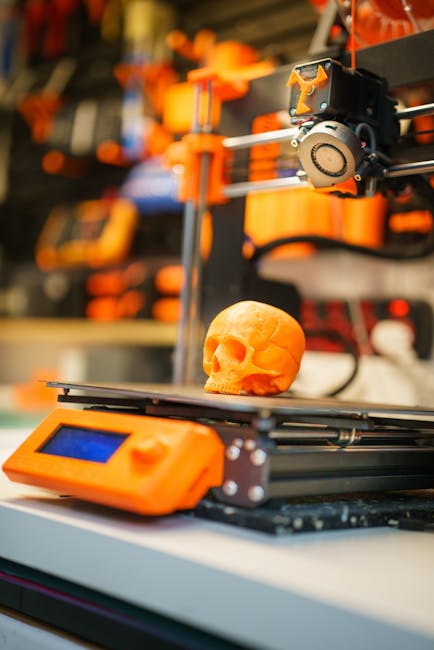
Table of Contents
- The Core of 3D Printing: Technologies and Processes
- Accelerating Prototyping and Product Development
- Enabling Customization and Personalization
- Revolutionizing Manufacturing and Supply Chains
- 3D Printing’s Role in Design and Artistic Expression
- Emerging Trends and Future Innovations
The Core of 3D Printing: Technologies and Processes
At its heart, 3D printing, or additive manufacturing, is a revolutionary approach to creation that builds objects layer by painstaking layer, fundamentally altering how we conceptualize and produce everything from intricate prototypes to end-use parts. This stands in stark contrast to traditional subtractive manufacturing, which carves away material from a larger block. This ability to build complex geometries with relative ease has been a significant driver of what is disruptive innovation? Examples & types.
The diversity of 3D printing technologies means there’s a perfect fit for nearly any application. Here’s a look at some of the most prominent:
- Fused Deposition Modeling (FDM): This is perhaps the most recognizable and accessible technology. FDM printers work by extruding thermoplastic filament, heated to its melting point, through a nozzle. The molten plastic is then precisely deposited onto a build platform, layer by layer, to form the object. Its ease of use and wide range of affordable materials make it ideal for rapid prototyping, educational purposes, and even some functional parts.
- Stereolithography (SLA): SLA utilizes a vat of liquid photopolymer resin and a UV laser to cure and solidify the resin precisely where it’s needed. The laser traces the cross-section of the object, solidifying the resin layer by layer. SLA is renowned for its incredibly high resolution and smooth surface finish, making it a top choice for detailed models, intricate jewelry, and medical applications where precision is paramount.
- Selective Laser Sintering (SLS): SLS employs a high-powered laser to fuse powdered materials, typically polymers like nylon, together. A roller spreads a thin layer of powder, and the laser selectively sinters (melts and fuses) the powder particles according to the digital design. Unfused powder acts as support for the object, allowing for complex geometries without dedicated support structures. SLS produces strong, functional parts suitable for demanding applications.
- Material Jetting (PolyJet/MultiJet): Similar in principle to an inkjet printer, Material Jetting builds objects by jetting droplets of photopolymer onto a build platform, which are then cured by UV light. This technology excels at producing multi-material and full-color parts in a single print, offering unparalleled design freedom and realism for prototypes and visual models.
- Metal 3D Printing (e.g., DMLS, SLM, Binder Jetting): These advanced technologies allow for the direct printing of metal parts. Technologies like Direct Metal Laser Sintering (DMLS) and Selective Laser Melting (SLM) use lasers to fuse metal powder, while Binder Jetting uses a liquid binder to selectively bond powder particles. These methods are transforming industries like aerospace and automotive by enabling the creation of lightweight, complex, and high-performance metal components that were previously impossible to manufacture. For an in-depth look at the materials and processes involved, resources like the America Makes Additive Manufacturing Standards Development Program offer valuable insights.
The choice of material is as crucial as the technology itself. The diversity of available materials fuels innovation:
- Plastics: A vast array, including ABS, PLA, PETG, Nylon, and flexible TPU. These offer a range of properties from rigidity and impact resistance to flexibility and heat tolerance.
- Resins: Photopolymer resins used in SLA and Material Jetting come in various formulations, including standard, tough, flexible, castable, and biocompatible options, catering to specific aesthetic and functional needs.
- Metals: Powders of stainless steel, aluminum, titanium, and various alloys are used in metal 3D printing, enabling the creation of robust and high-performance parts.
- Ceramics: Advanced ceramic powders can be printed for applications requiring high temperature resistance, electrical insulation, or biocompatibility, opening doors in fields like dentistry and advanced manufacturing.
This technological and material breadth is enabled by a sophisticated digital workflow, a prime example of visual thinking for innovation: see your ideas come to life. The process typically begins with a Computer-Aided Design (CAD) model, often created using specialized software. This digital blueprint is then processed by "slicer" software, which divides the 3D model into thin horizontal layers and generates machine-readable instructions (G-code) for the 3D printer. This preparation step is critical for ensuring print success and optimizing for material usage and print time, much like meticulously planning a service journey with service blueprinting: map your service for innovation. The slicer also allows for the generation of support structures where needed, ensuring overhangs and delicate features are printed successfully. This entire digital pipeline, from concept to physical object, is a testament to the iterative and precise nature of modern innovation, echoing the foundational impact of early innovations like the printing press: Gutenberg’s innovation in information dissemination.
To further illustrate the differences in capability, consider this simplified comparison:
| Technology | Primary Principle | Key Strengths | Typical Applications |
|---|---|---|---|
| FDM | Extrusion of thermoplastic filament | Cost-effective, wide material range, ease of use | Prototyping, hobbyist projects, functional parts |
| SLA | UV laser curing of photopolymer resin | High resolution, smooth surface finish, intricate detail | Jewelry, dental models, detailed miniatures |
| SLS | Laser sintering of powdered materials | Strong, functional parts, complex geometries, no dedicated supports | Aerospace components, custom tooling, durable prototypes |
| Material Jetting | Droplet deposition and UV curing of photopolymers | Multi-material and full-color printing, high accuracy | Realistic prototypes, marketing models, visual aids |
| Metal 3D Printing | Laser sintering/melting or binder jetting of metal powder | Complex metal parts, lightweight structures, on-demand manufacturing | Aerospace, automotive, medical implants |
Accelerating Prototyping and Product Development
In the relentless pursuit of innovation, the ability to rapidly translate ideas into tangible forms is paramount. 3D printing, also known as additive manufacturing, has emerged as a transformative force in this regard, fundamentally altering the landscape of prototyping and product development. Gone are the days of lengthy lead times and prohibitive costs associated with traditional manufacturing methods when it came to creating initial models.
The most profound impact of 3D printing lies in its ability to facilitate rapid iteration cycles. This means product development teams can now move from concept to physical prototype in a matter of hours or days, rather than weeks or months. This accelerated feedback loop is crucial for refining designs, testing functionality, and identifying potential flaws early in the development process. Imagine an engineer sketching an idea, sending it to the printer, and holding a functional prototype by lunchtime. This immediacy allows for a much more agile approach, akin to the iterative improvements that defined early aviation pioneers, as detailed in The Wright Brothers’ Secret: Iterative Design & Engineering Innovation That Took Flight. This speed directly translates to a significantly reduced time-to-market for new products, giving companies a crucial competitive edge. This is particularly relevant in fast-moving sectors where being first to market can be the difference between success and obscurity.
Furthermore, 3D printing unlocks the potential for creating complex geometries and functional prototypes that were previously impossible. Traditional subtractive manufacturing methods (like milling or turning) are limited by the tool’s ability to access the material. Additive manufacturing, however, builds objects layer by layer, allowing for intricate internal structures, organic shapes, and integrated functionalities that were once confined to the realm of imagination. This opens doors to entirely new product designs and performance enhancements. For instance, complex cooling channels within an engine part or lightweight yet incredibly strong structural components for aerospace can now be realized with ease. This capability is a powerful enabler of disruptive innovation, allowing for novel solutions that fundamentally change how products are made and function. As noted in articles discussing What is Disruptive Innovation? Examples & Types, this ability to create the "impossible" is a hallmark of truly groundbreaking advancements.
Finally, the cost-effectiveness of 3D printing for low-volume production and custom parts is a significant advantage. While the initial investment in a 3D printer can vary, the per-unit cost for creating one-off or small batches of parts is often dramatically lower than setting up traditional tooling. This makes it an ideal solution for highly specialized components, personalized medical devices, or niche consumer products. For businesses looking to explore new markets or offer bespoke solutions, 3D printing removes a significant financial barrier. The ability to produce custom parts on demand also plays a vital role in fields like healthcare, where patient-specific implants and prosthetics are becoming increasingly common. This aligns with principles of Universal Design: The Unseen Innovation Spark in Architecture, which emphasizes adaptability and personalization.
| 3D Printing Advantage | Impact on Innovation |
|---|---|
| Rapid Iteration Cycles | Faster feedback loops, reduced time-to-market, more refined products. |
| Complex Geometries | Enables novel designs, enhanced functionality, and previously impossible product features. |
| Cost-Effectiveness for Low-Volume/Custom Parts | Democratizes access to specialized production, supports niche markets and personalization. |
This shift in prototyping and production capabilities mirrors the revolutionary impact of earlier technologies that democratized access to information and creation, much like The Printing Press: Gutenberg’s Innovation in Information Dissemination. By lowering the barriers to experimentation and production, 3D printing empowers creators and innovators to explore, develop, and launch groundbreaking products with unprecedented speed and flexibility.
Enabling Customization and Personalization
In an era where individuality reigns supreme, 3D printing emerges as a transformative force, democratizing customization and ushering in an era of unparalleled personalization. Gone are the days of one-size-fits-all solutions; additive manufacturing allows us to tailor products precisely to individual needs and preferences, a concept we can call mass customization. This is more than just a trend; it’s a fundamental shift in how we design, produce, and consume.
The impact of this shift is profoundly felt in healthcare. Imagine prosthetic limbs that perfectly fit an individual’s residual limb, offering superior comfort and functionality, or custom-designed implants that integrate seamlessly with a patient’s anatomy. 3D printing is making these realities commonplace. Surgical guides, for instance, can be printed based on patient-specific scans, enabling surgeons to plan and execute complex procedures with pinpoint accuracy. This level of bespoke creation was once the domain of highly specialized, manual craftsmanship, but 3D printing scales it, making it accessible and efficient. This aligns with the core principles of Universal Design: The Unseen Innovation Spark in Architecture, which emphasizes designing for a wide range of users from the outset.
Beyond critical medical applications, the wave of personalization is transforming the consumer goods market. Footwear companies are now offering custom-molded insoles and shoes designed for unique foot structures, dramatically improving comfort and performance. Eyewear can be printed to perfectly match a person’s facial features and prescription, resulting in both aesthetic appeal and optimal vision. The fashion industry is also embracing this, with designers creating bespoke jewelry, accessories, and even garments that reflect individual style. This radical ability to personalize mirrors the revolutionary impact of earlier technological leaps, much like The Printing Press: Gutenberg’s Innovation in Information Dissemination democratized knowledge.
This ability to create unique items on demand is a prime example of how 3D printing acts as a catalyst for What is Disruptive Innovation? Examples & Types. By offering highly personalized products at competitive price points, it challenges traditional mass-production models and opens up new markets for niche offerings. The flexibility of 3D printing allows for rapid iteration and adaptation, a crucial element in the innovation process. Furthermore, this personalization can be deeply integrated with Visual Thinking for Innovation: See Your Ideas Come to Life, allowing customers to visualize and co-create their personalized products.
For instance, the medical field is seeing rapid advancements due to this technology. A study published in Nature Reviews Materials highlights the significant impact of additive manufacturing in creating patient-specific medical devices and implants, emphasizing its role in personalized medicine. Similarly, companies in the footwear industry are increasingly integrating 3D scanning and printing to offer unparalleled levels of comfort and fit, as detailed in reports from industry analysis firms like Statista. This shift towards individualized products, enabled by the precision and flexibility of 3D printing, is fundamentally reshaping consumer expectations and driving a new wave of creative product development.
Revolutionizing Manufacturing and Supply Chains
3D printing, or additive manufacturing, is fundamentally reshaping the landscape of production and logistics, ushering in an era of unprecedented agility and efficiency. One of its most impactful contributions is the enablement of decentralized manufacturing. Imagine producing complex components or even entire products directly at the point of need, whether that’s a remote construction site, a hospital ward, or a consumer’s doorstep. This dramatically slashes transportation costs, lead times, and carbon footprints.
This paradigm shift directly feeds into the concept of on-demand printing. Instead of large-scale, speculative production runs that lead to bloated warehouses and eventual obsolescence, 3D printing allows for goods to be manufactured only when they are ordered. This drastically reduces the need for extensive inventory, minimizing waste and freeing up capital. It’s a powerful application of Unlocking Innovation with First Principles, focusing on delivering exactly what’s needed, when it’s needed.
The implications for business models are profound. We’re seeing the rise of direct-to-consumer manufacturing, where individuals can design or customize their own products and have them printed locally. Furthermore, distributed manufacturing networks are emerging, where specialized 3D printing hubs can cater to a wide range of industries, creating a flexible and responsive global production capability. This is a prime example of disruptive innovation, altering established market structures and consumer expectations. The ability to rapidly iterate on designs, a cornerstone of innovation, is also amplified. This mirrors the iterative process seen in early innovations, much like how early aviation pioneers experimented tirelessly. While the printing press revolutionized information dissemination by making knowledge more accessible, 3D printing is doing something similar for physical goods, democratizing production.
- Decentralized production closer to end-users.
- Reduced inventory and waste through on-demand manufacturing.
- Emergence of new direct-to-consumer and distributed network business models.
- Enhanced product customization and rapid prototyping capabilities.
- Potential for localized spare parts production, reducing reliance on global supply chains.
For instance, companies like Protolabs exemplify this by offering rapid prototyping and on-demand manufacturing services, demonstrating the practical application of these principles. The impact on supply chain resilience is also significant. In a world increasingly aware of the fragility of global networks, as highlighted by recent events, localized 3D printing offers a powerful buffer against disruption, a topic explored in discussions on innovation ecosystems. This capability can be a critical component in building more robust and adaptable systems, similar to how advancements in renewable energy storage innovations are vital for grid stability.
3D Printing’s Role in Design and Artistic Expression
3D printing has fundamentally reshaped the landscape of design and artistic expression, offering unprecedented freedom and enabling the realization of concepts that were once confined to the imagination. This technology allows creators to move beyond the limitations of traditional manufacturing, opening doors to intricate geometries, complex internal structures, and highly customized forms. Imagine crafting sculptures with impossible overhangs, designing artworks with flowing, organic lines, or developing architectural models that showcase nuanced details with remarkable precision.
For designers, 3D printing acts as a powerful tool in the ideation and prototyping phases. It facilitates rapid iteration, allowing for quick adjustments and refinements to a design before committing to expensive tooling. This agility is crucial in today’s fast-paced innovation cycles, mirroring the iterative approach seen in fields like engineering and product development. It empowers designers to explore a wider design space, leading to more innovative and aesthetically compelling outcomes. This mirrors the fundamental shift in information dissemination brought about by The Printing Press: Gutenberg’s Innovation in Information Dissemination, democratizing creation and distribution.
Artists, in particular, have embraced 3D printing as a medium for pushing creative boundaries. The ability to translate digital models directly into physical objects allows for the creation of elaborate sculptures, immersive art installations, and highly detailed architectural visualizations. Whether it’s a delicate lattice-work sculpture or a complex, multi-part artistic piece, 3D printing provides the means to bring these imaginative concepts to life with a level of detail and fidelity previously unattainable. This process often involves a strong reliance on Visual Thinking for Innovation: See Your Ideas Come to Life, translating abstract ideas into tangible forms.
Furthermore, 3D printing fosters innovation in areas like sustainable product design, enabling the creation of products with optimized material usage and unique functional properties. The iterative nature of the design process, supported by 3D printing, aligns perfectly with the goals of Sustainable Product Design Innovation. The technology also democratizes creation, allowing individual artists and small studios to produce intricate pieces that might have been prohibitively expensive or impossible with traditional methods, echoing the impact of earlier technological revolutions on access to creative tools. For those looking to refine their creative process, exploring resources like Unlock Innovation: Your Ultimate Guide to the Design Thinking Process can further amplify the impact of 3D printing.
Emerging Trends and Future Innovations
The horizon of 3D printing is not just expanding; it’s exploding with possibilities, pushing the boundaries of what we consider manufacturable and, consequently, imaginable. We’re witnessing a rapid evolution from single-material, single-color fabrication to increasingly sophisticated processes. Advancements in multi-material and multi-color printing are opening doors to products with integrated functionalities and aesthetic complexity that were previously impossible. Imagine a single print job yielding a device with both rigid and flexible components, or a product with intricate, multi-hued patterns seamlessly incorporated – this is no longer science fiction.
This leap in capability is being supercharged by the integration with AI and generative design. These powerful tools can now explore vast design spaces, optimizing for performance, material usage, and even aesthetic appeal, often uncovering solutions human designers might overlook. This partnership allows for automated creation of highly complex geometries, tailored to specific needs, truly democratizing advanced design and accelerating the pace of innovation. It’s akin to how The Printing Press: Gutenberg’s Innovation in Information Dissemination revolutionized the spread of knowledge, AI-driven design is set to revolutionize the creation of physical objects.
Perhaps the most profound implications lie in the potential of bioprinting and advanced material science. The ability to print living tissues and organs holds the promise of transforming healthcare, offering personalized implants and revolutionizing drug testing. Simultaneously, researchers are developing novel materials with unique properties, from self-healing composites to ultra-lightweight, high-strength alloys, all made possible by the precise control offered by additive manufacturing. This convergence is a prime example of Unlocking Innovation with First Principles, breaking down complex challenges into fundamental building blocks.
Beyond the immediate functional and aesthetic benefits, the sustainability aspects of 3D printing are increasingly vital. The additive nature of the process inherently reduces waste compared to traditional subtractive manufacturing. Furthermore, there’s a growing focus on utilizing recycled materials, from plastics to metals, as feedstock for 3D printers. This not only diverts waste from landfills but also reduces the carbon footprint associated with virgin material production. Exploring how additive manufacturing can contribute to circular economy models is a critical area of innovation, potentially mirroring the impact of breakthroughs in Unlocking the Grid: Breakthrough Renewable Energy Storage Innovations on our energy systems. The drive towards sustainable product design innovation is a powerful motivator for exploring these new frontiers.
Featured image by Jakub Zerdzicki on Pexels
Table of Contents
- What is Low-Fidelity Prototyping?
- Key Low-Fidelity Prototyping Methods
- When to Use Low-Fidelity Prototyping
- Tools and Materials for Low-Fidelity Prototyping
- Best Practices for Effective Low-Fidelity Prototyping
- Limitations and Considerations of Low-Fidelity Prototyping
- Transitioning from Low-Fidelity to Higher Fidelity
What is Low-Fidelity Prototyping?
At its heart, low-fidelity prototyping, often shortened to "lo-fi," is about getting ideas out of your head and into a tangible form as quickly and cheaply as possible. Think of it as sketching your dreams onto paper, building with LEGOs, or crafting a rough cardboard model of your invention. The core principle is simplicity. We’re not aiming for pixel-perfect replicas or fully functional products; instead, we’re focusing on the fundamental structure, flow, and core concepts of a design. It’s about testing the "what if" and the "how might we" before committing significant resources. This approach is a cornerstone of effective Low-Fidelity Prototyping: Your Blueprint to Design Success.
The key differentiator between lo-fi and its more polished counterpart, high-fidelity (hi-fi) prototyping, lies in the level of detail and interactivity. Hi-fi prototypes mimic the final product very closely, often featuring realistic visuals, interactive elements, and smooth transitions. They are excellent for demonstrating the final user experience and for convincing stakeholders. Lo-fi prototypes, however, deliberately sacrifice visual fidelity for speed and ease of iteration. They might be wireframes, paper mockups, or simple clickable prototypes built with basic tools. The goal isn’t to impress with aesthetics but to elicit meaningful feedback on functionality and user flow.
The benefits of embracing lo-fi prototyping are numerous and often transformative for innovation cycles. Firstly, there’s the undeniable advantage of speed. You can go from a vague idea to a tangible representation in minutes or hours, not days or weeks. This rapid iteration is crucial for exploring a wide range of possibilities. Coupled with speed is cost-effectiveness. Materials are cheap (or even free, if you’re just using paper and pen), and the time investment is minimal. This allows teams to explore more avenues without significant financial risk, a crucial factor for any Rapid Prototyping for Startups: Ignite Innovation, Validate Ideas Fast.
Perhaps the most critical benefit is the ability to gather early feedback. By putting a rudimentary version of your idea in front of users, potential customers, or team members early in the process, you can uncover fundamental flaws or exciting new opportunities long before you’ve invested heavily in development. This feedback loop is invaluable for refining concepts and ensuring you’re building the right thing. As Donald Norman, a pioneer in user experience design, highlights, early and frequent testing is key to avoiding costly mistakes. [1] Furthermore, lo-fi prototyping is a powerful tool for idea exploration. It encourages a spirit of experimentation and allows for the seamless integration of various Idea Generation Methods: From Spark to Scale – A Veteran’s Blueprint and creative thinking techniques, such as those championed by Edward de Bono. [2] It provides a concrete canvas to play with different scenarios, test assumptions, and truly unlock the team’s collective creativity, often through Brainstorming Methods That Actually Work: Beyond the Fluff.
This focus on rapid iteration aligns perfectly with the principles of Rapid Prototyping: Fast, Smart Product Development and its various Rapid Prototyping Techniques. Whether you’re using simple paper sketches or basic digital wireframes, the intent remains the same: to quickly translate abstract ideas into something tangible for evaluation, even before considering specific Rapid Prototyping Materials or advanced processes like 3D Printing Prototyping: Speed, Cost, & Design Freedom. Ultimately, lo-fi prototyping isn’t about creating a perfect, finished product; it’s about initiating a creative dialogue and laying the groundwork for more refined solutions, sometimes leading to the exploration of Functional Prototyping later in the process.
[1] Norman, D. A. (2013). The Design of Everyday Things: Revised and Expanded. Basic Books. (While not a direct URL, this is a foundational text often cited in design literature on iterative design and user testing.) [2] De Bono, E. (1992). Serious Creativity: Using the Power of Lateral Thinking to Create Ideas. HarperBusiness. (Similar to the Norman reference, this is a widely recognized work in the field of creative thinking.)
Key Low-Fidelity Prototyping Methods
The true magic of innovation often lies not in complex, polished creations, but in the raw, uninhibited exploration of ideas. Low-fidelity prototyping methods are the bedrock of this exploration, allowing us to quickly and cheaply test concepts before committing significant resources. They are your blueprint to design success, enabling rapid iteration and invaluable user feedback at the earliest stages. Think of them as the essential first steps in any Rapid Prototyping journey, offering a clear path to refining your vision.
Here are some of the most impactful low-fidelity prototyping methods:
Paper Prototyping: This is perhaps the most fundamental low-fidelity technique. It involves sketching interfaces, user flows, and screen layouts directly on paper. It’s incredibly fast and accessible, allowing for spontaneous brainstorming and immediate feedback. Don’t underestimate the power of a simple sketch; it can reveal fundamental usability issues before a single line of code is written. This method is a fantastic starting point for any Idea Generation Methods: From Spark to Scale – A Veteran’s Blueprint.
Wireframing: Moving beyond static sketches, wireframing creates basic structural layouts of digital interfaces. The focus here is on content hierarchy, functionality, and the placement of key elements. Wireframes are essentially blueprints for user interfaces, abstracting away visual design to concentrate on how information is organized and how users will navigate through it. They are crucial for defining the skeletal structure of your product.
Storyboarding: To truly understand user interaction, storyboarding is invaluable. This method visualizes user journeys and scenarios through a sequence of drawings or images. It tells a narrative, showing how a user might interact with your product or service to achieve a specific goal. Storyboards are excellent for identifying potential pain points and moments of delight in the user experience, and can be a powerful tool for communicating your vision to stakeholders.
Role-Playing/Service Prototyping: For services or experiences that involve human interaction, role-playing is a dynamic way to prototype. This involves acting out user experiences and service interactions in a physical space. It allows teams to embody different roles – the customer, the service provider, etc. – and uncover nuances of the interaction that might be missed in purely digital methods. It’s about understanding the "feel" of the experience.
Card Sorting: This is a powerful technique for understanding user mental models, particularly when it comes to information architecture and navigation. Participants are given cards (representing content or features) and asked to group them in ways that make sense to them. This provides critical insights into how users expect information to be organized, guiding your navigation design. As Low-Fidelity Prototyping: Your Blueprint to Design Success highlights, understanding user expectations is paramount.
- All these methods are designed to be quick, cheap, and disposable.
- They encourage experimentation and reduce the fear of failure.
- They facilitate early and frequent user feedback.
- They help align team understanding around the core concept.
- They are excellent complements to more complex Functional Prototyping.
Embracing these low-fidelity methods is a testament to a mature approach to innovation. It’s about embracing the iterative process, much like the principles found in mastering Edward De Bono’s Creative Thinking Methods. By allowing for rapid iteration and easy validation, these techniques empower you to move forward with confidence, ensuring that your final product is not just innovative, but also deeply user-centric. These methods are the initial sparks in any Rapid Prototyping Techniques strategy, laying the groundwork for what might eventually be built with advanced Rapid Prototyping Materials or even 3D Printing Prototyping: Speed, Cost, & Design Freedom. For startups, in particular, these methods are essential for Rapid Prototyping for Startups: Ignite Innovation, Validate Ideas Fast, making them a cornerstone of effective Creative Problem Solving Methods.
For instance, a study in the International Journal of Human-Computer Studies on the effectiveness of paper prototyping in early design stages found that it significantly reduced development time and improved the identification of usability issues by allowing for rapid, iterative testing with users 1. Similarly, research published by the Harvard Business Review emphasizes the importance of early, low-fidelity feedback loops in product development to mitigate costly late-stage changes 2.
When to Use Low-Fidelity Prototyping
The beauty of low-fidelity prototyping lies in its speed and accessibility, making it an indispensable tool for innovators and creative thinkers. It’s not about polished perfection; it’s about getting ideas out of your head and into a tangible form, however rough, to foster understanding and spark meaningful conversation.
At its heart, low-fidelity prototyping is your early-stage ideation and concept validation champion. Think of those initial, exhilarating phases of a project where you’re swimming in possibilities. This is precisely when you should be sketching on napkins, drawing wireframes on whiteboards, or crafting paper prototypes. It allows you to quickly explore a multitude of design directions without the burden of intricate detail. This aligns perfectly with techniques found in Idea Generation Methods: From Spark to Scale – A Veteran’s Blueprint, where breadth of ideas is paramount. As Edward de Bono taught us with his lateral thinking methods, exploring diverse avenues is key to unlocking novel solutions. For anyone looking to refine their creative processes, Unlock Your Genius: Master Edward De Bono’s Creative Thinking Methods offers a wealth of inspiration.
Crucially, low-fidelity methods excel when you need to gather feedback from stakeholders and potential users before investing heavily. Imagine spending weeks meticulously crafting a high-fidelity design only to discover fundamental flaws during user testing. Low-fidelity prototypes sidestep this costly pitfall. They provide just enough substance for people to interact with and react to, helping you identify show-stopping issues or confirm promising directions with minimal resource expenditure. This is a core tenet of Rapid Prototyping Techniques, where speed and iteration are prized.
Furthermore, these techniques are ideal for testing core user flows and functionality. You don’t need a fully interactive, visually rendered interface to determine if a user can successfully navigate from point A to point B or complete a critical task. A simple paper prototype with clearly defined screens and interaction points can reveal significant usability hurdles. This focus on essential interactions is what lays the groundwork for more advanced Functional Prototyping later in the development cycle.
Perhaps one of the most powerful applications of low-fidelity prototyping is in communicating ideas to non-designers. A complex abstract concept, when translated into a visual, albeit rough, representation, becomes far more digestible. It bridges the gap between technical jargon and intuitive understanding, allowing colleagues from marketing, sales, or even executive leadership to grasp the essence of your vision. This visual clarity is often a catalyst for more productive discussions and a shared sense of purpose. For startups, this approach is particularly vital, as outlined in our guide on Rapid Prototyping for Startups: Ignite Innovation, Validate Ideas Fast.
FAQ: How quickly can I create a low-fidelity prototype?
Depending on the complexity of the idea and the chosen method, you can often create a basic low-fidelity prototype within minutes to a few hours. Tools like paper and pen, whiteboards, or simple wireframing software allow for extremely rapid iteration.
FAQ: What if my idea requires a physical component?
Even for physical products, low-fidelity prototypes can be incredibly useful. Think about using clay, cardboard, or readily available objects to represent the form and scale. While technologies like 3D Printing Prototyping: Speed, Cost, & Design Freedom offer more detailed physical models, initial form exploration can be achieved with much simpler materials. The key is to represent the core concept and spatial relationships.
In essence, embracing low-fidelity prototyping is an act of strategic intelligence. It’s about working smarter, not harder, ensuring that your innovative endeavors are built on a solid foundation of validated ideas and shared understanding. It’s the first, crucial step on the path to successful innovation, a practice that underpins the principles of Rapid Prototyping: Fast, Smart Product Development.
Tools and Materials for Low-Fidelity Prototyping
The beauty of low-fidelity prototyping lies in its accessibility. You don’t need a Fortune 500 budget or a team of specialized engineers to start iterating on your ideas. In fact, some of the most effective tools are likely already on your desk. Embracing these simple methods is a cornerstone of Low-Fidelity Prototyping: Your Blueprint to Design Success, allowing for rapid exploration and validation before committing significant resources.
Physical Tools: The Tangible Touch
When we talk about physical low-fidelity prototyping, we’re entering the realm of tangible exploration. This is where ideas take shape with the simplest of materials, fostering a hands-on approach that can be incredibly insightful, especially in the early stages of Idea Generation Methods: From Spark to Scale – A Veteran’s Blueprint.
- Paper: The universal canvas. From simple sketches to detailed user flows, paper is your most versatile ally. Think of it as your digital sketchbook, but with the added benefit of immediate physicality.
- Pens, Markers, and Pencils: Your tools for bringing those paper sketches to life. Different colors can help differentiate elements, add emphasis, or even represent different user states. A thick marker can represent a button, while a thinner pen can denote text.
- Scissors: Essential for cutting out elements, creating different shapes, or even simulating the removal of features during user testing.
- Sticky Notes: These are fantastic for representing individual components, user actions, or different screens. Their repositionable nature makes them perfect for quick wireframe assembly and iterative changes. You can quickly rearrange user flows or screen elements to explore different possibilities, a key aspect of Divergent Ideation Brainstorming Methods.
These humble tools allow for incredibly rapid iteration, aligning perfectly with the principles of Rapid Prototyping: Fast, Smart Product Development and its various Rapid Prototyping Techniques. For startups especially, these methods are crucial for Rapid Prototyping for Startups: Ignite Innovation, Validate Ideas Fast.
Digital Tools: Bridging the Gap
While physical prototypes offer a unique tactile experience, digital tools provide a convenient and often faster way to create low-fidelity representations, especially for software or complex interfaces. These tools excel at creating wireframes and simple mockups that clearly communicate layout and functionality.
- Balsamiq: Known for its hand-drawn aesthetic, Balsamiq is designed to mimic the look of rough sketches, keeping the focus on layout and functionality rather than visual design. This encourages feedback on core concepts.
- Whimsical: A versatile tool that supports wireframing, flowcharts, mind maps, and more. Its collaborative features make it excellent for teams working remotely.
- Miro: A powerful online collaborative whiteboard platform. It’s incredibly flexible and can be used for everything from brainstorming sessions and user journey mapping to creating interactive wireframes. The ability to integrate various elements and collaborate in real-time makes it a champion for team ideation and Brainstorming Methods That Actually Work: Beyond the Fluff.
- Excalidraw: An open-source, free virtual whiteboard tool that excels at creating hand-drawn diagrams and mockups. It’s lightweight and user-friendly, making it a great option for quick visual communication.
- Simple Drawing Software: Many existing design applications, even basic ones, can be used for wireframing. The key is to resist the urge to add excessive detail and focus on representing the structure and flow.
These digital tools facilitate the creation of static wireframes and mockups, which are excellent precursors to more detailed Functional Prototyping. They are also a vital part of the broader landscape of Rapid Prototyping Materials.
FAQ: How do I choose between physical and digital low-fidelity prototyping tools?
The best choice depends on your project, team, and goals. Physical tools are excellent for initial brainstorming, quick ideation sessions, and when you want to encourage a more tactile, less polished discussion. They are particularly useful for understanding user flows and basic layouts in a collaborative environment. Digital tools, on the other hand, are often more efficient for creating clean wireframes, especially for digital products, and for sharing and iterating with remote teams. They can also be more organized for larger projects. Often, a hybrid approach, starting with physical sketches and then moving to digital wireframes, proves most effective.
FAQ: Can these low-fidelity tools be used for complex projects?
Absolutely. While low-fidelity prototyping focuses on simplicity, it doesn’t mean it’s only for simple ideas. Complex projects benefit immensely from low-fidelity methods because they allow you to break down complexity into manageable parts. For example, you can use sticky notes to map out individual features or user journeys within a large application. Digital tools like Miro or Whimsical can handle intricate user flows and complex information architecture. The key is to maintain the “low-fidelity” aspect by focusing on structure, hierarchy, and core functionality, rather than getting bogged down in visual design details. This iterative approach is crucial for applying principles of Creative Problem Solving Methods.
Best Practices for Effective Low-Fidelity Prototyping
Getting your innovative ideas out of your head and into a tangible form doesn’t require a massive budget or a dedicated workshop. That’s where the magic of low-fidelity prototyping comes in. Think of it as the foundational sketch before you commit to the oil painting, or the rough clay model before it’s fired in the kiln. The core principle here is speed and learning. If you’re just starting to explore the possibilities, revisiting Low-Fidelity Prototyping: Your Blueprint to Design Success is a great first step.
Focus on Core Functionality and User Goals, Not Visual Details. When you’re in the low-fi stage, resist the urge to perfect the kerning on your text or choose the exact shade of blue for your buttons. Instead, ask yourself: "What is the absolute essential problem this feature solves for the user?" and "What is the most direct path to achieving that solution?" This is about validating the concept and the user journey, not the aesthetic polish. Imagine you’re building a house; you’re focusing on the layout of the rooms and how people will move between them, not the paint colors or the type of doorknobs.
Keep it Simple and Easy to Iterate On. The beauty of low-fi prototypes is their malleability. Use readily available materials like paper, sticky notes, index cards, or even simple digital wireframing tools. The easier it is to change something, the more likely you are to do it. If you’re spending hours painstakingly drawing every pixel, you’re already moving away from the core benefit of low-fi. This is akin to the iterative nature of Rapid Prototyping Techniques. The goal is quick experimentation, not polished perfection.
Involve Users Early and Often for Feedback. This is arguably the most critical best practice. Don’t wait until you’ve poured weeks into development to show your creation to the very people it’s intended for. Bring your paper prototypes or wireframes to users and observe how they interact with them. Their natural reactions, hesitations, and "aha!" moments are invaluable data. This early feedback loop helps you catch fundamental flaws before they become expensive to fix. It aligns with the philosophy of Functional Prototyping, where testing with users is paramount.
Be Prepared to Discard Ideas Based on Feedback. This can be tough, especially if you’ve become attached to an idea. However, your low-fi prototype is a tool for learning, not for validating your ego. If users consistently struggle with a particular flow or express confusion about a core feature, it’s a sign that the idea needs rethinking, not forcing. Embrace this as a win – you’ve saved yourself time and resources by discovering a problem early. This is where embracing Creative Problem Solving Methods becomes essential, allowing you to pivot and explore new avenues.
Clearly Define the Purpose and Scope of the Prototype. Before you even pick up a pen, ask yourself: "What specific question am I trying to answer with this prototype?" and "What user flow am I testing?" Is it to understand if users can navigate to a specific feature? Or to gauge their understanding of a new service offering? Having a clear objective will prevent you from getting bogged down in unnecessary details and ensure your testing is focused and productive. This clarity is a crucial first step before diving into any Idea Generation Methods: From Spark to Scale – A Veteran’s Blueprint.
Don’t Be Afraid to Be Rough; the Goal is Learning. This bears repeating. Your paper prototype doesn’t need to win any art awards. Scribbled diagrams, sticky notes representing buttons, and hand-drawn screens are perfectly acceptable, even encouraged. The roughness signals to participants that this is an early-stage concept, not a final product. It encourages them to offer honest feedback rather than feeling like they’re critiquing a polished design. Think of it as a sandbox for ideas, a space to explore possibilities without the pressure of perfection. This aligns with the spirit of Divergent Ideation Brainstorming Methods, where quantity and breadth of ideas are prioritized.
Case Study: Streamlining a Local Library’s Digital Catalog
A small community library wanted to improve their online catalog experience. They opted for paper prototypes to test new navigation and search functionalities. By sketching out different interface layouts on large sheets of paper and then having library patrons interact with them, the team quickly discovered that users found the initial search filters confusing. They also realized that a direct link to “new arrivals” was highly desired, a feature that hadn’t even been prioritized in earlier discussions. This feedback allowed them to refine the design significantly before investing in any coding, demonstrating the power of low-fidelity iteration in a practical, resource-constrained environment. This approach is crucial for organizations looking to implement Rapid Prototyping for Startups: Ignite Innovation, Validate Ideas Fast.
Limitations and Considerations of Low-Fidelity Prototyping
The raw power of low-fidelity prototyping lies in its speed and its ability to surface fundamental usability issues early in the design process. However, like any powerful tool in the innovation toolkit, it comes with its own set of limitations and considerations that seasoned practitioners are acutely aware of. Understanding these is crucial for maximizing the effectiveness of your Low-Fidelity Prototyping: Your Blueprint to Design Success efforts.
One of the most significant drawbacks is the lack of visual realism. When you’re working with paper sketches, wireframes, or basic cardboard models, users might not be able to accurately provide feedback on the aesthetics or the nuanced feel of an interaction. They are being asked to imagine the polish, the brand identity, and the emotional resonance, which can be a significant cognitive leap. This is why, at a certain stage, moving to higher fidelity prototyping becomes essential, perhaps exploring Functional Prototyping or even techniques leveraging 3D Printing Prototyping: Speed, Cost, & Design Freedom.
Furthermore, low-fidelity prototypes may not fully capture the complexity of dynamic interactions. Think about animations, micro-interactions, or complex branching logic. Representing these fluid, responsive elements with static sketches or simple clickable prototypes can be challenging. Users might not grasp how the system behaves under various conditions, leading to feedback based on an incomplete understanding. This highlights the need to be clear about the scope of what the prototype can and cannot demonstrate.
A closely related issue is that low-fidelity prototypes can sometimes be misinterpreted if context isn’t provided. Without a well-articulated introduction to the problem space, the user’s goals, and the specific area being tested, participants might project their own assumptions or expectations onto the design. This is where clear communication, much like the structured approach advocated in Unlock Your Genius: Master Edward De Bono’s Creative Thinking Methods, becomes paramount. You need to set the stage effectively.
Finally, and critically, low-fidelity prototypes require careful facilitation to extract meaningful insights. It’s not enough to simply hand someone a sketch and ask for their thoughts. A skilled facilitator probes, clarifies, observes body language, and guides the conversation to uncover the underlying ‘why’ behind user feedback. This is akin to effective Brainstorming Methods That Actually Work: Beyond the Fluff, where skilled moderation is key to unlocking valuable ideas rather than just surface-level comments. Without this deliberate guidance, the valuable feedback that low-fidelity prototyping is designed to elicit can remain hidden.
- Be explicit about the limitations of low-fidelity prototypes when presenting them to users.
- Supplement static prototypes with verbal explanations of dynamic interactions.
- Provide sufficient context and background information for user testing.
- Invest in training facilitators in user research and interview techniques.
- Consider a phased approach, starting with low-fidelity and progressing to higher fidelity as needed, a core principle of Rapid Prototyping Techniques.
When faced with these challenges, remember that the goal of low-fidelity prototyping is not to create a polished product, but to learn rapidly. As explored in articles like Rapid Prototyping for Startups: Ignite Innovation, Validate Ideas Fast, the speed of iteration and learning often outweighs the superficial polish. Embracing these methods, while understanding their boundaries, is a hallmark of truly effective Creative Problem Solving Methods.
Transitioning from Low-Fidelity to Higher Fidelity
The journey from a nascent idea to a polished product is rarely a straight line. Instead, it’s a dynamic, evolutionary process. Low-fidelity prototypes serve as the crucial first evolutionary step, acting as a blueprint to design success. They are invaluable for validating core concepts and user flows, but their inherent simplicity necessitates a deliberate transition to higher fidelity levels. This isn’t about abandoning your initial insights; it’s about building upon them.
Using lo-fi insights to inform mid-fidelity and high-fidelity prototypes means translating the core learnings into more detailed, interactive, and visually refined experiences. Think of it as moving from a sketched map to a detailed architect’s rendering. The scribbled wireframes and paper prototypes that were instrumental in uncovering user needs and testing fundamental navigation now guide the creation of interactive wireframes (mid-fidelity) and then visually polished, near-final interfaces (high-fidelity). This iterative process is the bedrock of effective product development, closely aligning with the principles of Rapid Prototyping: Fast, Smart Product Development.
The key here is identifying what needs more detail and refinement. Your low-fidelity explorations likely highlighted:
- User Flow Bottlenecks: Where did users struggle or get confused? These areas will require more intuitive design and clearer guidance in higher fidelity versions.
- Core Feature Prioritization: Which features resonated most strongly? These will need to be more prominently displayed and fleshed out.
- Information Architecture Gaps: Were users able to find what they needed? The navigation and content organization will need to be more robust.
- Key Interaction Patterns: What actions did users consistently try to perform? These interactions need to be made more explicit and discoverable.
The iterative process, therefore, is a natural progression: Lo-fi -> Mid-fi -> Hi-fi.
- Low-Fidelity to Mid-Fidelity: This is where you translate your paper prototypes and sketches into interactive wireframes. Tools like Balsamiq or Figma’s wireframing capabilities are excellent for this. You’ll be adding more specific calls to action, defining button states, and creating clickable links between screens. The goal is to test the usability of the flow and interactions in a more tangible way than paper allows, without getting bogged down in visual aesthetics. This stage is also a prime opportunity to revisit your Divergent Ideation Brainstorming Methods to ensure you’re not missing any potential enhancements before investing more design effort.
- Mid-Fidelity to High-Fidelity: Now you layer on the visual design. This involves applying branding, color palettes, typography, imagery, and micro-interactions. High-fidelity prototypes are designed to look and feel as close to the final product as possible. They are crucial for presenting to stakeholders, conducting user testing with a more realistic experience, and providing a clear design guide for developers. Techniques like Functional Prototyping become more relevant here, where the aim is to simulate real-world user interactions as closely as possible. For startups, this stage is particularly vital for Rapid Prototyping for Startups: Ignite Innovation, Validate Ideas Fast, allowing them to gather crucial market feedback before significant development investment.
The entire process, from initial sketching to a high-fidelity interactive model, is a manifestation of Rapid Prototyping Techniques. This iterative cycle ensures that your product evolves based on continuous learning and feedback, mirroring the creative problem-solving approach championed by thinkers like Edward de Bono. As you gain confidence in your design, you might even explore more advanced Rapid Prototyping Materials or technologies like 3D Printing Prototyping: Speed, Cost, & Design Freedom if your product has a physical component. Ultimately, this structured progression from low to high fidelity is your roadmap to delivering innovative and user-centric solutions, a testament to the power of iterative design and a well-honed Idea Generation Methods: From Spark to Scale – A Veteran’s Blueprint.
-
The exact URL for specific journal articles can vary, but searching for "effectiveness of paper prototyping international journal human computer studies" will yield relevant results.↩
-
You can find numerous articles on lean product development and iterative design by searching the Harvard Business Review website.↩
Featured image by Kuba Grzybek on Pexels
Table of Contents
- Defining Functional Prototyping: Beyond the Visual
- Key Characteristics and Benefits of Functional Prototypes
- When to Employ Functional Prototyping
- Types of Functional Prototypes and Their Applications
- The Functional Prototyping Process: A Step-by-Step Guide
- Tools and Technologies for Functional Prototyping
- Common Pitfalls and Best Practices
- Functional Prototyping in Action: Case Studies and Examples
- The Future of Functional Prototyping
Defining Functional Prototyping: Beyond the Visual
In the fast-paced world of innovation, we often encounter various forms of prototyping, each serving a distinct purpose. While a Low-Fidelity Prototyping: Your Blueprint to Design Success might give us a quick sense of layout and user flow, and a highly polished visual prototype can showcase aesthetics and user interface design, these methods often fall short when it comes to answering a crucial question: "Does it work?" This is where functional prototyping steps in, offering a tangible and interactive representation of a product’s core mechanics.
At its heart, functional prototyping is about building a testable model that replicates the essential operations and behaviors of the intended product. It’s not merely about looking like the final product, but about acting like it, even if in a simplified or limited capacity. Think of it as creating a working engine before you’ve designed the car’s body. The focus shifts decisively from appearance to action. This is the core differentiator that elevates functional prototypes above their visual or low-fidelity counterparts. While those are invaluable for early-stage ideation and aesthetic validation, functional prototypes are built to explore and validate the "how."
This method is intimately tied to the broader concept of Rapid Prototyping: Fast, Smart Product Development. By leveraging various Rapid Prototyping Techniques and a diverse range of Rapid Prototyping Materials – including the increasingly accessible 3D Printing Prototyping: Speed, Cost, & Design Freedom – teams can iteratively develop these functional models. The goal is to quickly and cost-effectively create something that can be tested under real-world (or simulated real-world) conditions. For startups, this ability to rapidly validate core functionality is a game-changer, as highlighted in our guide on Rapid Prototyping for Startups: Ignite Innovation, Validate Ideas Fast.
- Functionality First: The primary objective is to demonstrate and test the product’s key operations.
- Interactive Testing: Allows for hands-on interaction to uncover usability issues and performance bottlenecks.
- Risk Mitigation: Identifies critical design flaws and technical challenges early in the development cycle, saving time and resources.
- Stakeholder Buy-in: Provides a concrete demonstration of a product’s potential, making it easier to secure buy-in and investment.
- Iterative Refinement: Serves as a foundation for continuous improvement, guiding subsequent design and engineering decisions.
In the innovation and product development lifecycle, functional prototypes typically emerge after initial concept validation and visual design exploration. They are critical for de-risking complex technical aspects of a product before committing to full-scale manufacturing. A study in the Journal of Product Innovation Management emphasizes the role of early functional testing in reducing market failures. By forcing the "if it works" question early on, functional prototyping prevents teams from investing heavily in products that are technically unfeasible or fail to deliver on their core promise. It’s about moving from "what it looks like" to "what it does" and, crucially, "does it do it well?"
Key Characteristics and Benefits of Functional Prototypes
Functional prototypes are the workhorses of innovative development, moving beyond mere visuals to embody the how of your product. Unlike the preliminary explorations offered by Low-Fidelity Prototyping: Your Blueprint to Design Success, these prototypes are built to be used. Their primary focus sharpens on the intricate dance of user interaction and the essential core features that define your product’s value proposition. This allows for the crucial early validation of user flows and workflows, ensuring that the intended journey for your users is not just logical but also intuitive.
The benefits of this hands-on approach are manifold, significantly de-risking the innovation process. By testing technical feasibility, functional prototypes act as an early warning system, identifying potential engineering challenges before they escalate into costly roadblocks. This proactive stance allows teams to refine their approach, discover novel solutions, and ultimately gather concrete user feedback on usability and performance. Imagine the impact of real users interacting with a working model, providing invaluable insights that no amount of theoretical discussion can replicate.
This iterative testing is a cornerstone of effective Rapid Prototyping: Fast, Smart Product Development. By reducing development risks and the specter of costly rework later in the process, functional prototypes accelerate the entire iteration cycle. You can confidently test and refine your product concept before committing to full-scale development, a strategy particularly vital for Rapid Prototyping for Startups: Ignite Innovation, Validate Ideas Fast. This approach aligns with principles of agile development, where learning and adaptation are paramount. As noted by industry leaders, rapid prototyping is not just about speed, but about strategic learning and risk mitigation.
To illustrate the tangible outcomes, consider the following:
| Characteristic | Benefit |
|---|---|
| Interactive Core Features | Validates user experience, identifies usability issues early. |
| Technical Feasibility Testing | Uncovers engineering challenges, informs architectural decisions. |
| Real User Feedback | Gathers concrete data on performance and user satisfaction. |
| Reduced Development Risk | Minimizes costly rework and project delays. |
| Accelerated Iteration | Enables rapid testing and refinement before full investment. |
The selection of Rapid Prototyping Techniques and Rapid Prototyping Materials, including advancements like 3D Printing Prototyping: Speed, Cost, & Design Freedom, further empowers the creation of functional prototypes. These technologies allow for the swift and cost-effective production of tangible, testable models, transforming abstract ideas into demonstrable realities and paving the way for truly groundbreaking innovations.
When to Employ Functional Prototyping
Functional prototyping is your secret weapon when the rubber meets the road, and you need to go beyond just looking good to truly working right. It’s the stage where we move from visualizing an idea to proving its core mechanics. Think of it as the dress rehearsal before the grand opening – critical for ironing out the kinks and building investor confidence.
One of the most compelling reasons to dive into functional prototyping is to assess the viability of complex user interactions. If your innovative solution relies on intricate gestures, multi-step workflows, or real-time data feedback, a functional prototype is essential. It allows you to simulate these interactions, observe how users navigate them, and identify potential friction points that a static mockup or even a Low-Fidelity Prototyping: Your Blueprint to Design Success couldn’t possibly reveal. This is particularly crucial when the user experience is intrinsically tied to the functionality.
Furthermore, this method is invaluable for testing the core logic and algorithms of a proposed solution. Whether you’re developing a machine learning model, a complex simulation, or a novel data processing engine, a functional prototype allows you to inject real or simulated data and observe the output. This is where you can definitively prove that your algorithms perform as expected and deliver the desired results. It’s a tangible demonstration of the intellectual property that underpins your innovation.
Another key application is validating the integration of different system components. In today’s interconnected world, most solutions involve multiple services, APIs, hardware modules, or software libraries. A functional prototype acts as a bridge, allowing you to test how these disparate parts communicate and collaborate. This early validation can prevent costly integration nightmares down the line and ensures a cohesive end product. As noted by industry leaders, successful integration is often a make-or-break factor for ambitious technological ventures.
Crucially, functional prototyping should be a priority before significant engineering investment or code commitment. This is where the principles of Rapid Prototyping: Fast, Smart Product Development truly shine. By building a working, albeit simplified, version of your product, you gather essential data and feedback that informs – and often redirects – your full-scale development efforts. This iterative approach, often employing Rapid Prototyping Techniques, saves immense time and resources. For Rapid Prototyping for Startups: Ignite Innovation, Validate Ideas Fast, this stage is non-negotiable for securing funding and demonstrating traction. Technologies like 3D Printing Prototyping: Speed, Cost, & Design Freedom can be instrumental in creating these functional models quickly and affordably, using a variety of Rapid Prototyping Materials.
FAQ: When is functional prototyping most effective for software products?
Functional prototyping is most effective for software products when testing intricate user flows, validating backend logic, or demonstrating the integration of complex APIs. It allows you to prove that the core functionality works before committing to extensive UI design and full-stack development.
FAQ: Can functional prototypes be used to secure funding?
Absolutely. A functional prototype is a powerful tool for demonstrating a product’s feasibility and potential to investors. It moves beyond theoretical concepts to a tangible demonstration of how the solution will work, significantly increasing confidence and reducing perceived risk.
Types of Functional Prototypes and Their Applications
The beauty of functional prototyping lies in its versatility, offering a spectrum of fidelities to match the needs of your innovation journey. Understanding these different types allows you to choose the right tool for the job, ensuring efficient validation and iteration.
At the foundational level, we have Interactive Wireframes. These are essentially sketches brought to life with basic navigation. They’re perfect for testing fundamental user flows and understanding core interaction patterns without getting bogged down in visual design. Think of them as the skeletal structure of your idea. This stage is a crucial part of Low-Fidelity Prototyping: Your Blueprint to Design Success, where clarity of function trumps aesthetic appeal.
Stepping up slightly, Clickable Prototypes build upon wireframes by simulating navigation between screens and linking specific actions to outcomes. This allows stakeholders to click through a user journey, giving a tangible feel for how the product will be navigated. While still lacking detailed visual elements, they are invaluable for early-stage usability testing and gathering feedback on the overall experience.
As your concept matures, Medium-Fidelity Prototypes come into play. These incorporate more detailed UI elements, such as buttons, input fields, and some graphical components, along with basic functionality. They start to resemble the intended look and feel, allowing for more nuanced testing of user interactions and content presentation. This level often benefits from the speed and iteration capabilities inherent in Rapid Prototyping: Fast, Smart Product Development.
The pinnacle of visual and interactive fidelity is the High-Fidelity Prototype. These are meticulously crafted to closely mimic the final product’s appearance, user interface, and core functionality. They look and feel almost like the real thing, enabling comprehensive testing of user experience, visual design, and critical user flows. This is where you can truly immerse users in the intended experience, providing a near-complete representation of the final product.
Beyond simulating the user experience, Proof-of-Concept Prototypes serve a distinct purpose: to validate specific technical aspects or novel features. These might involve building a small, functional module to test the feasibility of a new algorithm, the performance of a new material, or the integration of an innovative technology. For hardware innovations, 3D Printing Prototyping: Speed, Cost, & Design Freedom is a game-changer for rapidly creating and testing physical proof-of-concept models. For startups, this level of validation is critical for securing funding and de-risking future development, as highlighted in articles discussing Rapid Prototyping for Startups: Ignite Innovation, Validate Ideas Fast.
The choice of prototype type is intrinsically linked to the chosen Rapid Prototyping Techniques, which can range from digital tools to physical construction methods. The selection of Rapid Prototyping Materials also plays a significant role, especially when dealing with functional prototypes that need to withstand certain stresses or mimic specific tactile qualities. For instance, testing a novel user interface component might necessitate a tangible prototype, while testing a complex backend service could be achieved through a more abstract, functional simulation. Ultimately, the goal remains the same: to reduce risk, accelerate learning, and build better products, faster.
The Functional Prototyping Process: A Step-by-Step Guide
Embarking on functional prototyping is a journey of tangible creation and iterative refinement, moving beyond mere aesthetics to validate the core mechanics of your innovation. It’s where abstract ideas begin to interact with reality, offering invaluable insights before significant resources are committed. This process is not a linear march but a dynamic cycle, best approached with a structured yet flexible mindset.
1. Defining Clear Objectives and Scope for the Prototype
Every great prototype begins with a crystal-clear purpose. What specific questions are you trying to answer? What are the critical assumptions you need to validate? Clearly defining your objectives and scope is paramount. Are you testing a novel interaction, a core algorithm, or the feasibility of a new hardware component? This initial clarity will guide every subsequent step and prevent scope creep, ensuring your efforts remain focused. For startups, this phase is particularly crucial for Rapid Prototyping for Startups: Ignite Innovation, Validate Ideas Fast, allowing for swift validation of core value propositions.
2. Identifying Key User Journeys and Functionalities to Test
Once objectives are set, pinpoint the most critical user journeys and functionalities that embody your innovation’s core value. Think about the "hero" scenarios – the primary ways users will interact with your product. Which features are most innovative, most complex, or most prone to user error? Focusing your prototyping efforts on these areas maximizes learning within your allocated time and budget. This is where the power of Low-Fidelity Prototyping: Your Blueprint to Design Success can shine, allowing for rapid exploration of various flows before diving into more complex builds.
3. Choosing the Right Tools and Technologies
The selection of tools and technologies is dictated by your objectives and the nature of the functionalities you’re testing. For software, this might involve no-code platforms, scripting languages, or even early versions of your actual development stack. For hardware, consider 3D Printing Prototyping: Speed, Cost, & Design Freedom, which offers remarkable versatility for creating physical components. The choice between off-the-shelf components, custom fabrication, or even simulation tools depends entirely on the specific functionality you aim to prove. Understanding the landscape of Rapid Prototyping Techniques will be key here, as different techniques lend themselves to different toolsets and materials.
4. Designing and Building the Interactive Elements
This is where your prototype truly takes shape. It’s not about a polished final product, but about creating a functional representation that allows for meaningful interaction and testing. For software, this might involve building out a clickable interface with conditional logic. For hardware, it could mean assembling components to demonstrate a specific mechanism or sensing capability. The emphasis is on functionality over aesthetics; it needs to work in the way that allows you to test your core hypotheses. This often aligns with the principles of Rapid Prototyping: Fast, Smart Product Development.
5. Conducting User Testing and Gathering Feedback
This is the crucial validation stage. Put your prototype into the hands of your target users. Observe their interactions, listen to their verbal feedback, and note any points of confusion, delight, or frustration. Employ a mix of qualitative and quantitative methods. For instance, recording user sessions and asking them to "think aloud" can reveal subtle usability issues, while tracking task completion rates can provide objective performance metrics. As noted by the Nielsen Norman Group, understanding user behavior through observation is a cornerstone of effective usability testing.
6. Analyzing Results and Iterating on the Design and Functionality
The feedback gathered is a goldmine of information. Analyze it systematically against your initial objectives. What patterns emerge? Where did users succeed, and where did they struggle? This analysis informs your next steps. It might lead to minor tweaks in the user interface, significant redesign of a functional element, or even a pivot in your product’s core concept. The iterative nature of prototyping means you’ll likely revisit earlier steps, refining the design and functionality based on these insights.
7. Documenting Findings and Implications for Further Development
The final, yet vital, step is comprehensive documentation. Record what you learned, the decisions made, and the rationale behind them. This includes details about the prototype’s construction, the testing methodology, the key findings, and any recommended changes for future development. This documentation serves as a historical record, a guide for the development team, and a valuable asset for stakeholders. It ensures that the lessons learned from your functional prototype are not lost and directly contribute to a more robust and successful final product.
- Clearly define prototype objectives and scope.
- Identify key user journeys and functionalities for testing.
- Select appropriate tools and technologies.
- Design and build interactive elements for testing.
- Conduct thorough user testing and collect feedback.
- Analyze test results to inform iterations.
- Document all findings and their implications for future development.
Tools and Technologies for Functional Prototyping
The journey from a nascent idea to a tangible, testable product is paved with innovation, and at its heart lies functional prototyping. This isn’t about static mockups; it’s about bringing your concepts to life, allowing users and stakeholders to interact with a working representation of the final product. To achieve this, a diverse toolkit of software, hardware, and development approaches are at our disposal.
Software-Driven Solutions for Interactive Prototypes
For digital products, a rich ecosystem of design and prototyping software empowers creators. Tools like Figma, Adobe XD, and InVision excel at creating interactive wireframes and high-fidelity mockups. They enable designers to simulate user flows, define interactions, and gather early feedback, which is a cornerstone of effective Rapid Prototyping Techniques. For more complex interactions and detailed logic, Axure RP and Proto.io offer advanced capabilities, allowing for the creation of prototypes that closely mimic the behavior of a live application without requiring full development. These platforms are invaluable for Rapid Prototyping for Startups: Ignite Innovation, Validate Ideas Fast.
Harnessing the Power of Code
When the fidelity of the prototype needs to approach that of the final product, or when specific dynamic behaviors are critical, leveraging coding frameworks becomes essential. React, Vue.js, and Angular are powerful JavaScript frameworks that allow developers to build highly interactive and functional prototypes. This approach offers unparalleled control over the user experience and can even serve as a foundation for the eventual production code, blurring the lines between prototyping and development. This is particularly relevant when exploring Rapid Prototyping: Fast, Smart Product Development.
The Rise of No-Code and Low-Code
The democratization of prototyping has been significantly accelerated by the advent of no-code and low-code platforms. Tools like Bubble, Webflow, and Glide allow individuals with minimal coding experience to build functional web and mobile applications. These platforms abstract away much of the underlying complexity, enabling rapid iteration and testing of functional prototypes with remarkable speed and efficiency. They are a game-changer for quickly validating hypotheses and bringing ideas to market.
Bridging the Digital and Physical Divide: Hardware Prototyping
For the Internet of Things (IoT) and hardware-centric innovations, the prototyping landscape expands to include physical components. Platforms like Arduino and Raspberry Pi serve as robust, accessible hardware development kits. These microcontrollers and single-board computers allow creators to build functional prototypes of electronic devices, experiment with sensors, actuators, and connectivity, and test real-world interactions. This is crucial for developing tangible products and exploring concepts that interact with the physical environment. The advancements in 3D Printing Prototyping: Speed, Cost, & Design Freedom also play a vital role in creating the physical enclosures and components for these hardware prototypes. Understanding the spectrum of Rapid Prototyping Materials is also key here.
Essential for Collaboration and Evolution
As prototypes evolve and teams grow, robust version control and collaboration tools become indispensable. Platforms like Git (with services like GitHub, GitLab, or Bitbucket) are the industry standard for managing code-based prototypes, ensuring that changes are tracked, conflicts are resolved, and multiple developers can work concurrently. For design prototypes, features within tools like Figma and InVision offer collaborative editing and commenting, fostering seamless teamwork. These tools are not merely administrative; they are fundamental to the iterative nature of functional prototyping, allowing for graceful pivots and continuous improvement. While Low-Fidelity Prototyping: Your Blueprint to Design Success might not require such sophisticated tooling, as prototypes gain functionality, these systems become critical.
Here’s a comparative overview of some popular software prototyping tools:
| Tool | Primary Use Case | Key Strengths | Learning Curve |
|---|---|---|---|
| Figma | UI/UX Design, Interactive Prototyping | Real-time collaboration, component-based design, extensive plugin ecosystem | Moderate |
| Adobe XD | UI/UX Design, Wireframing, Prototyping | Integration with Adobe Creative Cloud, repeat grid, prototyping features | Moderate |
| InVision | Prototyping, Collaboration, Design Handoff | Easy to use, great for sharing and feedback, integrates with Sketch/Photoshop | Easy |
| Axure RP | Complex Interactive Prototypes, Wireframing, Documentation | Advanced logic and conditional interactions, dynamic content, robust documentation features | Steep |
| Proto.io | High-fidelity Interactive Prototypes, Mobile Apps | Rich animation and interaction capabilities, no coding required, mobile-first focus | Moderate |
Common Pitfalls and Best Practices
Functional prototyping, while a powerful engine for innovation, is not without its landmines. Navigating these common pitfalls effectively is crucial for extracting maximum value from your efforts.
One of the most pervasive traps is over-scoping. It’s tempting to imbue a prototype with every conceivable feature, turning it into a mini-product rather than a focused testing tool. This dilutes its purpose and exponentially increases development time and cost. Remember, the goal of functional prototyping is to validate specific assumptions, not to build a polished final product. Instead of trying to prototype everything at once, break down your ambitious vision into smaller, manageable chunks, each with a clear, testable objective. This aligns perfectly with the principles of Rapid Prototyping: Fast, Smart Product Development, where iterative progress is key.
Related to over-scoping is the misconception that a functional prototype needs to be perfect. The mantra here should be "good enough to test." Resist the urge to chase pixel-perfect aesthetics or flawless code if the core functionality you intend to validate doesn’t require it. Investing time in unnecessary polish can distract from the primary goal of gathering meaningful user feedback. Think about Low-Fidelity Prototyping: Your Blueprint to Design Success – even at a higher functional level, the same principle of "fit for purpose" applies.
Furthermore, setting realistic expectations for your prototype’s performance and capabilities is paramount. It’s not a finished product, and its limitations will be evident. Be transparent about what the prototype can and cannot do. This extends to clearly communicating these limitations to stakeholders and testers. Managing expectations upfront prevents disappointment and ensures feedback is focused on the intended areas of inquiry. Misunderstandings here can lead to skewed results and wasted effort, undermining the very purpose of prototyping.
Effectively integrating feedback loops is another critical success factor. A prototype is a conversation starter, not a monologue. Build mechanisms for collecting, analyzing, and acting upon feedback directly into your process. This might involve user testing sessions, A/B testing variations, or even simple surveys. The more fluid and responsive your feedback loop, the faster you can iterate and refine your ideas. As noted by researchers at MIT, continuous feedback is a cornerstone of effective design processes 1.
Finally, and perhaps most importantly, prioritize testable hypotheses over perfect execution. What specific questions are you trying to answer with this prototype? Frame your development efforts around validating these hypotheses. The prototype’s success isn’t measured by its robustness, but by the clarity of the insights it provides into your core assumptions. This approach is particularly vital for Rapid Prototyping for Startups: Ignite Innovation, Validate Ideas Fast, where speed and validation are often more critical than perfection.
Consider the array of Rapid Prototyping Techniques available, from simple wireframes to more complex functional models potentially utilizing technologies like 3D Printing Prototyping: Speed, Cost, & Design Freedom, to choose the right approach that balances speed, cost, and the depth of testing required. The choice of Rapid Prototyping Materials should also be dictated by the functional requirements of your tests, not by an arbitrary desire for polish.
Functional Prototyping in Action: Case Studies and Examples
The true power of functional prototyping isn’t just in its conceptualization; it’s in its tangible impact on bringing innovative ideas to life. By moving beyond static mockups to interactive, testable representations, we unlock invaluable feedback loops that refine our creations before significant investment. Let’s explore how this approach plays out across different domains.
Software Application Development: Iterating Towards Seamless User Experience
In the realm of software, functional prototypes are the lifeblood of agile development. Consider a new e-commerce platform developing its checkout process. Instead of building the entire, complex backend, a functional prototype can simulate the user journey: from adding items to the cart, through payment gateway integration (even with dummy data), to order confirmation. This allows UX designers and product managers to observe real user interactions, identify pain points like confusing form fields or a clunky payment selection, and iterate on the design long before a single line of production code is written. This mirrors the principles of Rapid Prototyping: Fast, Smart Product Development, emphasizing speed and validation. Techniques like using tools such as Figma, InVision, or even custom-coded interactive wireframes can bring these complex flows to life.
Hardware Product Innovation: Bringing Smart Devices to Life
For hardware, functional prototyping is about testing the physical and digital interface. Imagine developing a new smart home thermostat. A functional prototype might involve a 3D-printed casing with a functional touchscreen displaying a simulated UI. This prototype can be used to test the intuitiveness of menu navigation, the responsiveness of touch controls, and even basic functionalities like setting a temperature or scheduling. This allows engineers to validate ergonomic considerations and user interface design in tandem. The advancements in 3D Printing Prototyping: Speed, Cost, & Design Freedom have made creating these physical-digital hybrids more accessible than ever, allowing for rapid iteration on both form and function using a variety of Rapid Prototyping Materials.
Service Design Prototypes: Emulating Human Interaction
Service design, often intangible, can also benefit immensely from functional prototyping. When designing a new customer service experience, for instance, a functional prototype could involve role-playing scenarios. Customer service agents (or actors) interact with individuals playing the role of customers, using scripts and tools that mimic the proposed service. This allows teams to test communication protocols, problem-solving scripts, and the overall flow of a customer interaction. Observing how participants react, what questions arise, and where friction points occur provides critical insights for refining the service before launch. This is a form of Low-Fidelity Prototyping: Your Blueprint to Design Success, focusing on the core interaction dynamics.
Success Stories Fueled by Functional Prototypes
Numerous groundbreaking products owe their success to robust functional prototyping. Consider the early days of the smartphone revolution. Companies didn’t launch fully featured devices; they iterated through numerous functional prototypes, testing touch interfaces, app ecosystems, and user flows. This iterative process, deeply rooted in Rapid Prototyping Techniques, allowed them to refine the user experience to an unprecedented level.
Another compelling example is the development of wearable fitness trackers. Early iterations likely involved functional prototypes that simulated sensor data, displayed basic metrics on a small screen, and tested the connectivity with mobile applications. This allowed for early validation of core features and user engagement strategies, proving essential for market acceptance. As highlighted in articles discussing Rapid Prototyping for Startups: Ignite Innovation, Validate Ideas Fast, this approach is particularly crucial for nimble organizations looking to make a significant impact.
FAQ: What’s the difference between a functional prototype and a proof of concept?
A proof of concept (PoC) primarily aims to demonstrate the feasibility of a specific technical idea or feature. It answers the question, “Can this be done?” A functional prototype, on the other hand, is a more developed, interactive model that demonstrates how a product or feature will work from a user’s perspective. It answers the question, “How will this work and is it usable?” Functional prototypes are designed for testing user experience and identifying design flaws, whereas PoCs focus on technical viability.
FAQ: How expensive are functional prototypes?
The cost of functional prototypes varies wildly depending on the complexity and domain. A click-through wireframe for a website can be created with minimal cost using readily available software. In contrast, a functional hardware prototype involving custom electronics and 3D-printed components can be significantly more expensive. However, the key is that functional prototypes are almost always *less* expensive than building the final, polished product. They serve as a critical cost-saving mechanism by identifying issues early, preventing costly rework later in the development cycle. Leveraging Rapid Prototyping Materials and techniques is key to managing costs.
The Future of Functional Prototyping
The landscape of innovation is constantly evolving, and with it, the very essence of how we bring ideas to life. Functional prototyping, once a laborious and time-consuming endeavor, is now at the precipice of a revolution, fueled by technological leaps and a deeper understanding of iterative development. As we look towards the future, several key trends are shaping how we will conceive, build, and test our next generation of groundbreaking products and services.
One of the most transformative forces at play is the burgeoning role of AI-assisted prototyping. Imagine an AI that not only suggests design iterations based on performance metrics but also generates code or even optimizes manufacturing processes for your functional prototype. This isn’t science fiction; AI is increasingly being integrated into design software, offering predictive analysis, automated testing, and even intelligent material selection. This synergy between human creativity and artificial intelligence promises to drastically accelerate the design cycle, allowing for more complex and robust prototypes to be developed with unprecedented speed and efficiency. This evolution builds upon the foundational principles of Rapid Prototyping: Fast, Smart Product Development, making the "fast" and "smart" aspects even more pronounced.
The integration of functional prototypes with virtual and augmented reality (VR/AR) is another paradigm shift. Gone are the days when a physical prototype was the sole arbiter of user experience. By embedding functional prototypes within immersive VR environments or overlaying them onto the real world via AR, designers and stakeholders can interact with, test, and refine products in incredibly realistic simulations. This allows for invaluable insights into user interaction, ergonomics, and even environmental factors before a single physical component is manufactured. Think of testing the intuitiveness of a new surgical instrument in a simulated operating room or experiencing the user interface of a smart home device within a virtual replica of a living space. This opens up new avenues for Rapid Prototyping Techniques that extend beyond the purely physical.
Furthermore, the democratization of prototyping tools and techniques is leveling the playing field for innovators everywhere. Advanced software, affordable 3D printers (a key driver for 3D Printing Prototyping: Speed, Cost, & Design Freedom), and accessible online fabrication services are putting powerful prototyping capabilities into the hands of individuals and small teams. This empowers entrepreneurs and startups to quickly iterate and validate their concepts, as highlighted in resources like Rapid Prototyping for Startups: Ignite Innovation, Validate Ideas Fast. This accessibility not only fosters a more diverse innovation ecosystem but also encourages experimentation with a wider range of Rapid Prototyping Materials, from advanced polymers to flexible electronics. Even the foundational concepts of Low-Fidelity Prototyping: Your Blueprint to Design Success are being augmented by digital tools that allow for rapid, interactive mockups.
Crucially, the future of functional prototyping is inextricably linked to the principles of agile and lean methodologies. These frameworks, which emphasize iterative development, continuous feedback, and rapid adaptation, find their perfect counterpart in functional prototyping. By building and testing functional prototypes in short, focused sprints, teams can gather critical data, identify potential flaws early on, and pivot their designs with minimal wasted effort. This cyclical process of build-measure-learn, a cornerstone of lean thinking, is significantly enhanced by the speed and fidelity of modern prototyping. The ability to quickly create and test a functional prototype allows teams to be more responsive to market feedback and to de-risk innovation by uncovering potential issues before significant investment is made, aligning with principles advocated in numerous business strategy discussions, such as those found in Harvard Business Review articles on agile transformation.
- AI-powered design optimization and suggestion engines are becoming standard.
- VR/AR environments are being used for increasingly sophisticated user testing and validation.
- Cloud-based platforms are making advanced prototyping tools accessible globally.
- Integration with CI/CD pipelines is enabling automated functional testing of prototypes.
- Materials science advancements are expanding the range of functional properties achievable in prototypes.
In essence, the future of functional prototyping is one of accelerated intelligence, immersive validation, and widespread accessibility. It’s a future where the gap between an idea and a tangible, testable reality shrinks dramatically, paving the way for more impactful and creative innovation across all industries.
-
See, for example, "The Lean Startup" by Eric Ries, which heavily emphasizes the iterative Build-Measure-Learn feedback loop.↩
Featured image by Kuba Grzybek on Pexels